

How to install the certificate?
How to install the certificate on the store server?
You must install the following three files in the server's Trustedstore. Cielo does not provide support for installing the certificate. If you are unsure about how to install the certificate, then you should contact your server vendor's support.
Installation on the virtual store server
For step-by-step instructions on installing the certificate, contact your server provider's support.
Client access to the online store
Normally, the browser updates the certificate automatically. If not, follow these steps:
Save the certificate files
Click the certificate you need to start the download. Save the file for future use:
| Certificate | Validity |
|---|---|
| *braspag.com.br | 03/02/2027 |
| *pagador.com.br | 20/11/2026 |
Install certificates in the browser
Google Chrome
- Go to Configurações> Privacidade e Segurança > Segurança > Gerenciar Certificados. Clique em Importar:
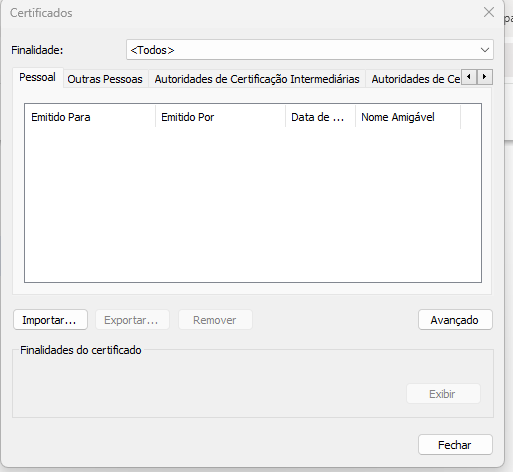
- In the Certificate Import Wizard, click Next:
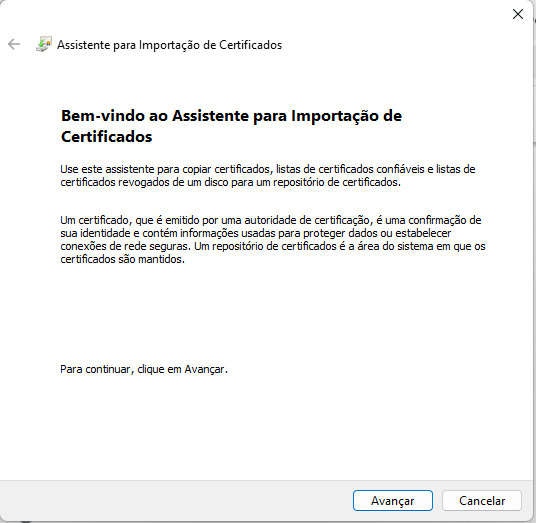
- Click on Browse and select one of the three certificate files saved previously (raiz, intermediário or E-commerce Cielo):
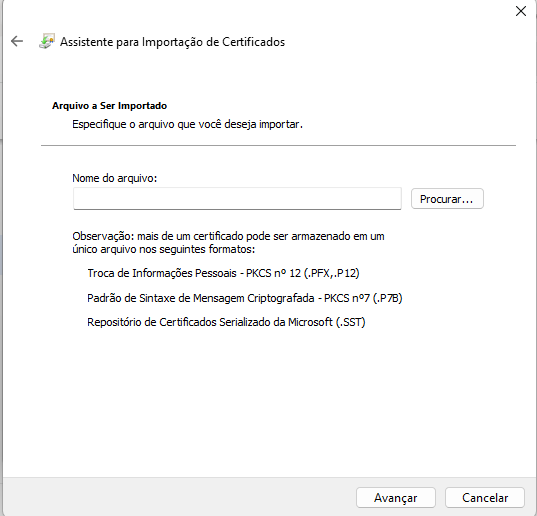
- Select the desired Certificate Store:
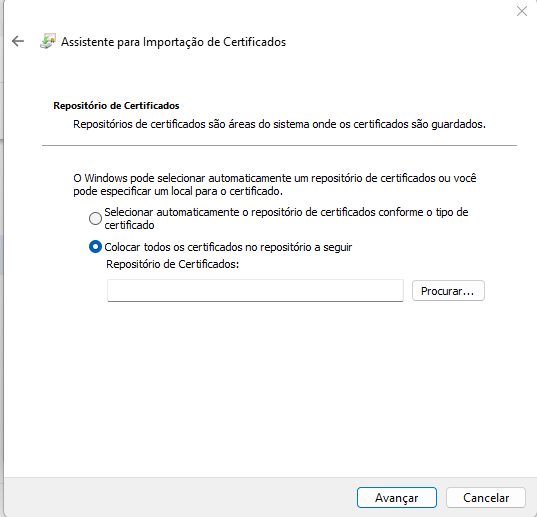
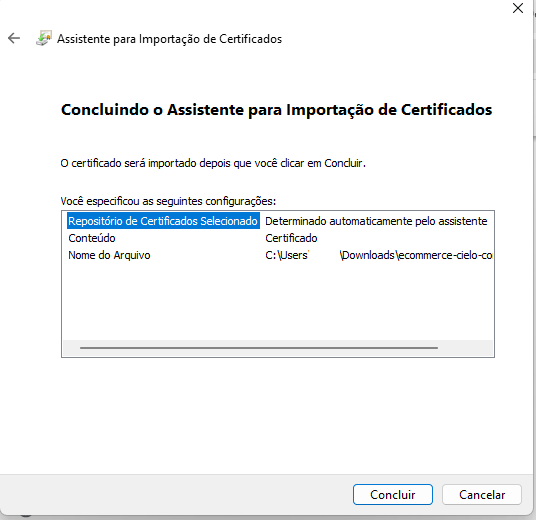
- Check the information and click Concluir:
Updated 2 months ago
Did this page help you?