

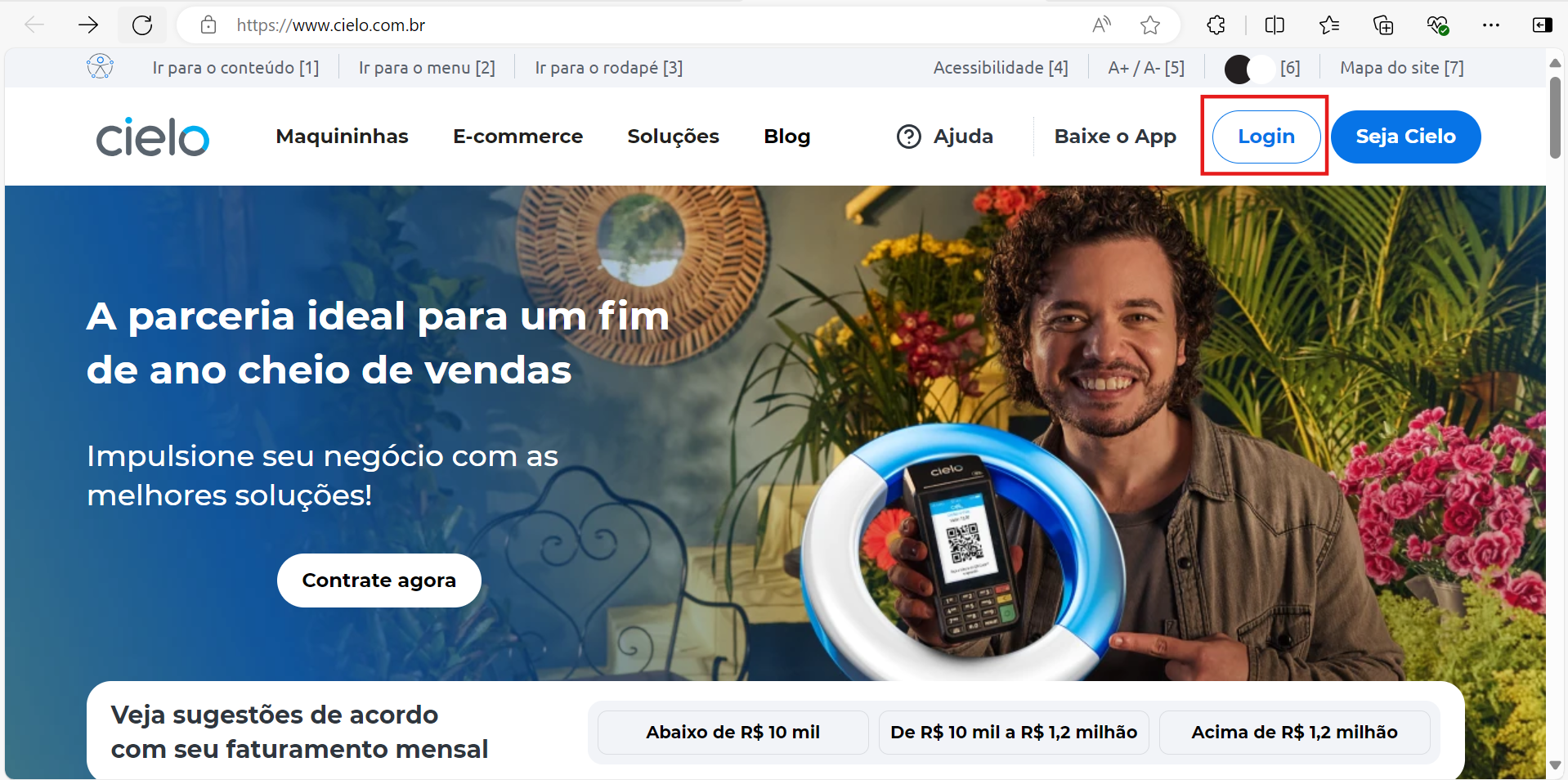
- Access the website Cielo and click on Login;
-
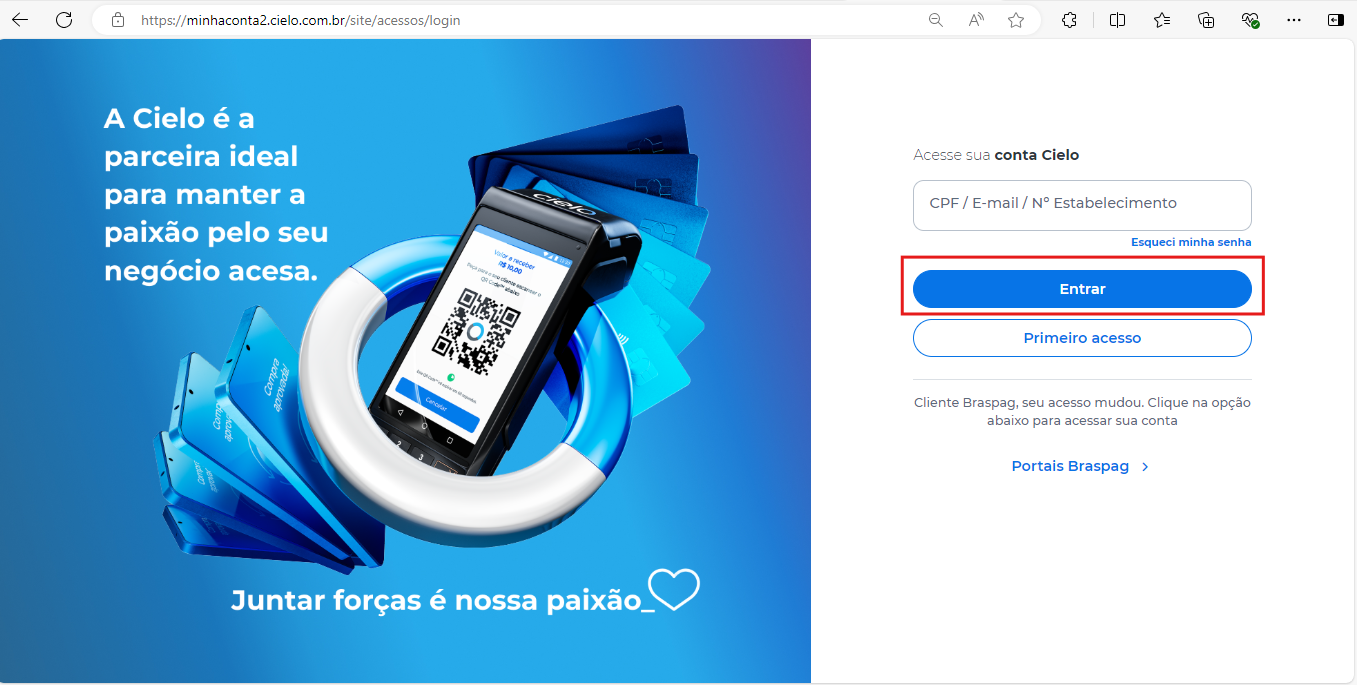
Go to My Cielo Account with the EC number created, and click on Entrar;
-
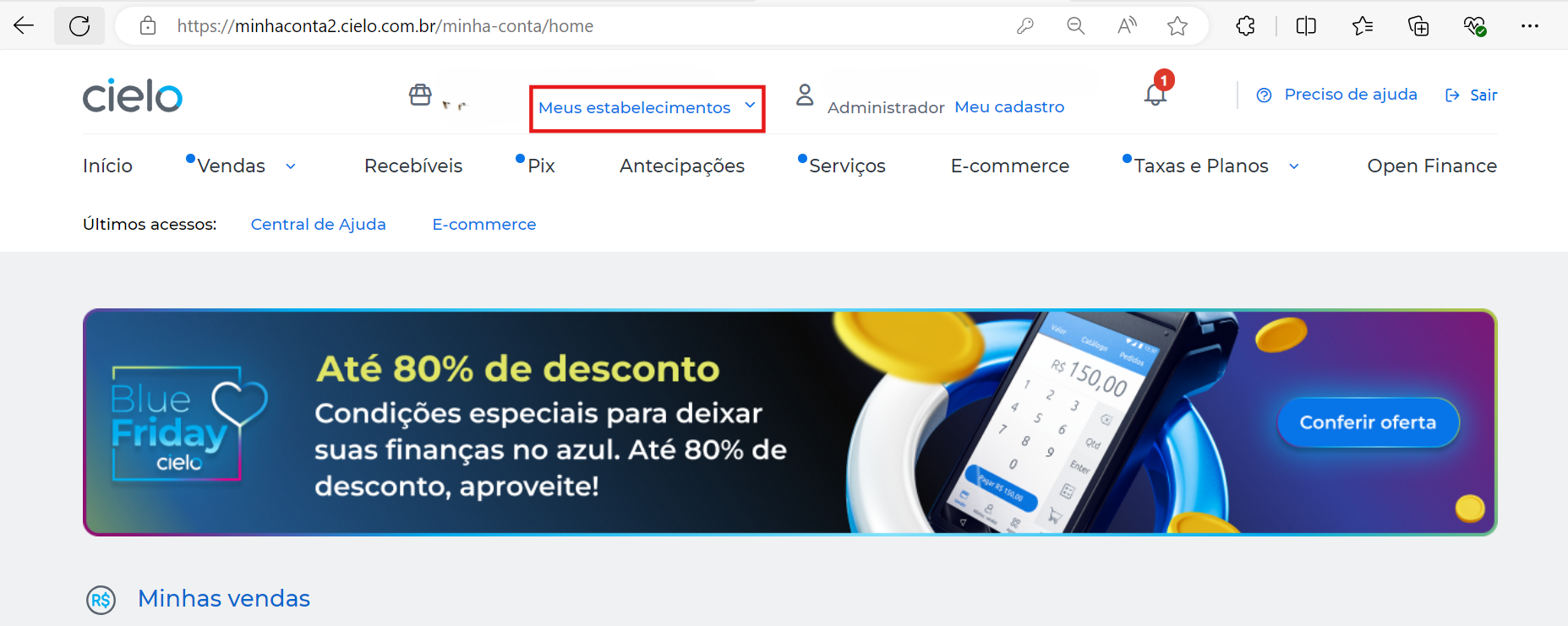
If you have more than one establishment and need to change, click on Meus estabelecimentos;
-
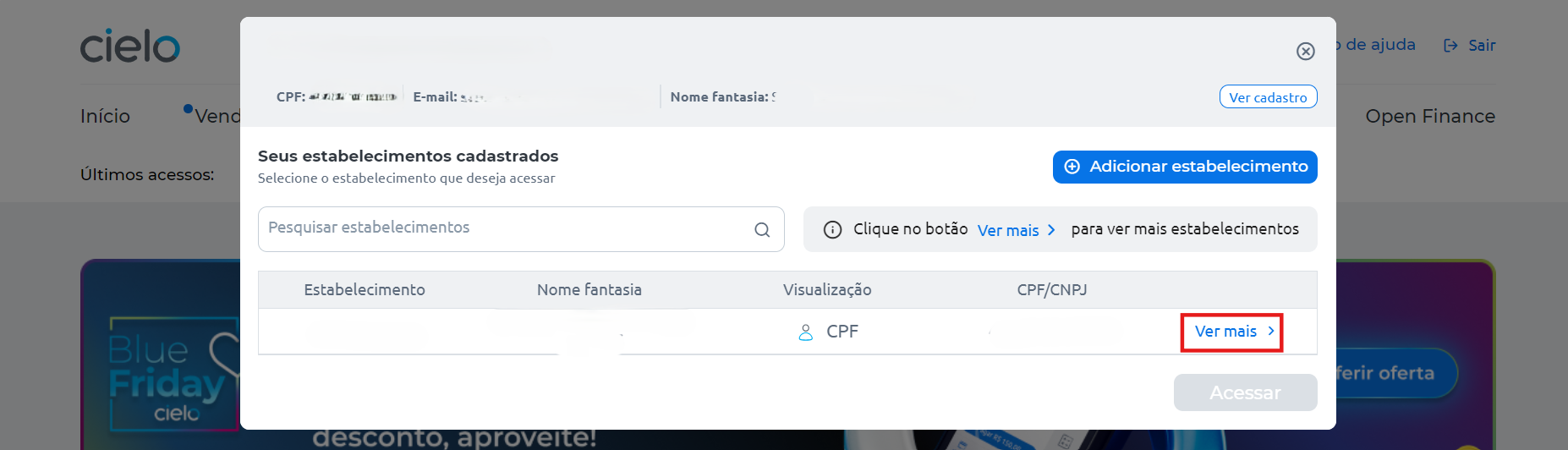
Click on Ver mais;
-
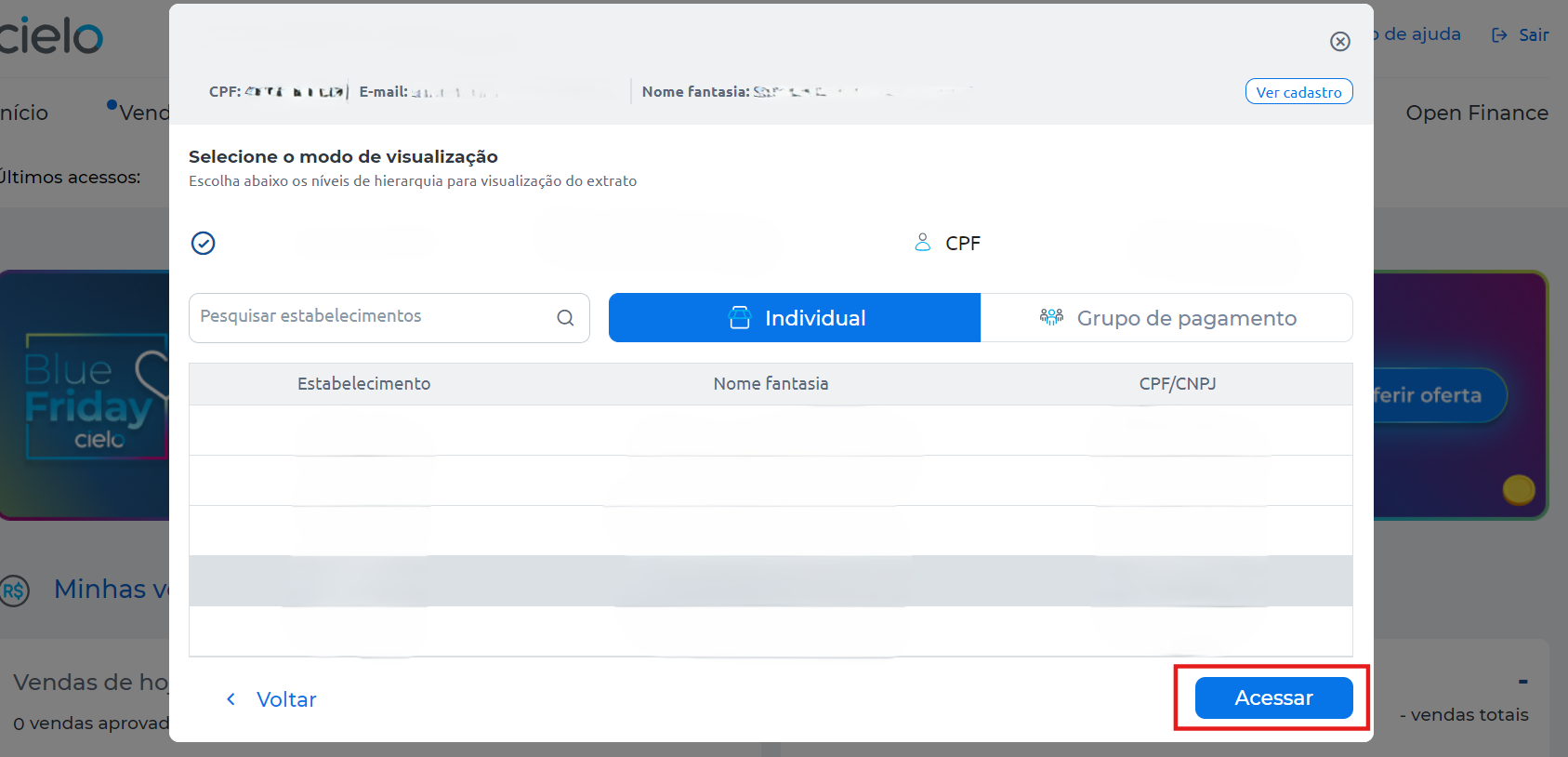
Select the desired establishment, (The Cielo E-commerce API EC number can be found in the welcome e-mail sent by Cielo) and click on Acessar;
-
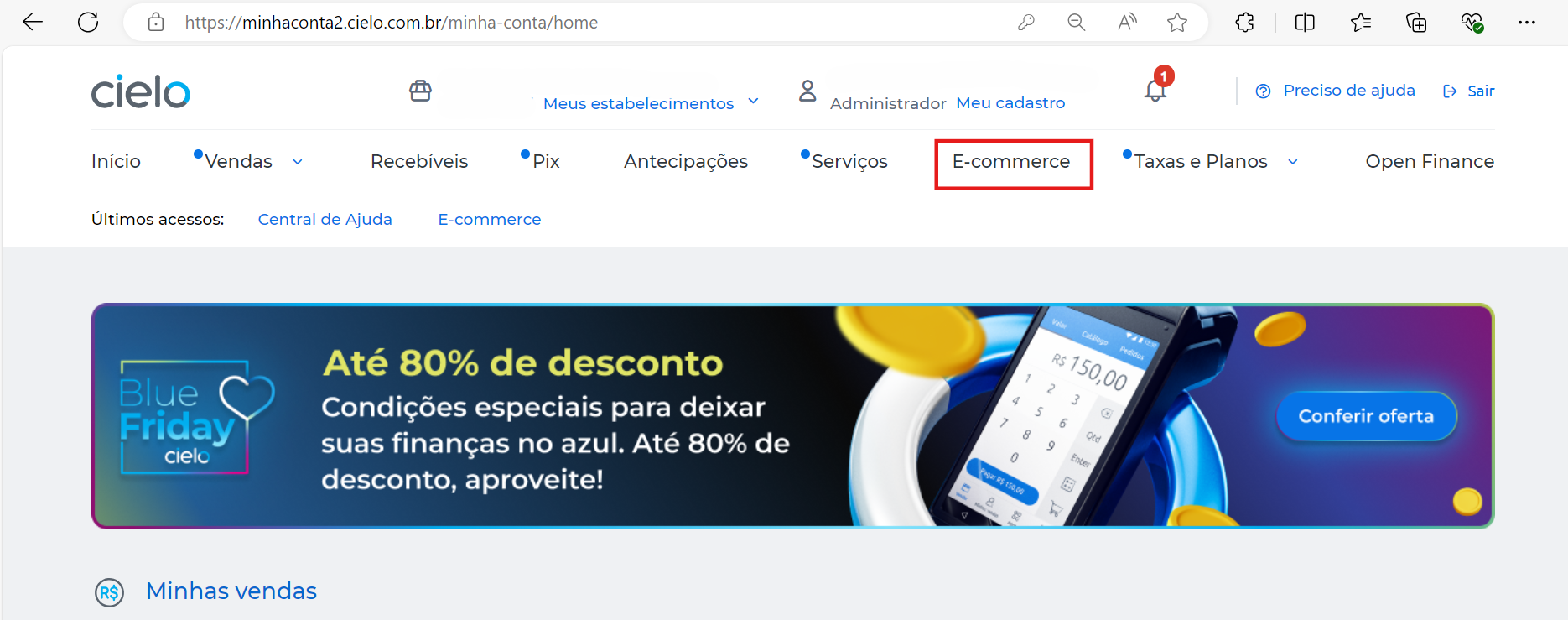
Click on E-commerce;
-
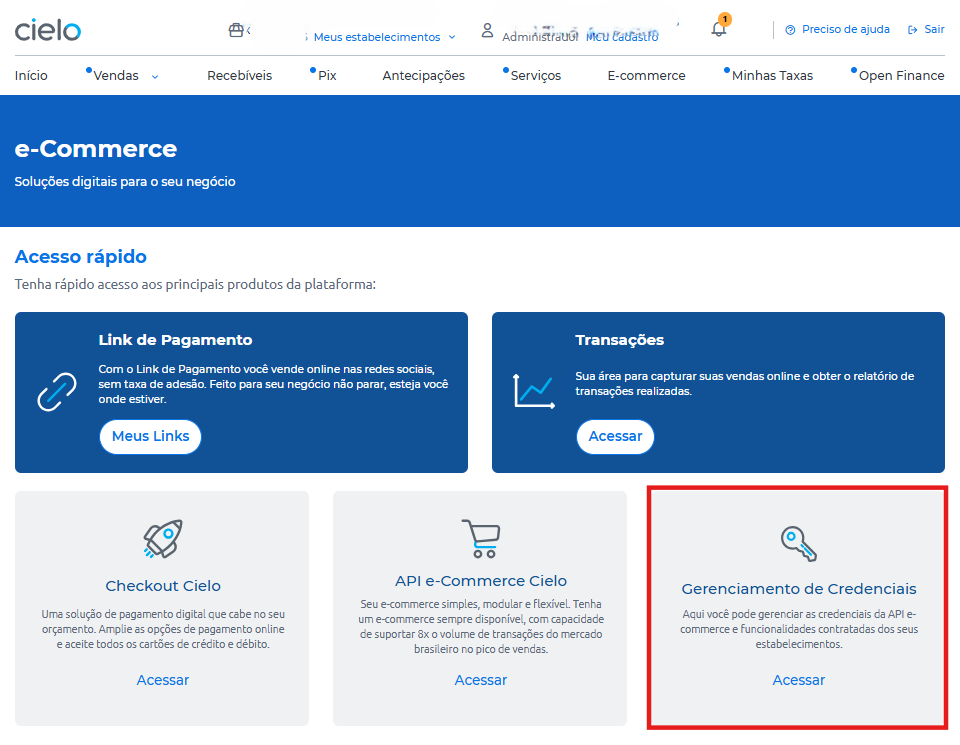
In Gerenciamento de Credenciais click on Acessar;
-
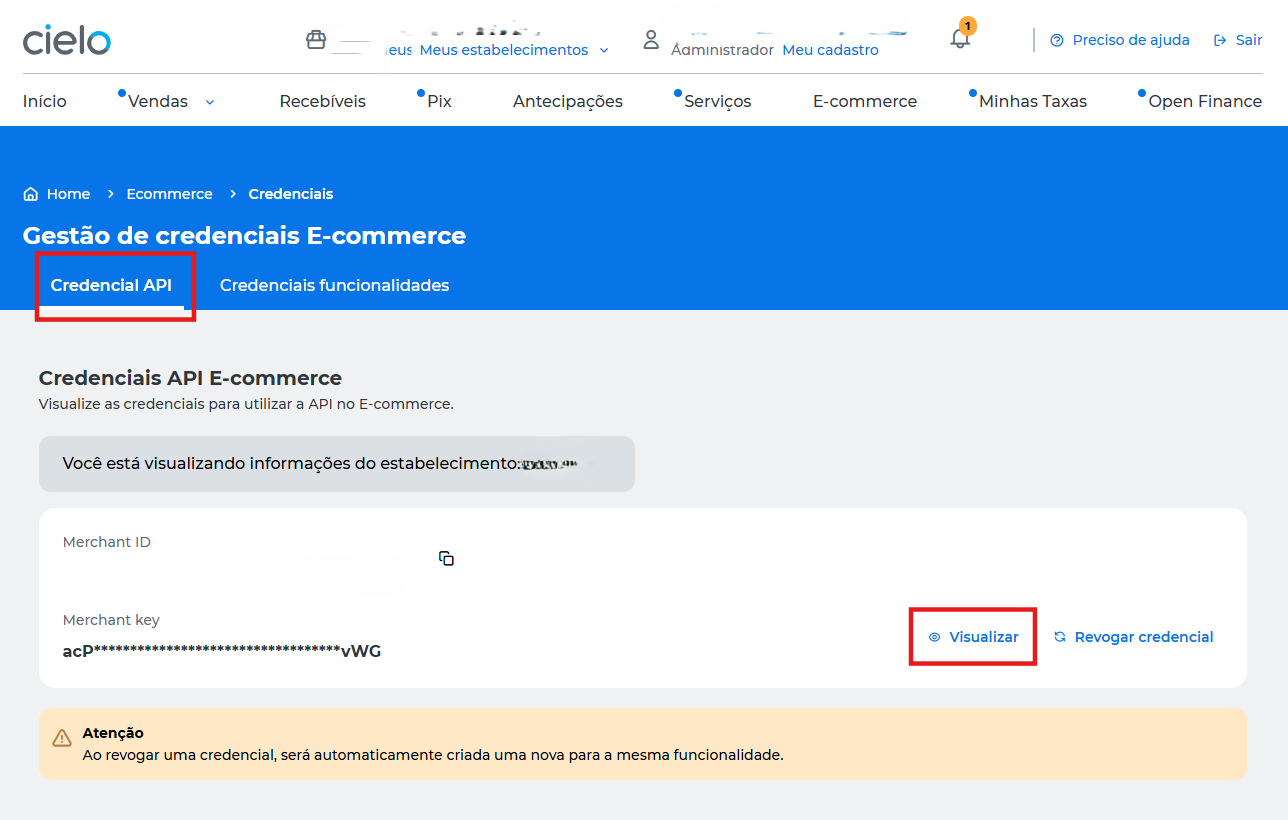
On the Credencial API tab, click on Visualizar;
-
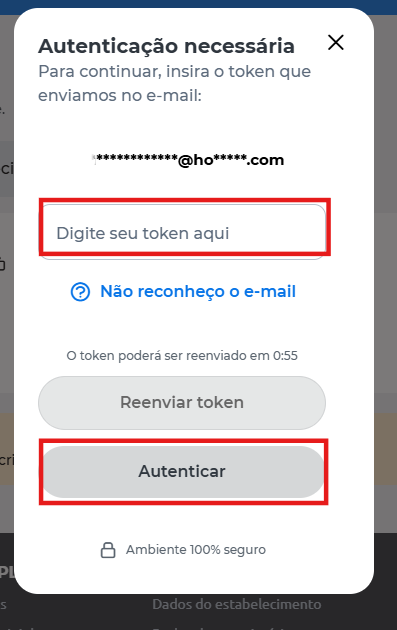
Insert the token that was sent to you via the Cielo management app or e-mail and click on Autenticar;
-
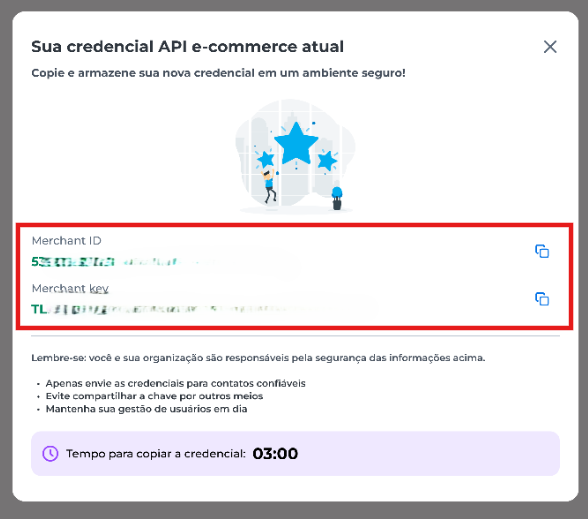
You can now view your MerchantId and MerchantKey credentials.
- Viewing the credential on the admin portal will be discontinued and will only be available on the Cielo website.
- Copy and store your credentials in a safe place. You have 3 minutes to do this before the information is automatically closed for security reasons.