

Telas e componentes
Abaixo a relação de telas e componentes com os seus respectivos nomes, e tipos:
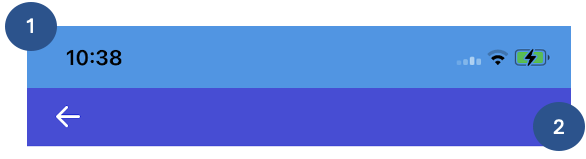
Header Flui (DEPRECIADO)
backgroundColor;
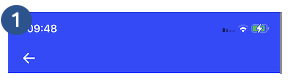
Header Flui
statusBarBackgroundColor;navigationBackgroundColor.
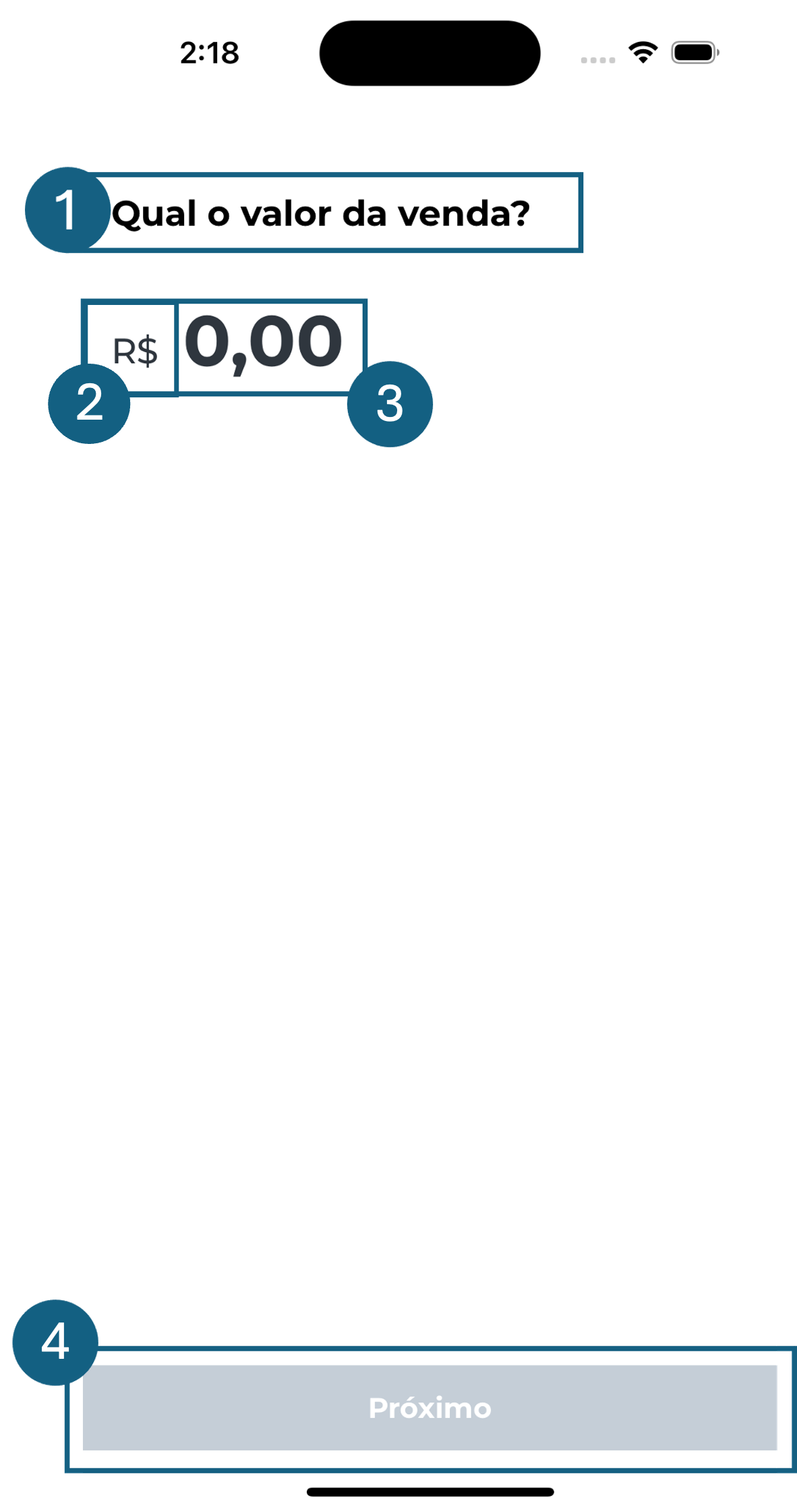
Inserir valor
vLabel1→labelFlui;ivLabelPrefixCurrency→labelFlui;ivTextField1→inputWithEdit;ivButton1→buttonBlock.
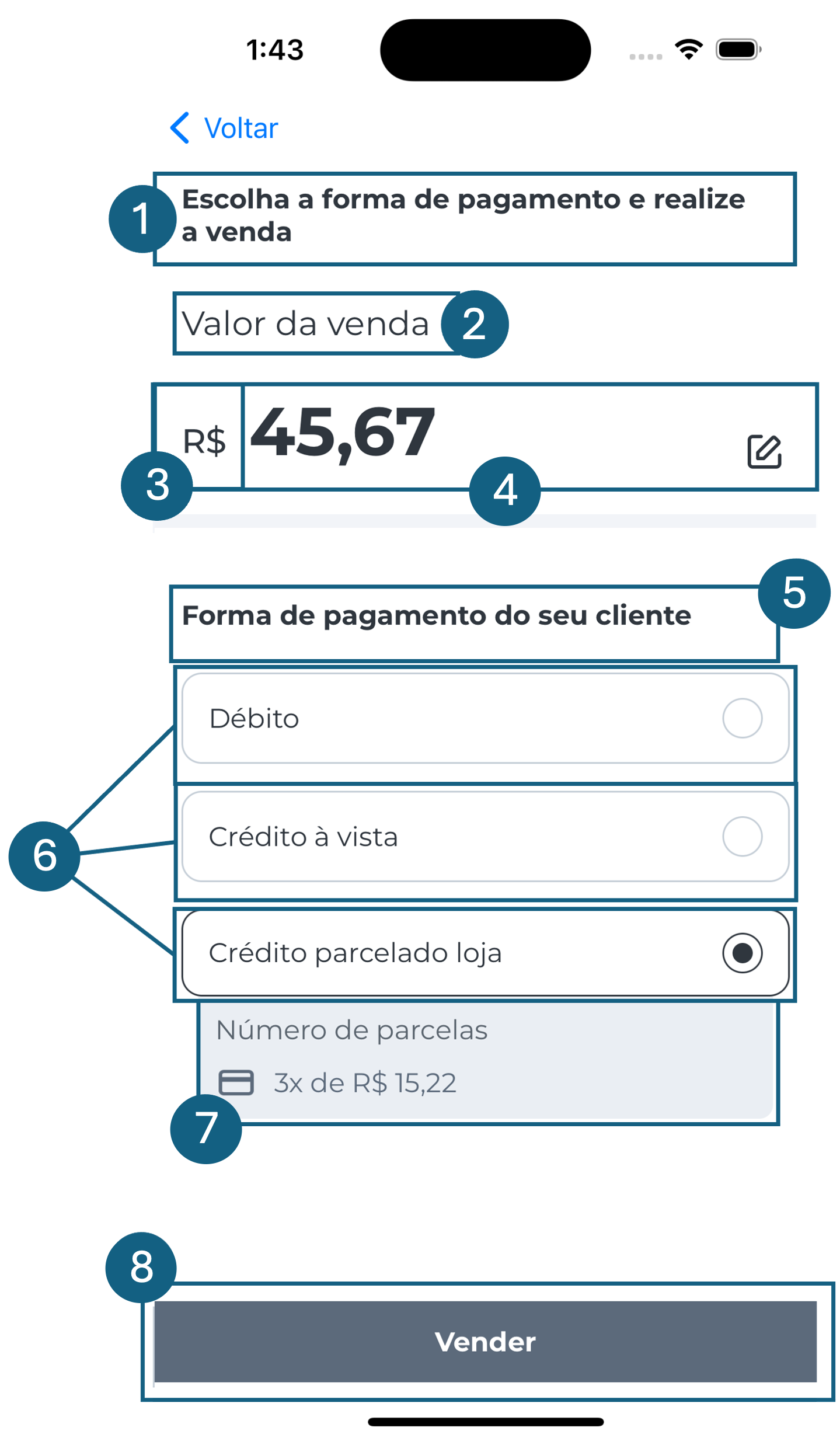
Selecionar forma de pagamento
sptLabel1→labelFlui;spLabelPrefixCurrency→labelFlui;sptLabel2→labelFlui;sptTextField1→inputWithEdit;sptLabel3→labelFlui;sptRadio1→radio;sptInstallments1→installmentsDetails;sptButton1→buttonBlock.
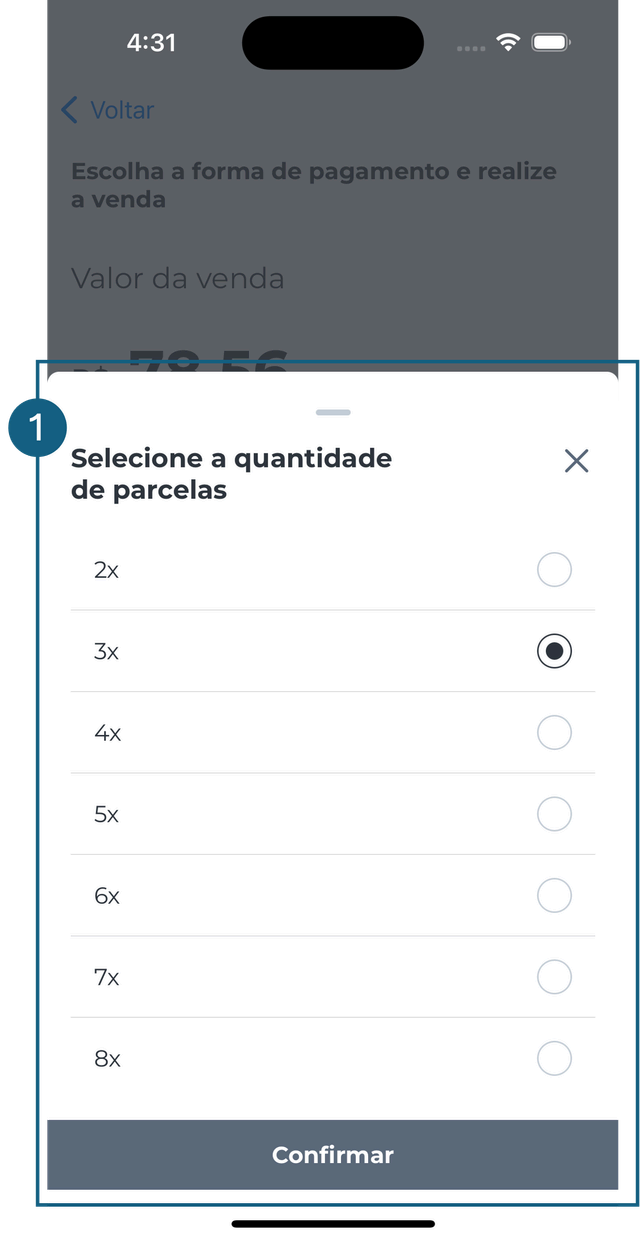
Modal Parcelas
sptBottomSheet1→bottomSheetFlui.
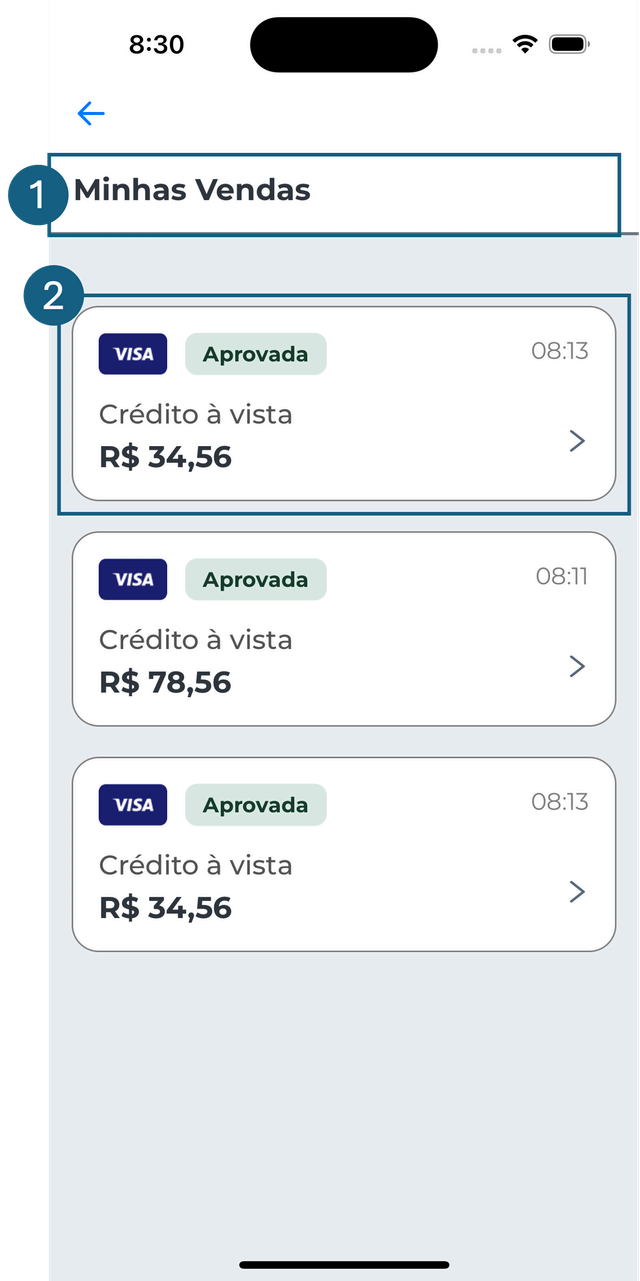
Minhas vendas
slLabel1→labelFlui;saleCard.
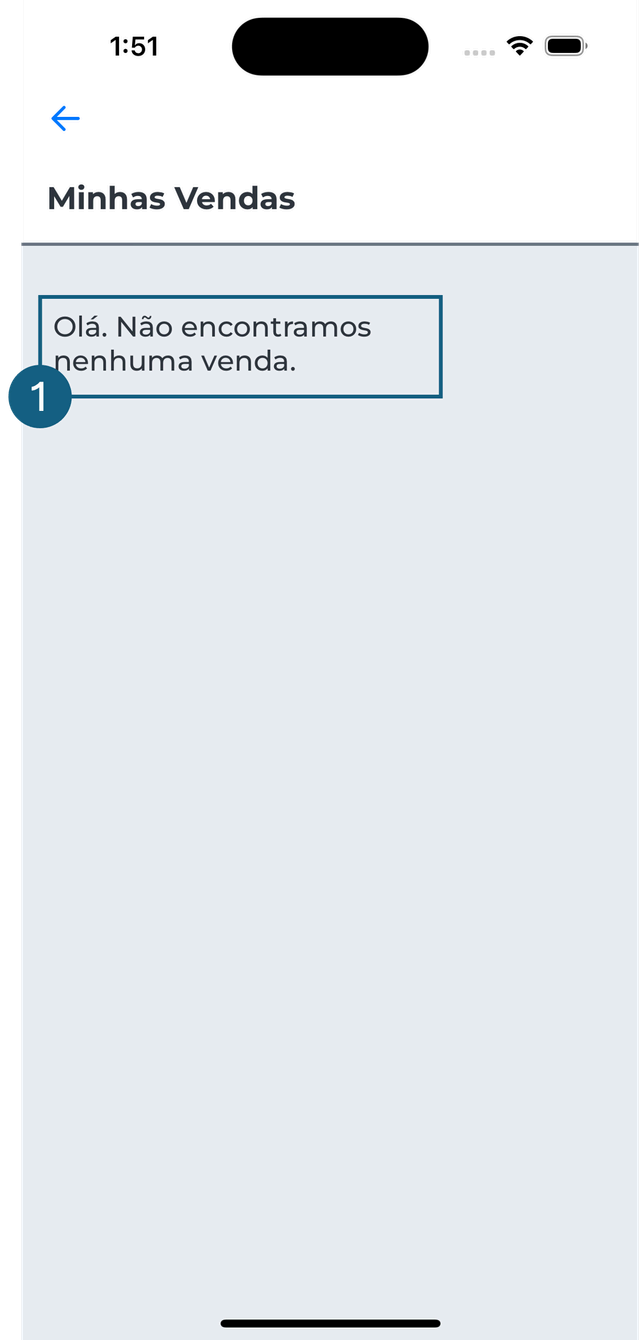
slLabelNoResults→labelFlui.
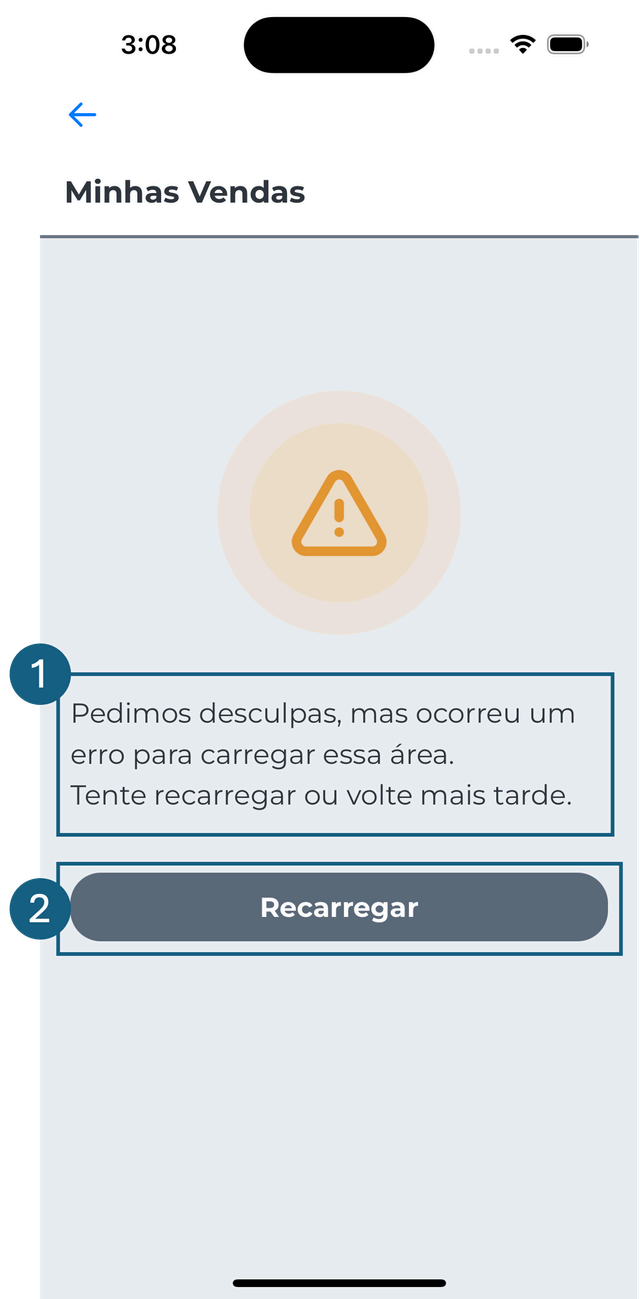
sbLabelReload→labelFlui;slButtonReload→buttonBlock.
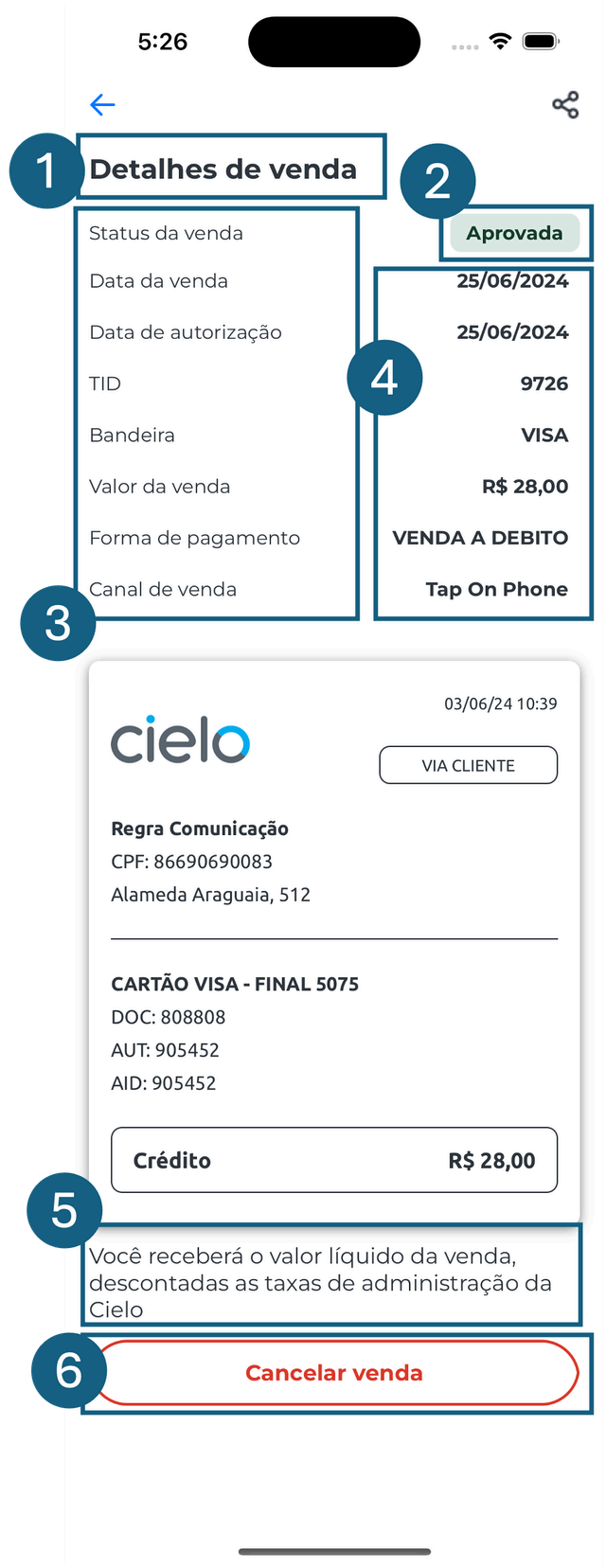
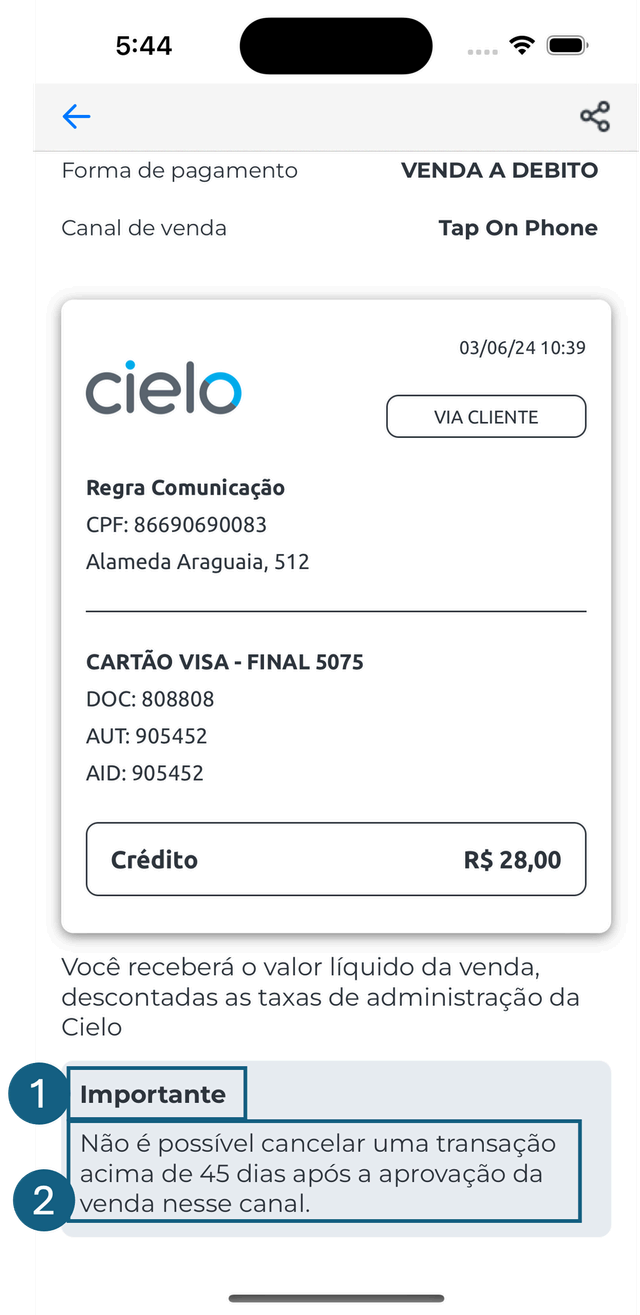
Detalhes da venda
sdLabelTitle→labelFlui;saleDetailStatus;sdcLabel→labelFlui;sdcLabelContent→labelFlui;sdLabelInstruction→labelFlui;sdButton1→buttonBlock.
odsLabel1→labelFlui;odsLabel2→labelFlui.
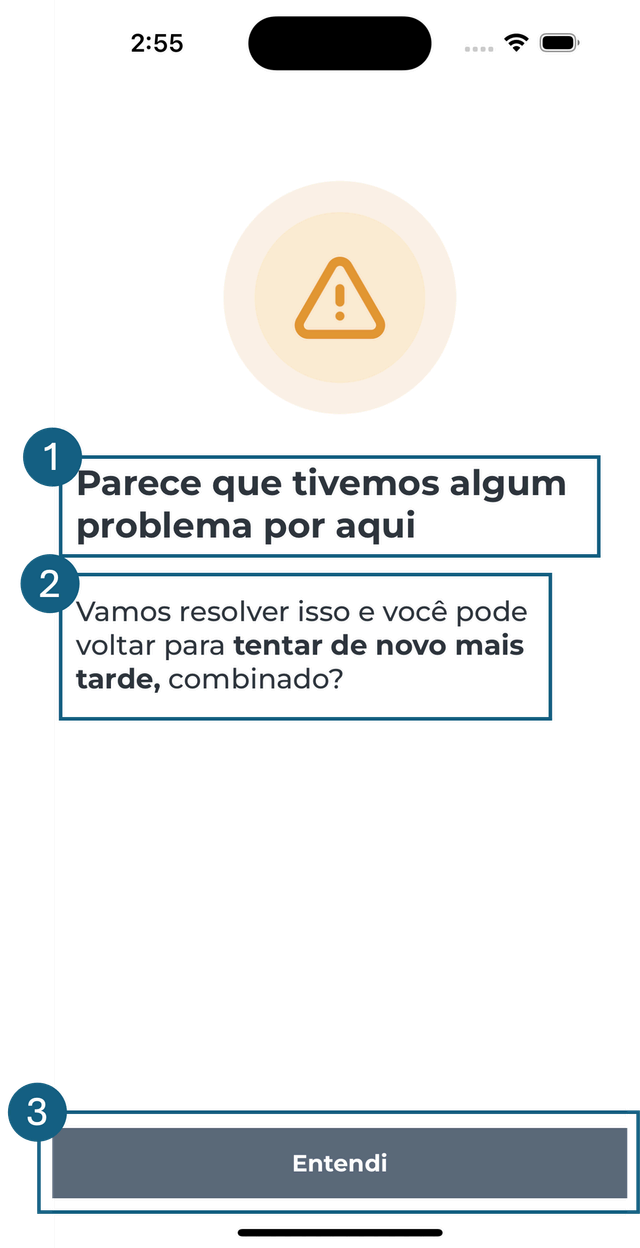
Tela de erro
erLabel1→labelFlui;erLabel2→labelFlui;erButton1→buttonBlock.
Loader
loader.
Tela de sucesso
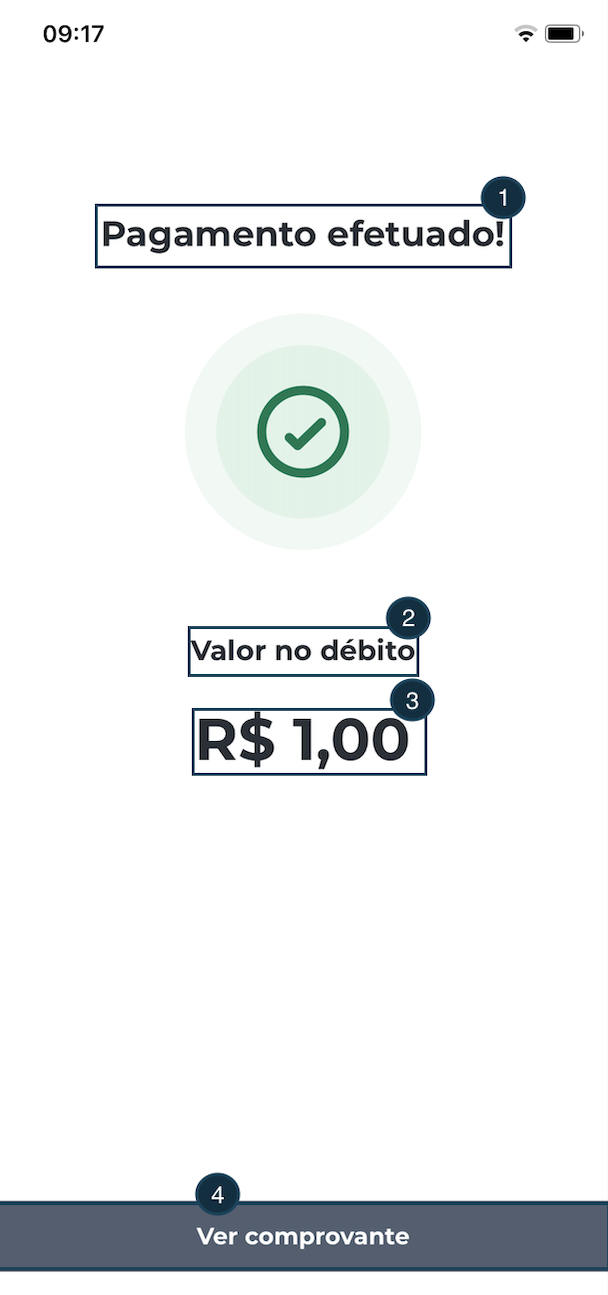
fbsLabel1→labelFlui;fbsLabel2→labelFlui;fbsLabel3→labelFlui;fbsButton1→buttonBlock.
Comprovante
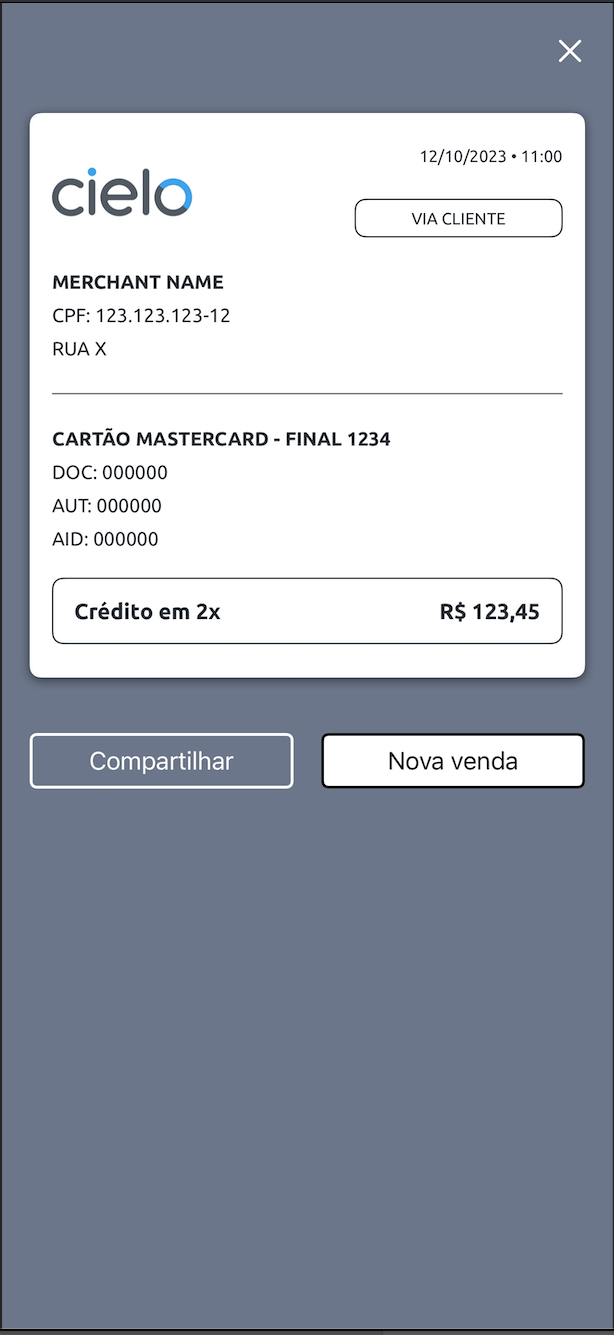
receipt.
BottomSheet
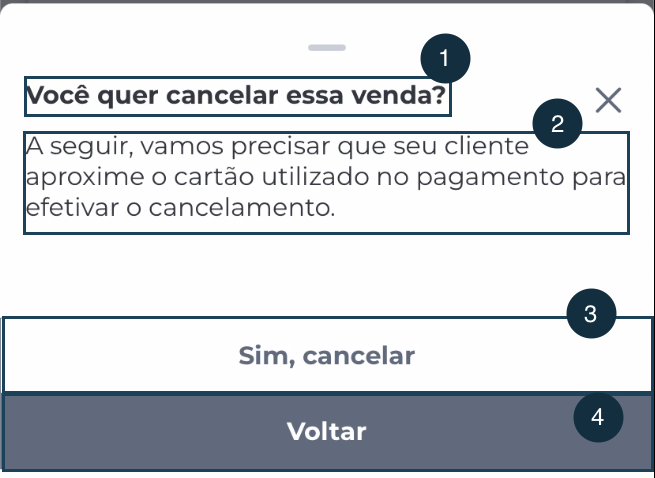
ccTitle→labelFlui;ccBody→labelFlui;ccConfirm→buttonBlock;ccBack→buttonBlock.
Venda teste - introdução
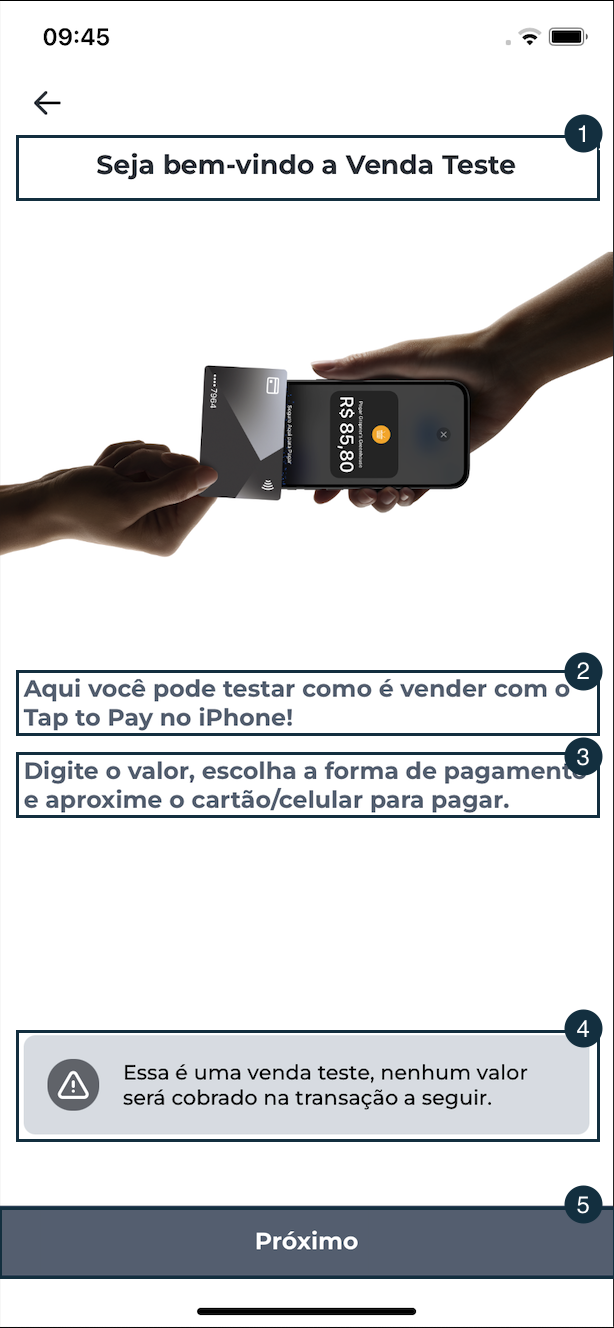
fkiLabel1→labelFlui;fkiLabel2→labelFlui;fkiLabel3→labelFlui;fkiwView1→warningView;fkiwButtonNext→buttonBlock.
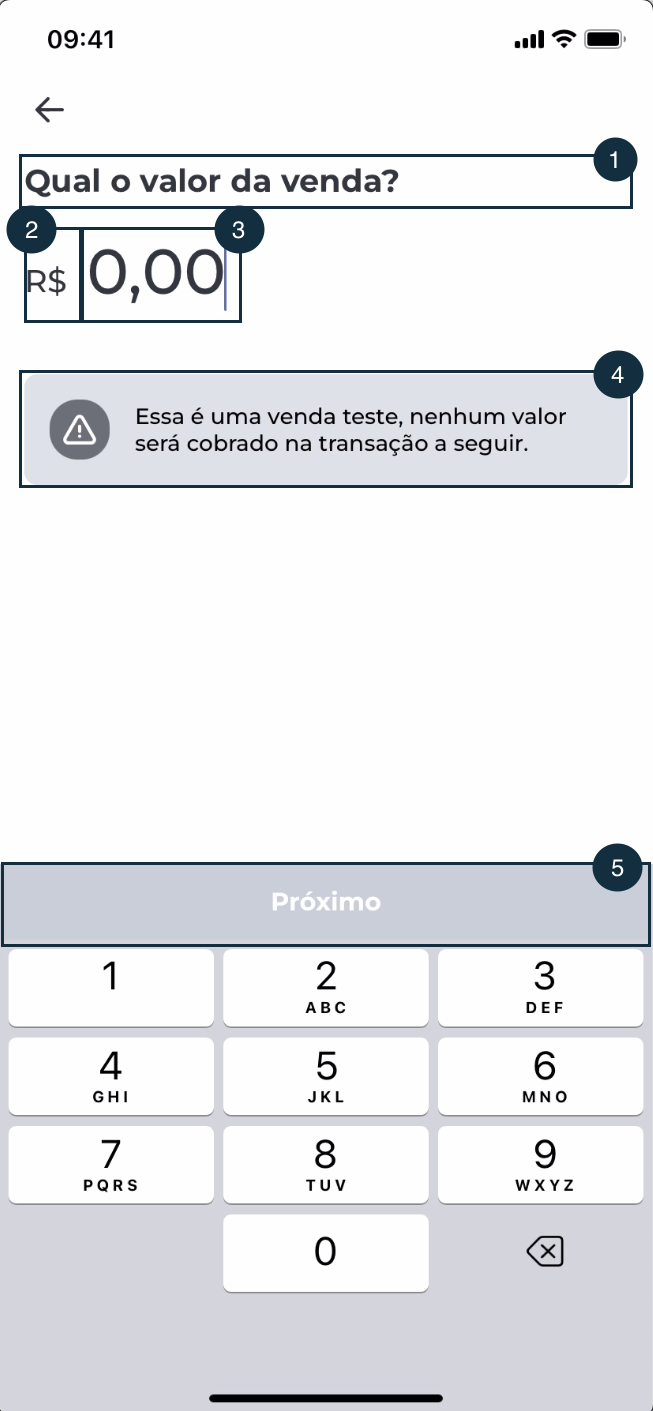
Venda teste - inserir valor
ivLabel1→labelFlui;ivLabelPrefixCurrency→labelFlui;ivTextField1→inputWithEdit;ivWarningFakeSale→warningView;ivButton1→buttonBlock.
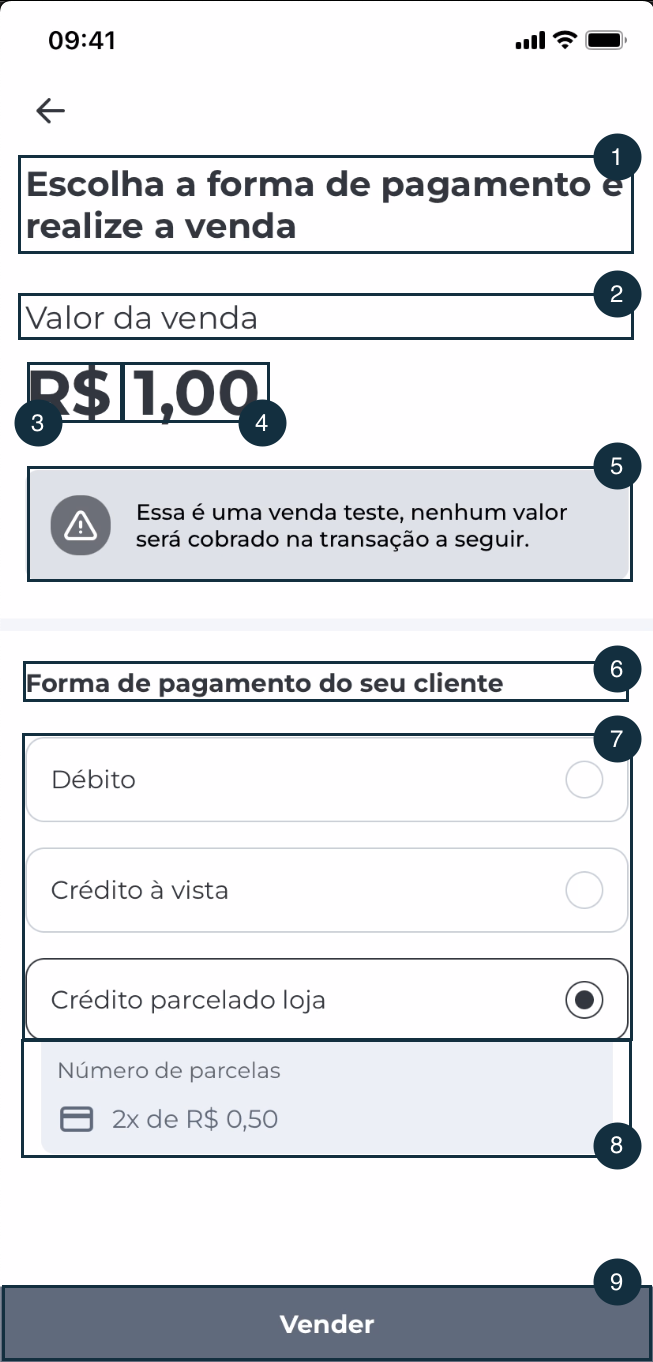
Venda teste - seleção do tipo de pagamento
sptLabel1→labelFlui;spLabelPrefixCurrency→labelFlui;sptLabel2→labelFlui;sptTextField1→inputWithEdit;sptWarningTestSale→warningView;sptLabel3→labelFlui;sptRadio1→radio;sptInstallments1→installmentsDetails;sptButton1→buttonBlock.
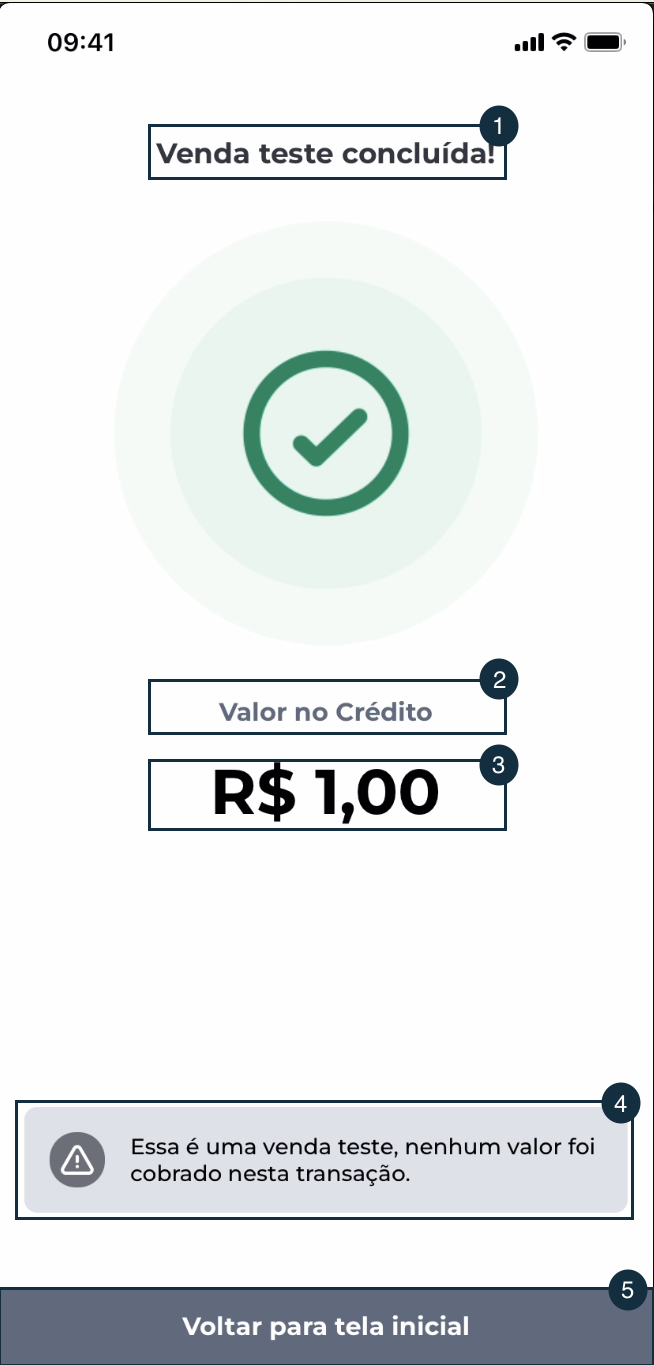
Venda teste - tela de sucesso
fbsLabel1→labelFlui;fbsLabel2→labelFlui;fbsLabel3→labelFlui;fksWarning→warningView;fbsButton1→buttonBlock.
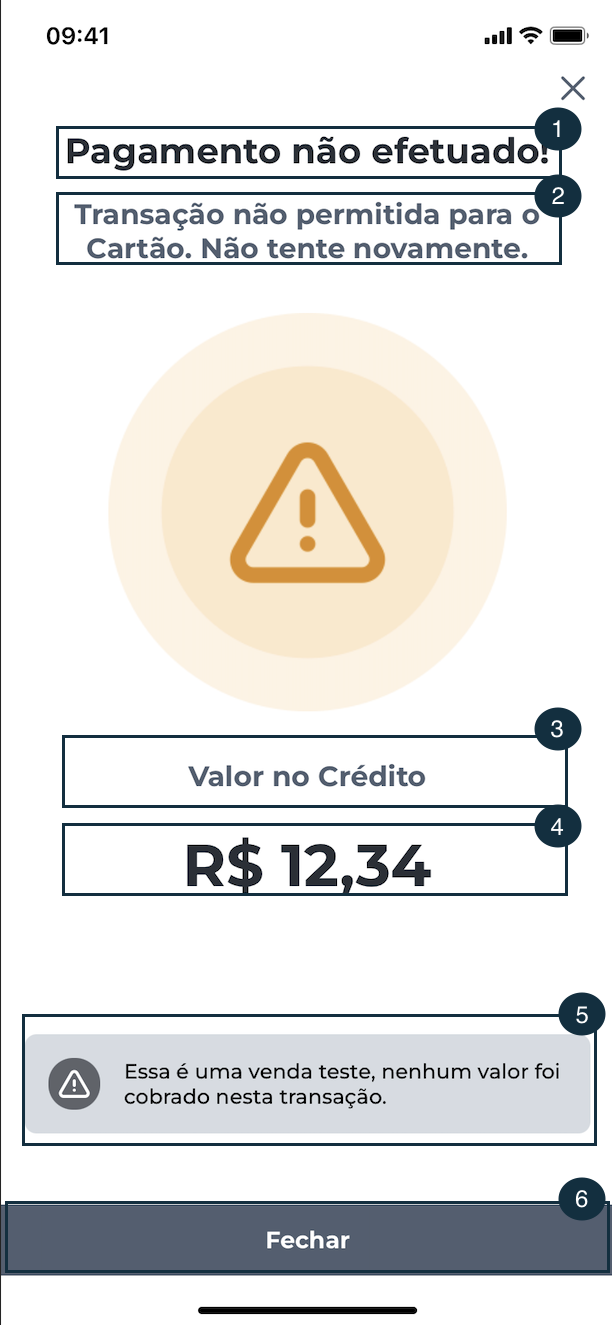
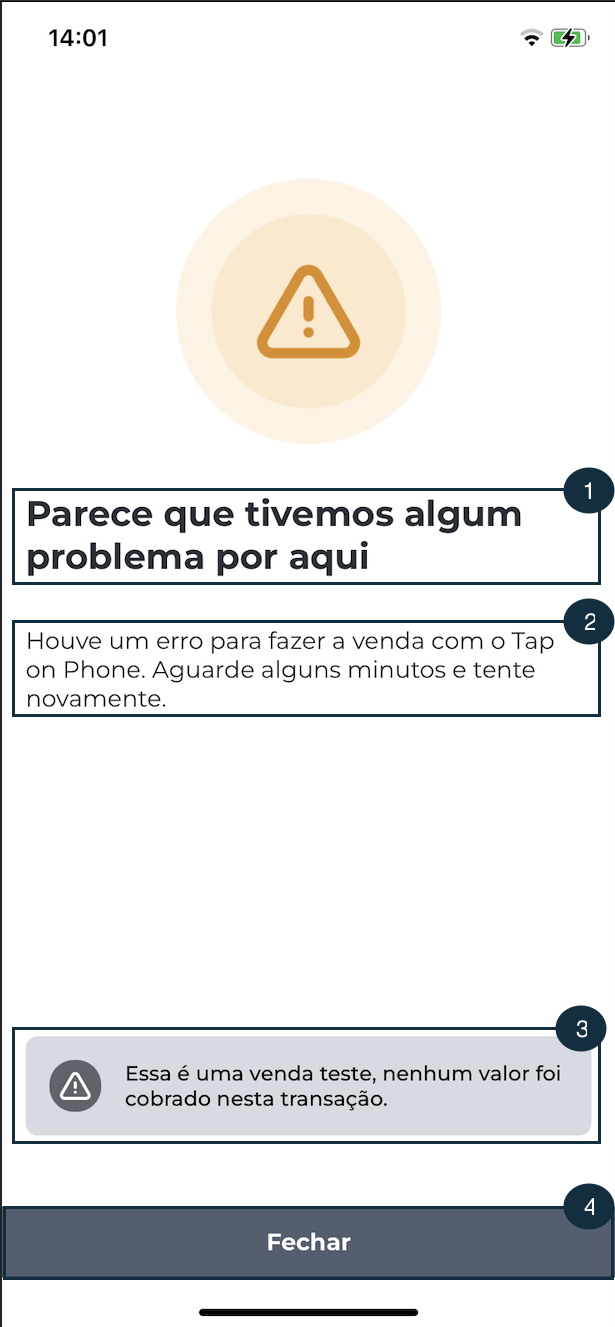
Venda teste - tela de error para tipo 01
fkeLabel1→labelFlui;fkeLabel2→labelFlui;fkeLabel3→labelFlui;fkeLabel4→labelFlui;fkeWarning→warning;fkeNextButton→buttonBlock.
Venda teste - tela de error para tipo 02
fkeLabel1→labelFlui;fkeLabel2→labelFlui;fkeWarning→warning;fkeNextButton→buttonBlock.
Alterar cores
Utilize o JSON abaixo como exemplo para alterar as cores:
Updated 3 months ago
Did this page help you?