

What is Split de Pagamento?
The Split de Pagamento feature splits the amount of a sale among different participants in a transparent way.
When the shopper completes the purchase:
- The order amount is automatically divided among the participating merchants;
- The split follows customized rules;
- Each participant receives their respective share in nominal accounts.
The shopper places only one order, and the payment for all purchases is consolidated and displayed on their statement as a single participant.
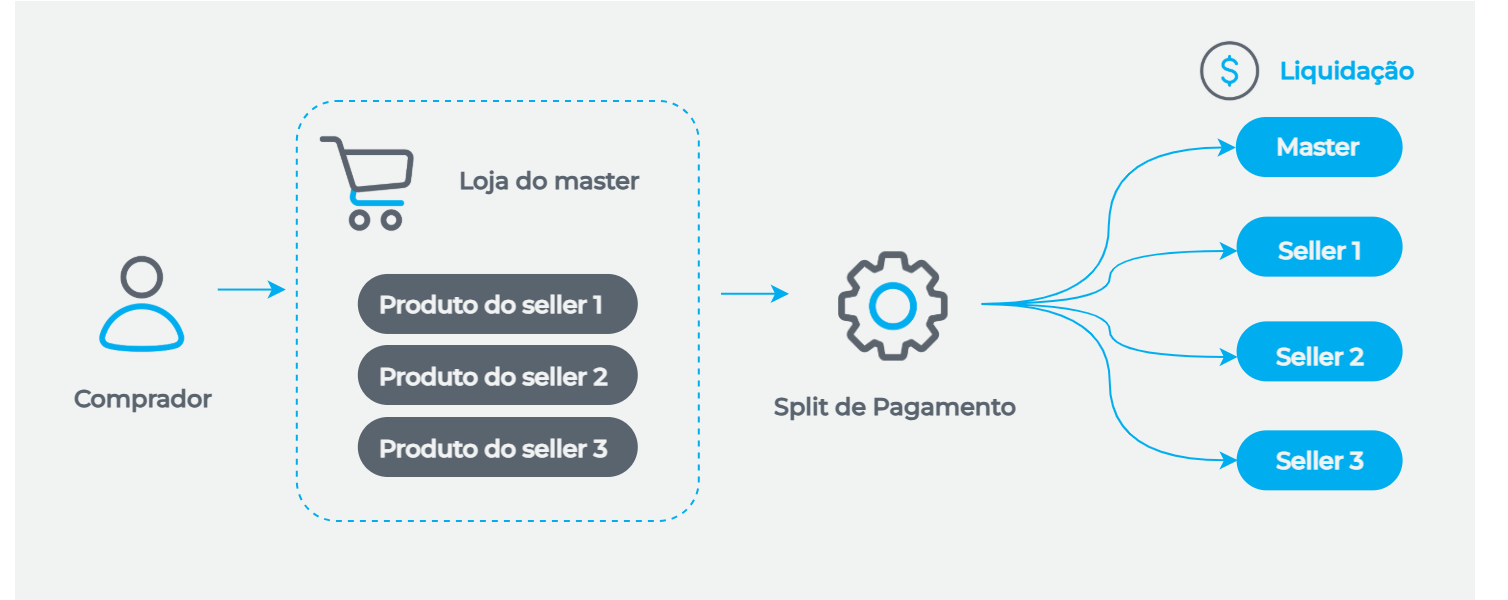
The shopper places the order on the master merchant's platform, which is responsible for sending the sale to Split de Pagamento (via API or POS terminal). Split de Pagamento processes the sale and settles the amounts into each seller's account and the master's account.
Why use Split de Pagamento?
By splitting the sale amount between the master (main merchant) and its different sellers, Split de Pagamento:
- Enables charging for the master merchant's services: the master can charge fees from its sellers on each sale;
- Splits amounts at authorization or after capture;
- Allows settlement directly into each seller's account;
- Advances receivables to the master or seller;
- Provides a system for handling disputes (chargebacks).
Who can use Split de Pagamento?
Any business model that needs to split the sale amount with one or more sellers:
- Marketplace: various marketplaces, as well as other providers of products and logistics services;
- Endless aisle: merchants with multiple locations, where the sale benefits both establishments;
- Events and tickets: intermediaries between ticket marketplaces, event organizers, and producers;
- Franchises: ensures commission for both franchisee and franchisor by splitting the sale;
- Tourism: travel agencies and hotel booking websites;
- Consultants: insurance brokers, clothing and cosmetics resellers;
- Health and beauty clinics and salons: multiple professionals provide services under a single brand or structure, and payment must be split between these professionals and the main merchant;
- Pick-up store (in-store pickup): online purchases with the option to pick up at a physical store.
Capture channels
Split de Pagamento allows sales through different channels, whether via POS terminal (physical world) or e-commerce (online payments):
POS Terminals
You can use Split de Pagamento on the following Cielo POS terminals:
For Split de Pagamento to work, you must already have a POS terminal, and it needs to be enabled for the seller to process transactions with Split de Pagamento.
To enable it, simply contact our support team and provide the terminal identification number.
When is the sale amount split?
The sale can be split:
- At the time of authorization;
- Or up to 01:00 AM on the day after capture (post-transaction split/redivision).
Learn how the split works for e-commerce and card machines in split models
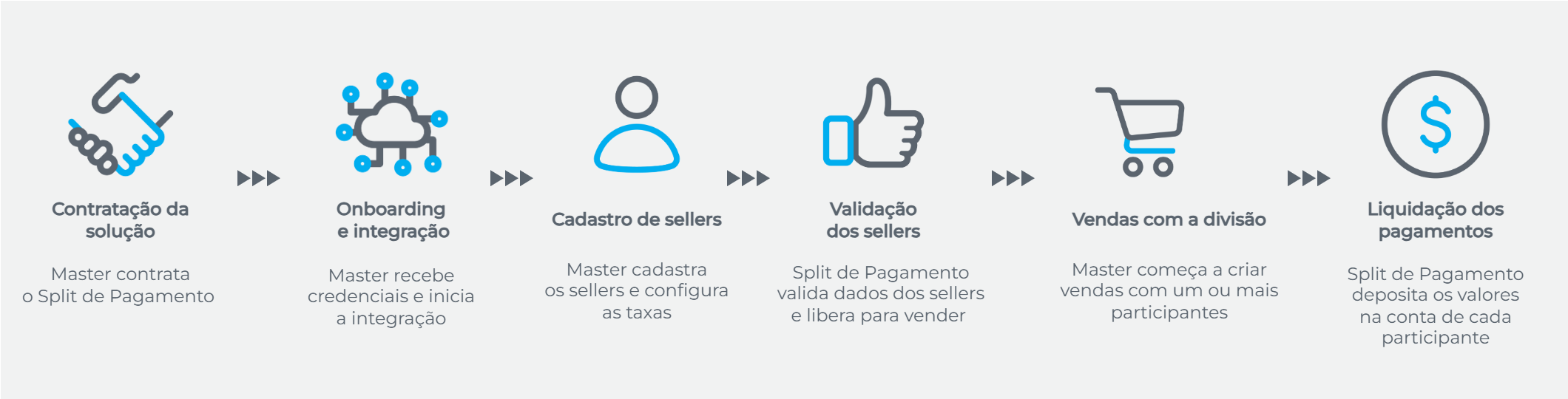
Simplified Split de Pagamento Flow
| Step | Description |
|---|---|
| 1. Contracting the solution | The master (main merchant) contracts the Split de Pagamento solution to manage the distribution of amounts with its sellers (partner merchants). |
| 2. Onboarding and integration | The master receives access to the portal and API credentials and starts the integration process. |
| 3. Seller registration | The master registers sellers (via the e-commerce portal or API), configuring the fees to be charged for each seller. |
| 4. Seller validation | Split de Pagamento performs Know Your Customer (KYC) checks and validates the seller’s bank account, then sends a notification confirming the seller is eligible to participate in sales. |
| 5. Sales with value split | The master processes its own sales and sellers’ sales, using a preconfigured fee or specifying the fee for each transaction. Fee definition per transaction is available only for e-commerce. |
| 6. Payment settlement | Split de Pagamento displays the amounts to be received in the financial schedule and settles them into each participant’s account according to the rules for each payment method. |
See more in Get Started with Split de Pagamento.
Payment methods and card brands
Payment methods accepted in e-commerce
| Payment method | Card brands and providers |
|---|---|
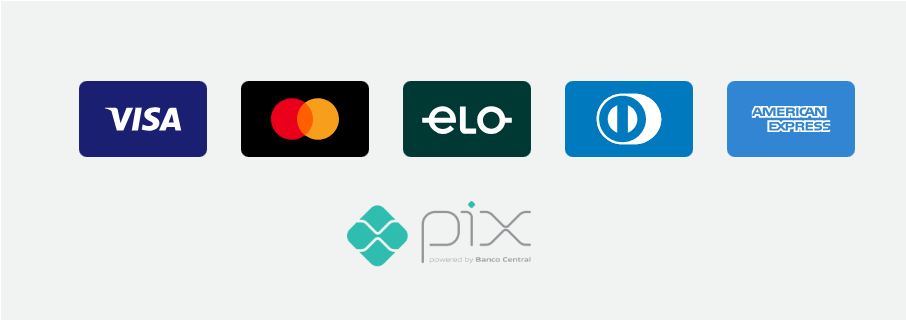
| Credit card | Visa, Mastercard, Elo, American Express, and Diners Club |
| Debit card | Visa, Mastercard, and Elo |
| Boleto | Banco do Brasil |
| E-wallets | For API E-commerce integrations: Apple Pay, Google Pay, and Samsung Pay For Gateway de Pagamento integrations: Apple Pay, Google Pay, Samsung Pay, and Paypal |
Payment methods accepted on POS terminals
| Payment method | Card brands |
|---|---|
| Credit card | Visa, Mastercard, Elo, American Express, and Diners Club |
| Debit card | Visa, Mastercard, and Elo |
Updated 3 months ago