

Boleto transactions
Manage issued boletos and perform available actions directly on the Cielo site.
Available features include:
- Issue a second copy;
- Reconcile boleto.
Access permissionsThe capture and void functionalities are available to users with the Administrator profile or to users with a Custom profile who have the required permissions.
To manage access permissions, go to My account > Access management.
Issue a second copy
To issue a second copy of a boleto, open the transaction details of the desired transaction.
- Locate the boleto transaction;
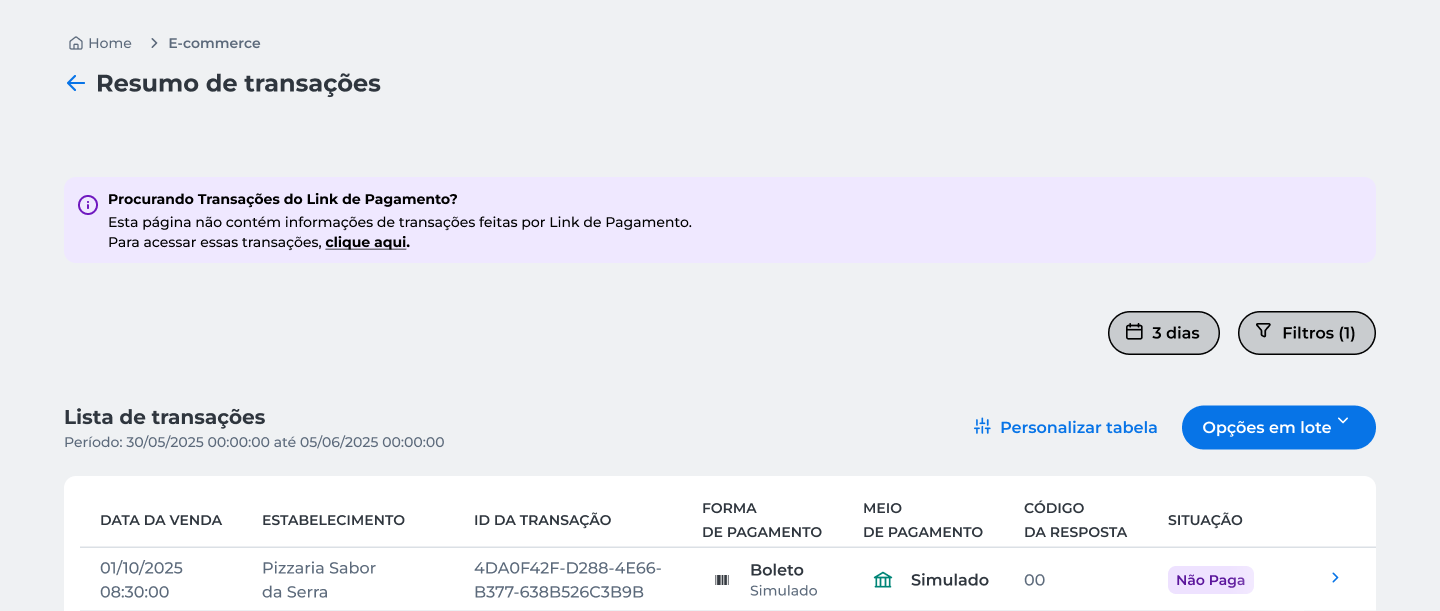
- Open the transaction details;
- Click Segunda via;
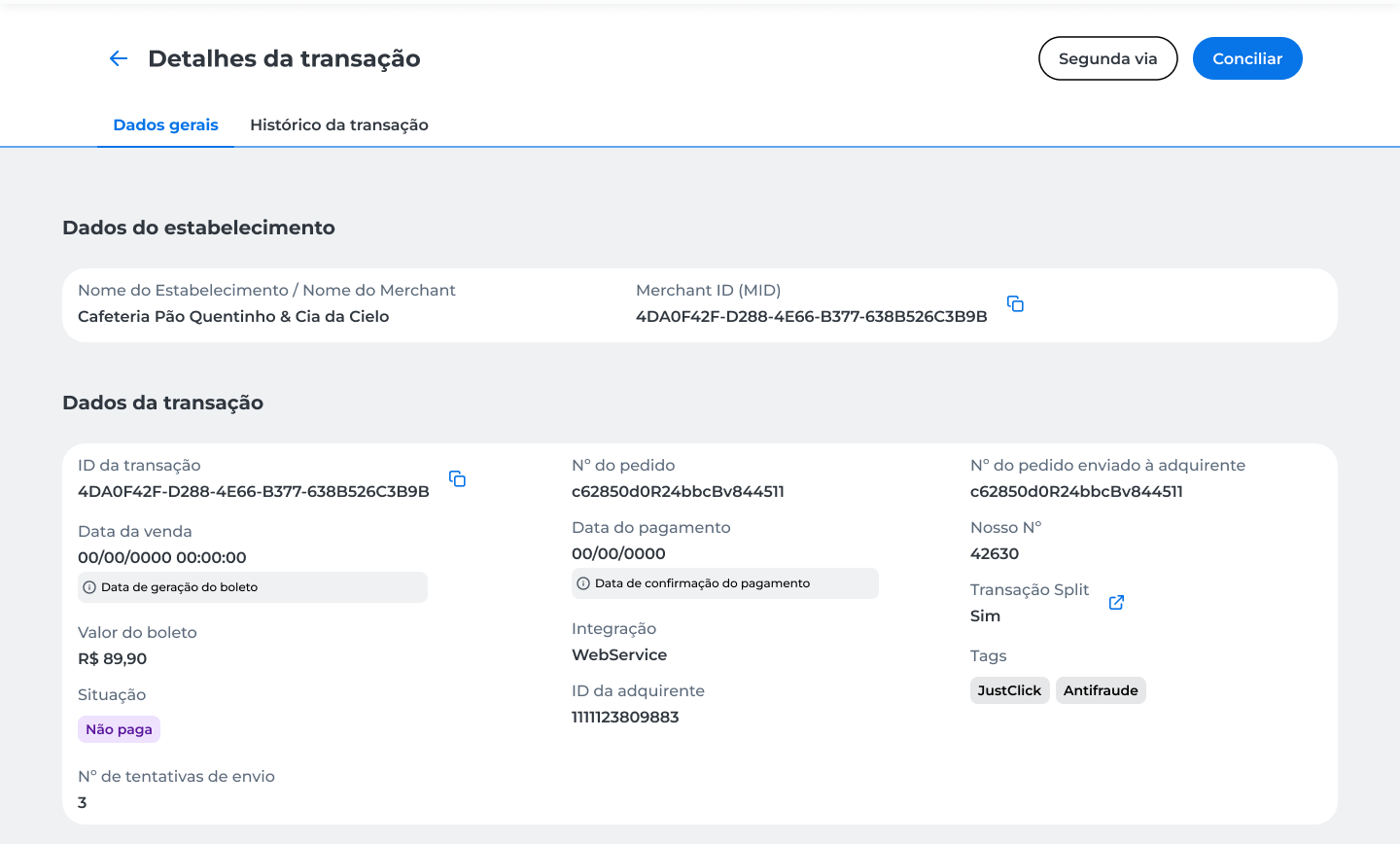
The second copy is displayed in a new window for viewing and printing.
Reconcile boleto
To reconcile a boleto, open the transaction details of the desired transaction.
- Locate the boleto transaction;
- Open the transaction details;
- Click Conciliar;
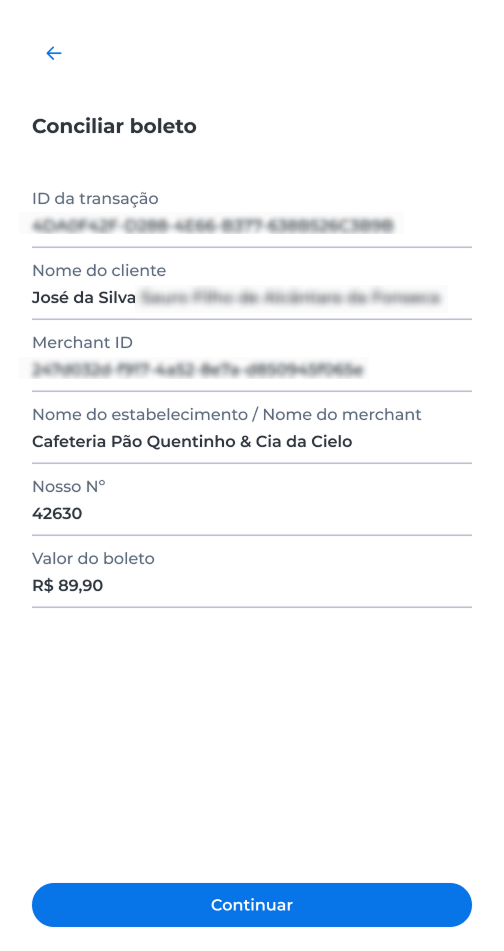
- In the Reconcile boleto panel, review the transaction data and click Continue;
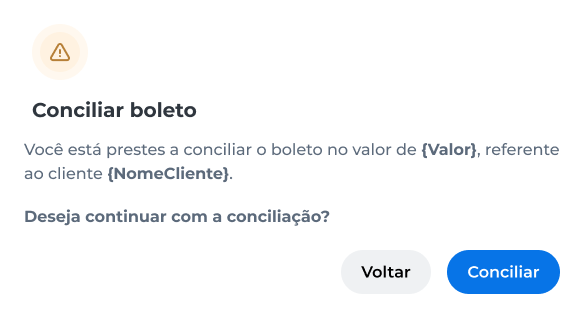
- In the confirmation window, check the amount and the client name, then click Conciliar;
- Complete the operation authentication through the Cielo Gestão app.
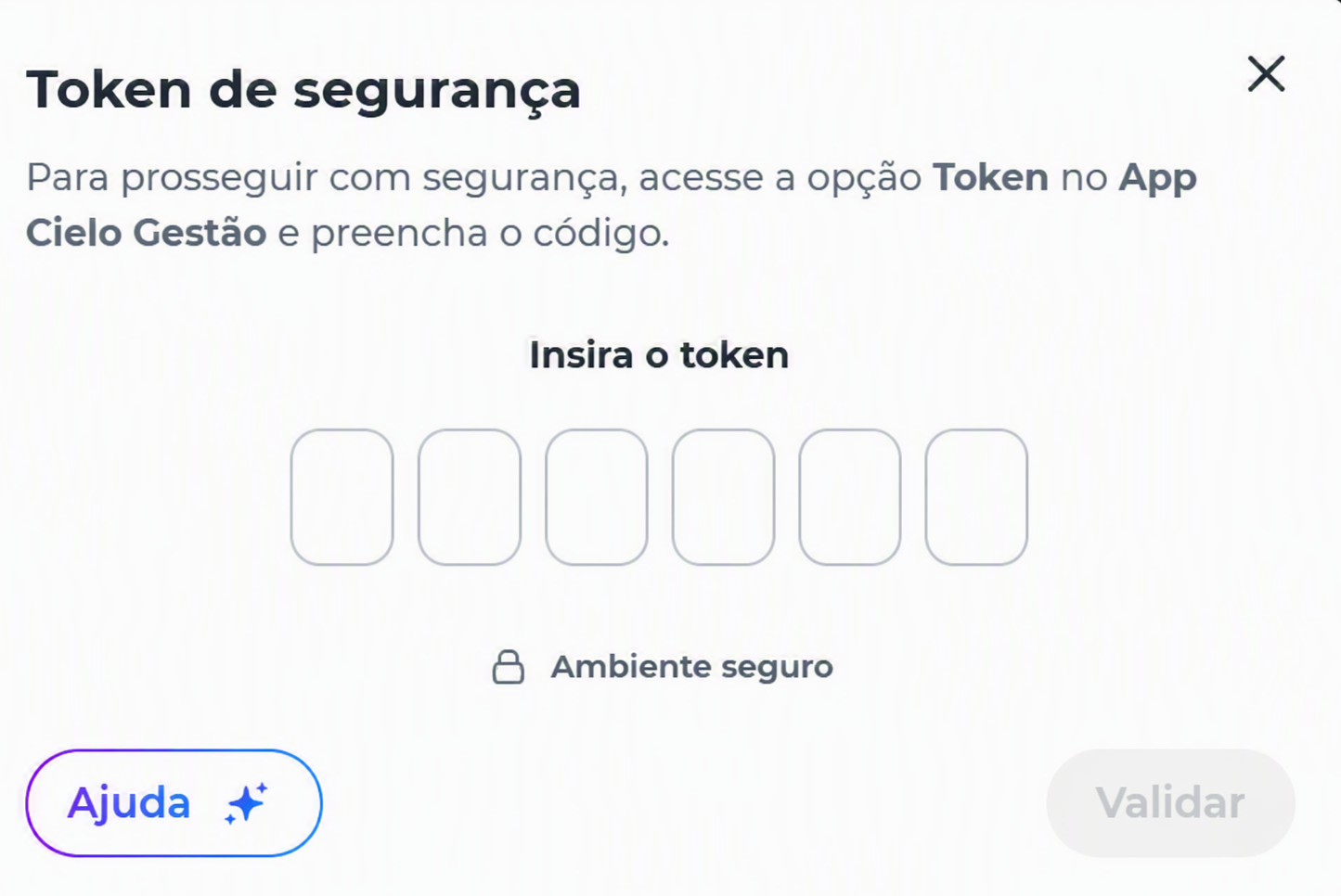
After authentication, the request is processed and the system displays the operation result.
Reconciliation results
After authentication, the request is processed and the system may display one of the following results:
Success
The reconciliation was successfully completed.
When the operation is completed, the transaction status is updated to Manual reconciliation in the transaction history.

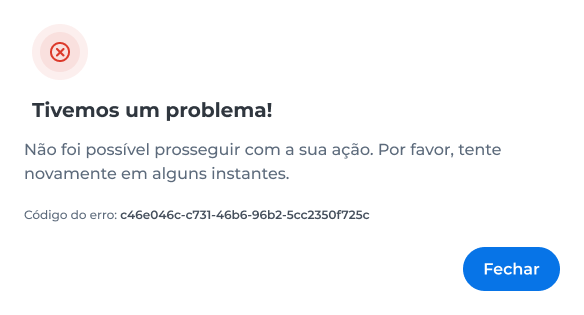
Error
The reconciliation could not be completed.
Check the transaction details and try again. If the problem persists, contact Cielo Support.
Transaction history
After manual reconciliation, the operation is recorded in the transaction history.
- Locate the desired transaction;
- Open the transaction details;
- Go to the Transaction history tab.
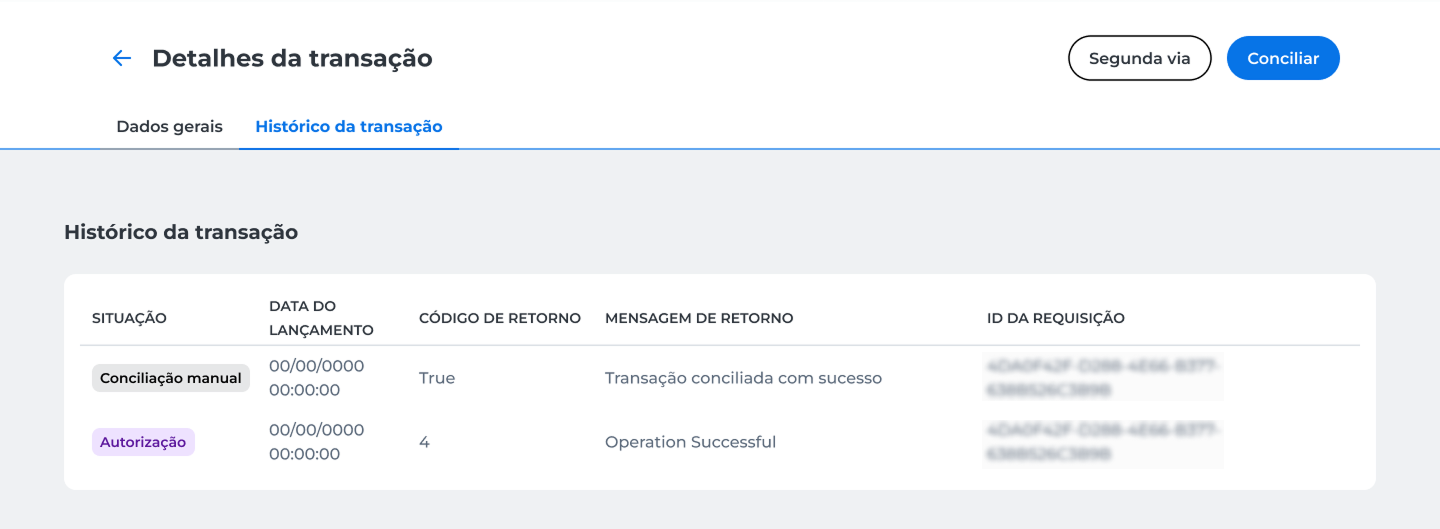
The history records the status update to Manual reconciliation, along with details of the performed operation.
Updated about 2 months ago