

Transactions
The Transactions section gathers sales made by your merchant through the API E-commerce Cielo.
In this section, you can query transactions, access details of each sale, and perform actions such as capture, void, refund, Pix return, and boleto reconciliation.
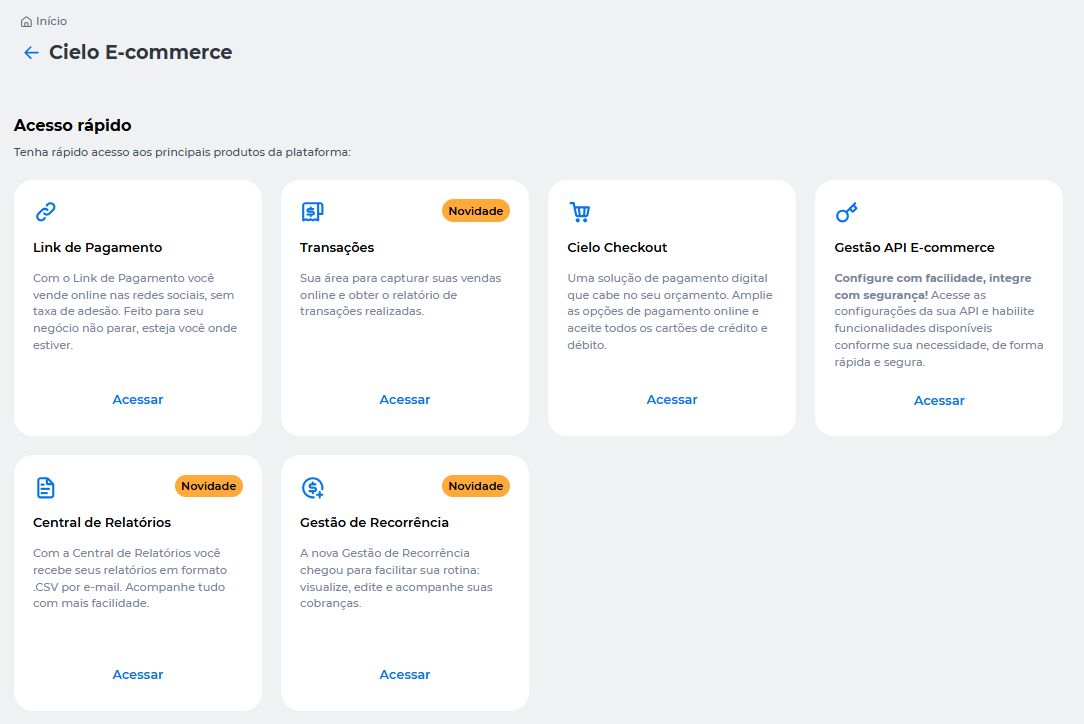
How to access
- Go to the Cielo Website;
- Select the desired merchant (EC);
- In the top menu, click E-commerce;
- Access Transações.
Next sections
Query transactions
View the list of transactions, apply search filters, and access details of each sale.
Capture transactions
Capture the total or partial amount of an authorized transaction.
Void transactions
Void the total or partial amount of a transaction.
Refund transactions
Request a full or partial refund of a transaction.
Pix return transactions
Return the total or partial amount of a Pix transaction.
Boleto transactions
Generate the second copy of boletos and perform manual reconciliation.
Updated about 2 months ago
Did this page help you?