

Notification URL
The Notification URL feature allows you to configure the address used to receive notifications sent by the API E-commerce Cielo.
In addition to configuring the URL, you can set custom headers and select the events that should trigger notifications.
Notifications are sent only for the selected events and after the configuration is completed.
How to access
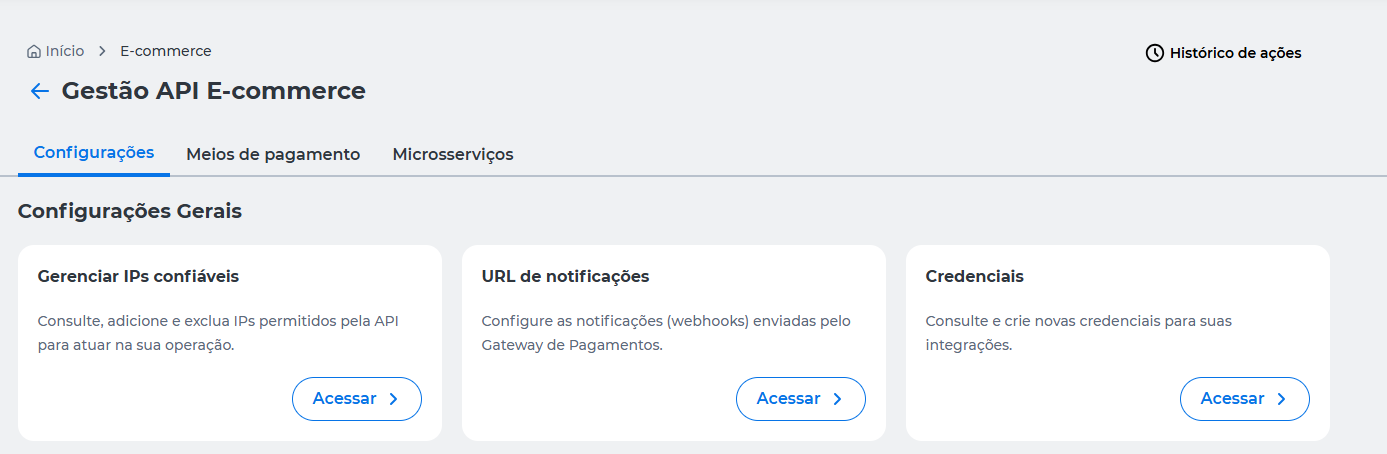
On the Cielo Website, go to:
E-commerce > Gestão API E-commerce > Configurações > URL de notificações.
Configure notifications
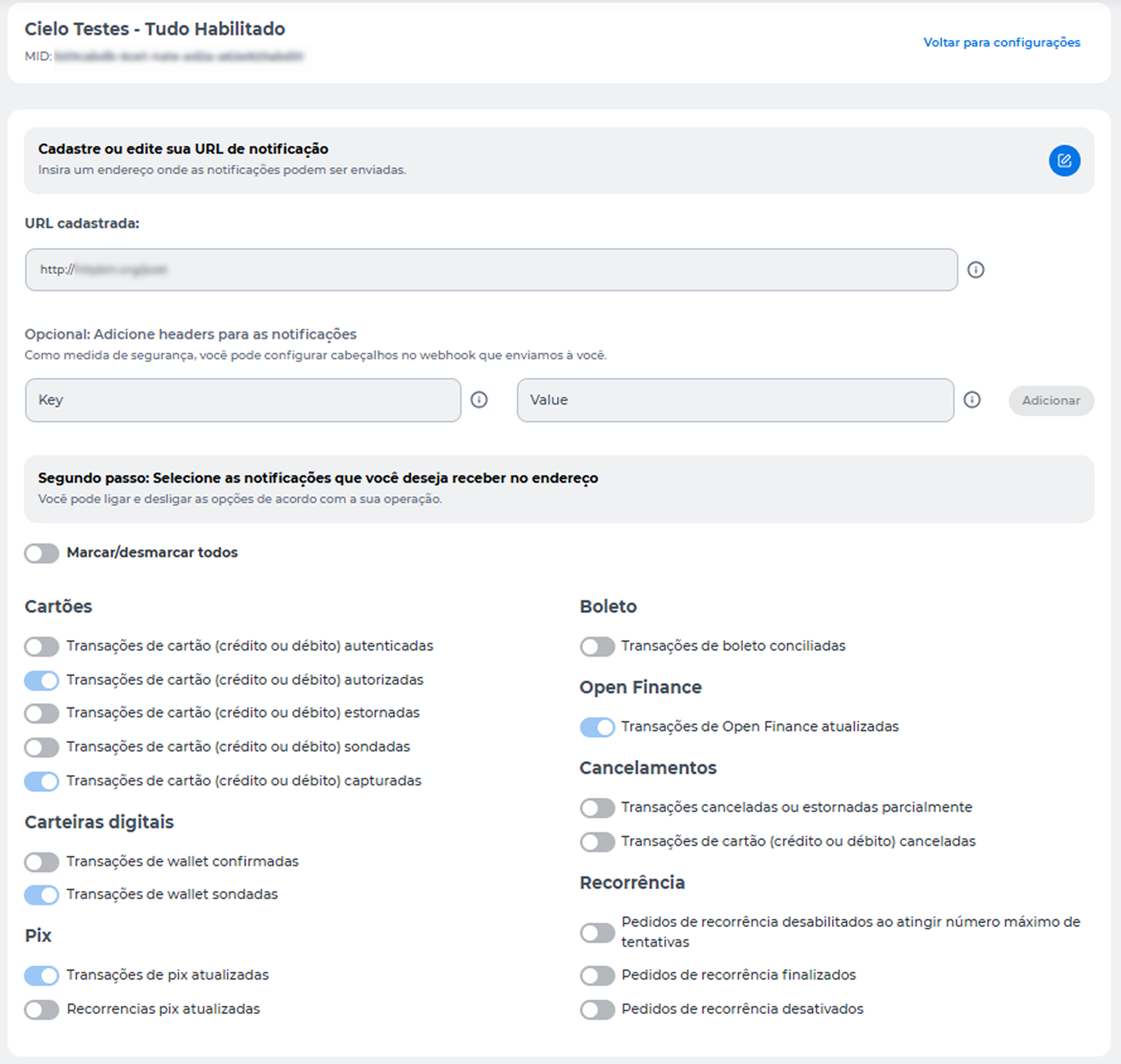
Enter the URL that should receive notifications sent by the API E-commerce Cielo.
If no URL has been registered yet, the field will be displayed empty for you to fill in. If a configuration already exists, the registered URL will appear on the screen and can be updated.
For the configuration to be successfully validated:
- The URL must be accessible to receive notifications;
- The endpoint must respond to the validations performed by Cielo;
- The URL can have up to 255 characters.
Custom headers
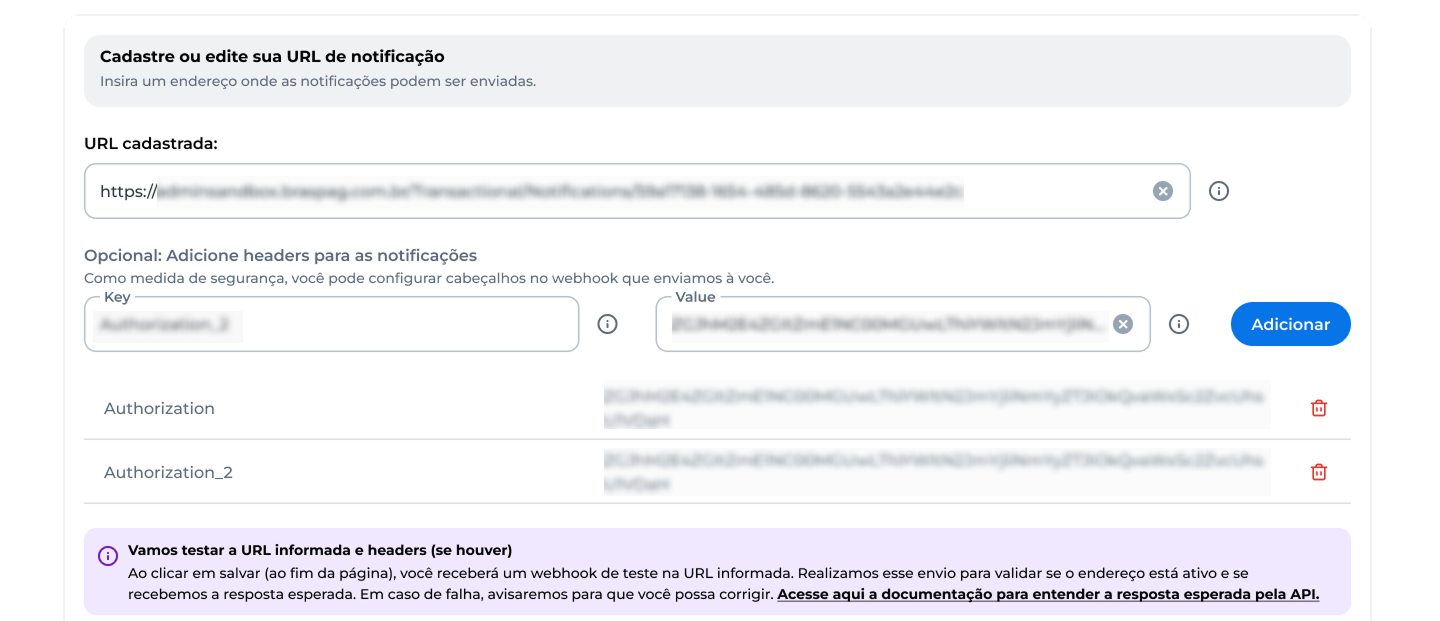
Optionally, you can configure custom headers that will be sent along with the notifications.
This configuration can be used to implement additional mechanisms for authentication, authorization, or validation on the endpoint responsible for receiving events.
Add a header
- Enter the header name in the Key field.
- Enter the corresponding value in the Value field.
- Click Adicionar.
After inclusion, the header will appear in the list of configured settings.
Each new header added creates a new row in the list and can be removed individually.
Select notifications
After entering the URL and configuring the desired headers, select the events that should trigger notifications for the registered endpoint.
You can enable or disable events individually or use the Marcar/desmarcar todo option to change all available notifications at once.
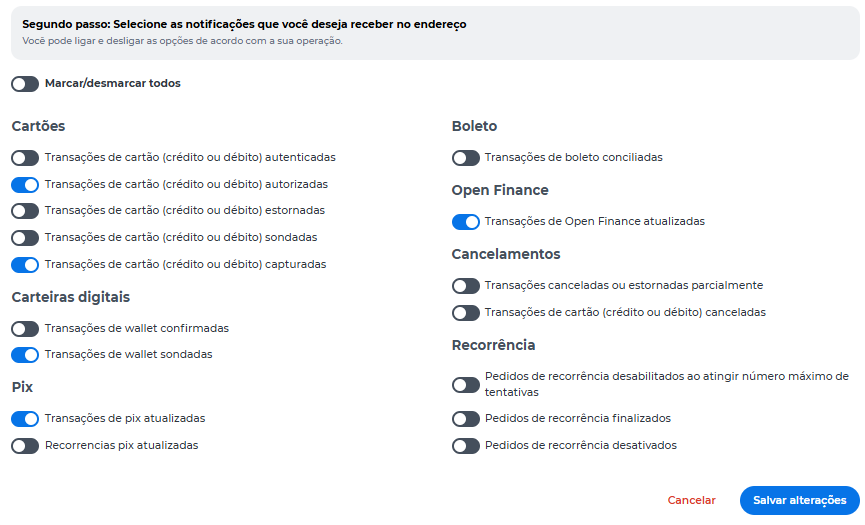
The available events may vary according to the products and microservices enabled for the merchant.
Save changes
The Salvar alterações button will be enabled when:
- A valid URL is provided;
- At least one event is selected.
When you click Salvar alterações, Cielo automatically tests the provided URL to verify if the address is ready to receive notifications from the Cielo E-commerce API.
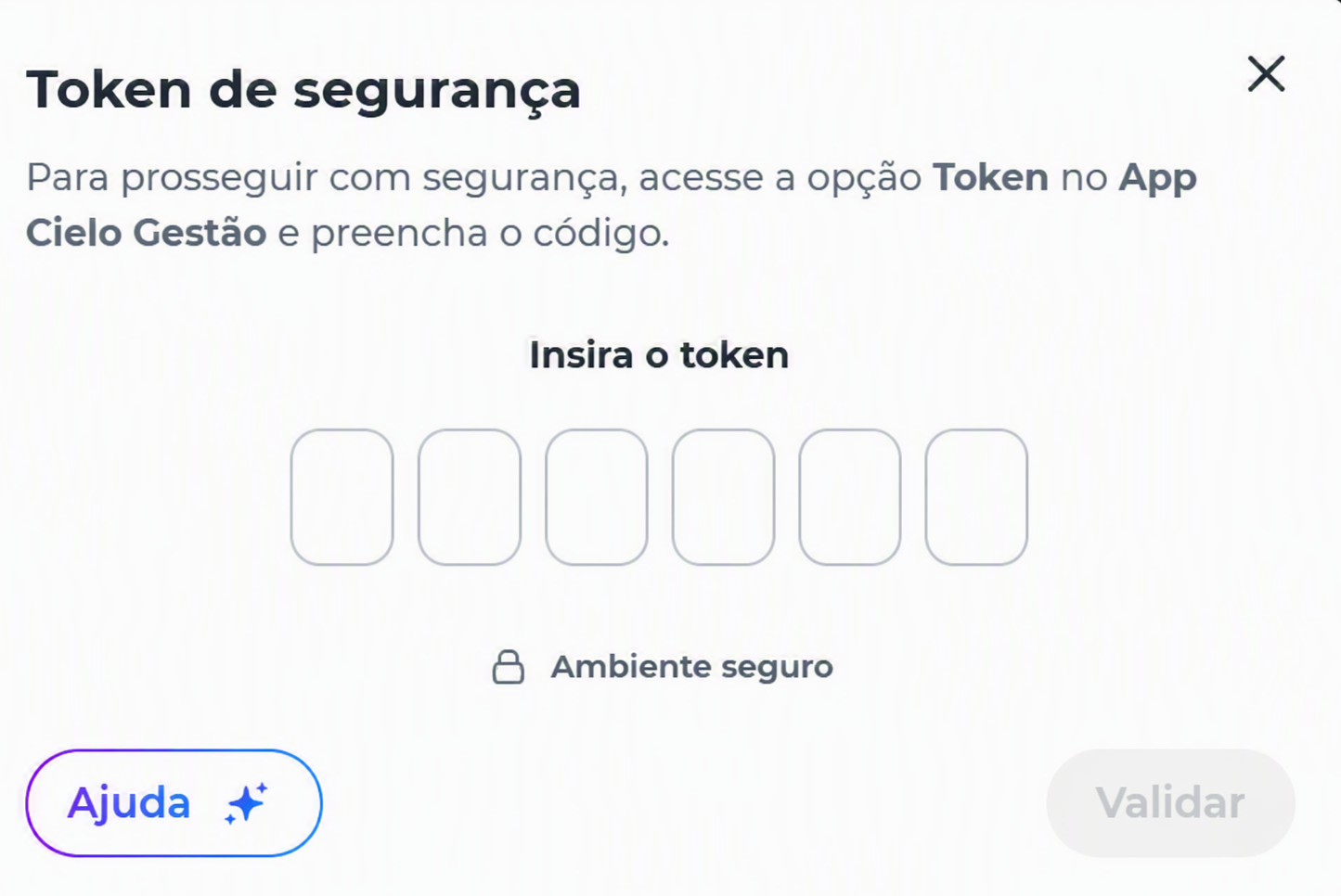
If the URL is successfully validated, complete the operation authentication through the Cielo Gestão app.
Configuration results
After the operation is completed, the platform displays the result of the configuration.
When all steps are successfully completed, the configuration will be saved, and notifications will start being sent to the configured URL.
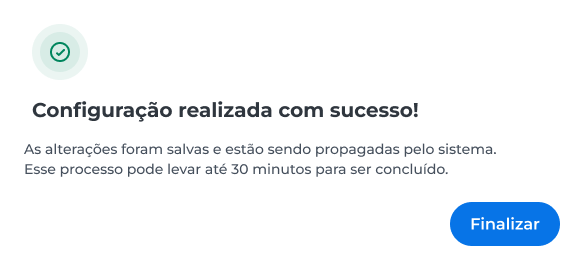
Some changes may take a few minutes to fully propagate in the environment.
URL validation failure
If the URL does not respond as expected during Cielo's validation, the configuration will not be applied.
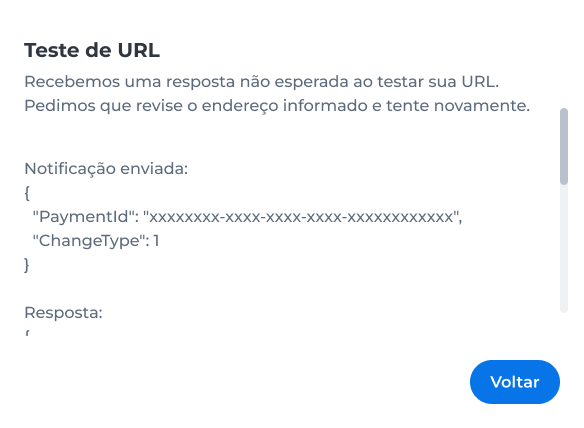
In this case:
- The configuration is not saved;
- The last valid configuration remains active;
- The user must fix the endpoint and try again.
Before trying again, check:
- URL availability;
- Endpoint authentication rules;
- Firewall or network restrictions;
- Response format returned by the application;
- HTTP status returned by the endpoint.
Partial failure in applying configurations
In some situations, only part of the requested changes may be applied.
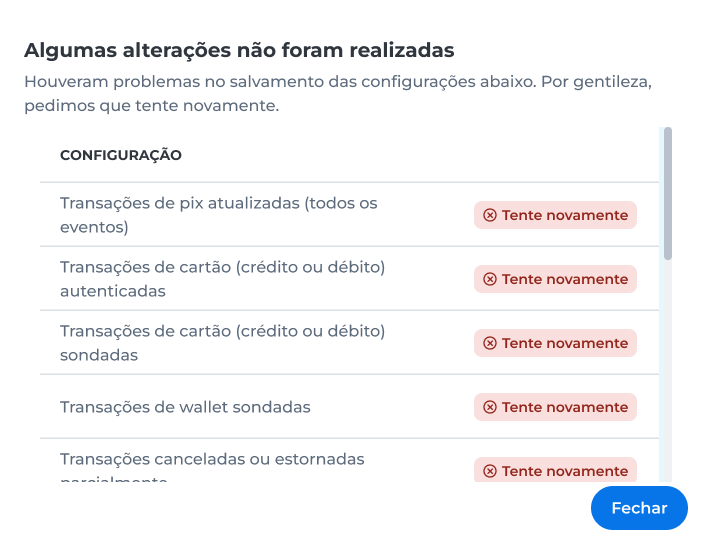
When this occurs:
- The platform will display the items that were not processed.
- The Try Again option will be available.
- Successfully applied settings will remain saved.
Updated 3 months ago