

Return Pix transactions
The return feature allows you to refund a Pix transaction amount, either fully or partially, to the shopper.
Access permissionsThe capture and void functionalities are available to users with the Administrator profile or to users with a Custom profile who have the required permissions.
To manage access permissions, go to My account > Access management.
Return a Pix transaction
To return a Pix transaction, open the transaction details of the desired transaction.
- Locate the Pix transaction;
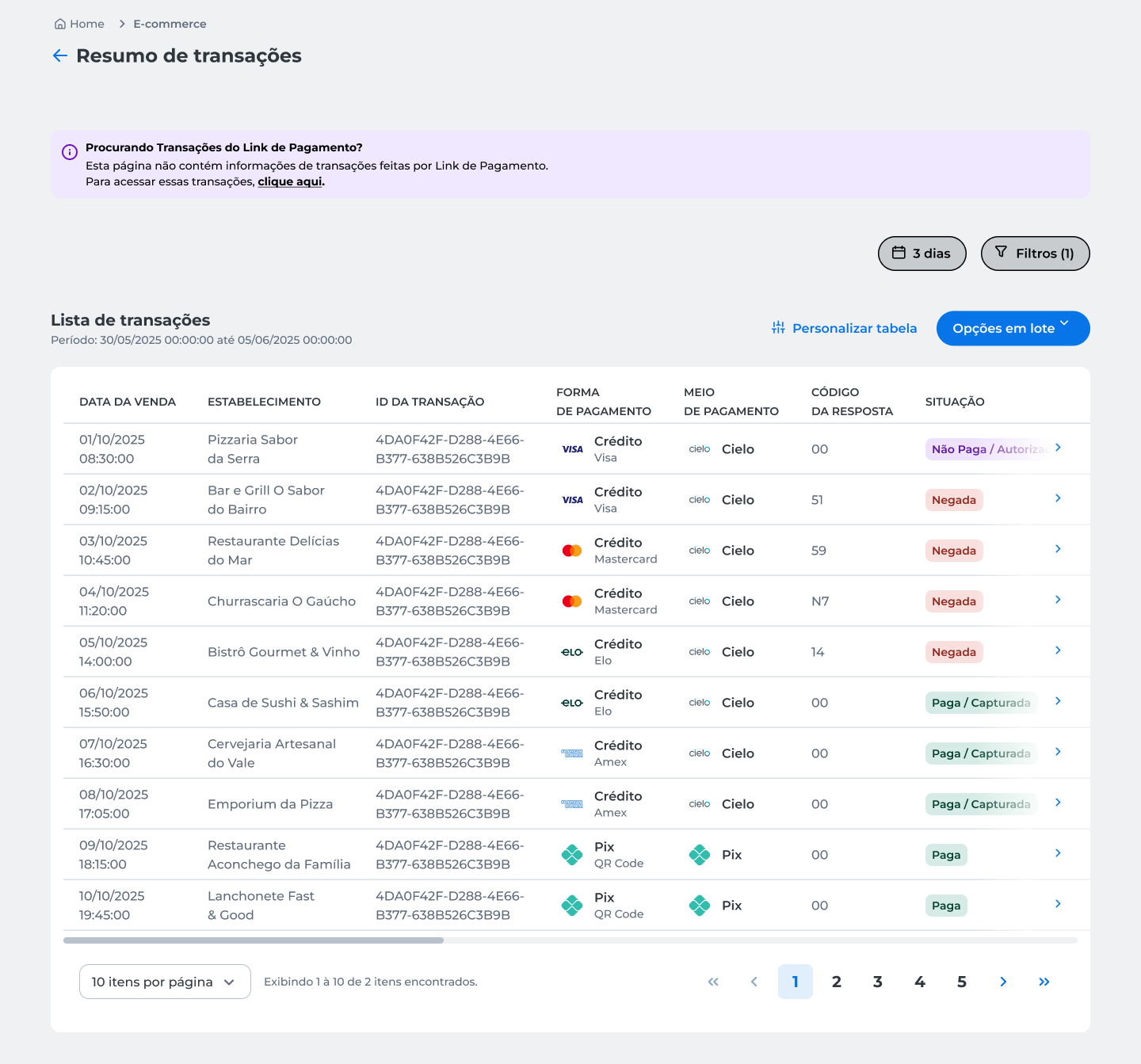
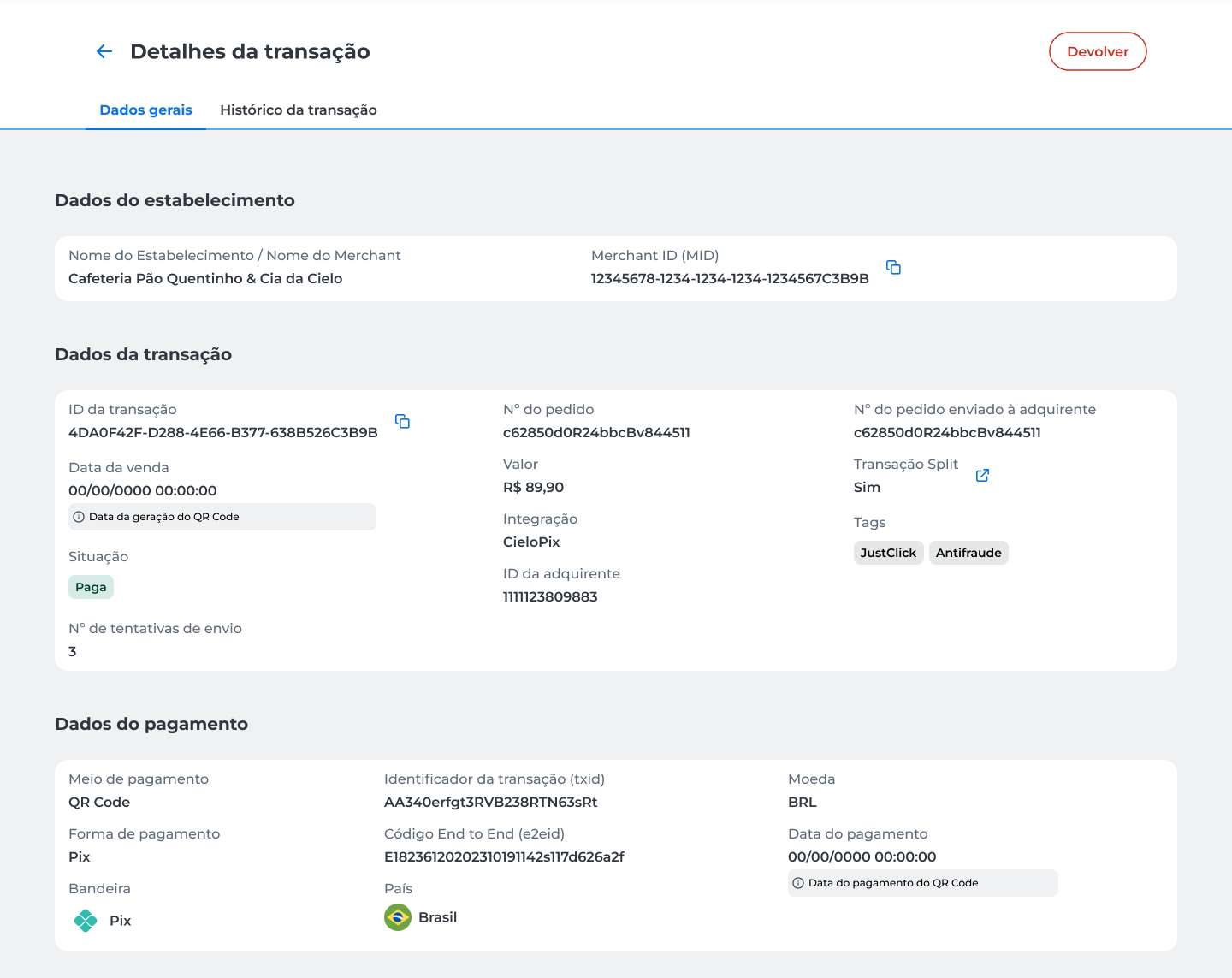
- Open the transaction details;
- Click Devolver;
-
Choose the return type:
-
Devolução total; or
-
Devolução parcial.
-
-
Click Continuar;
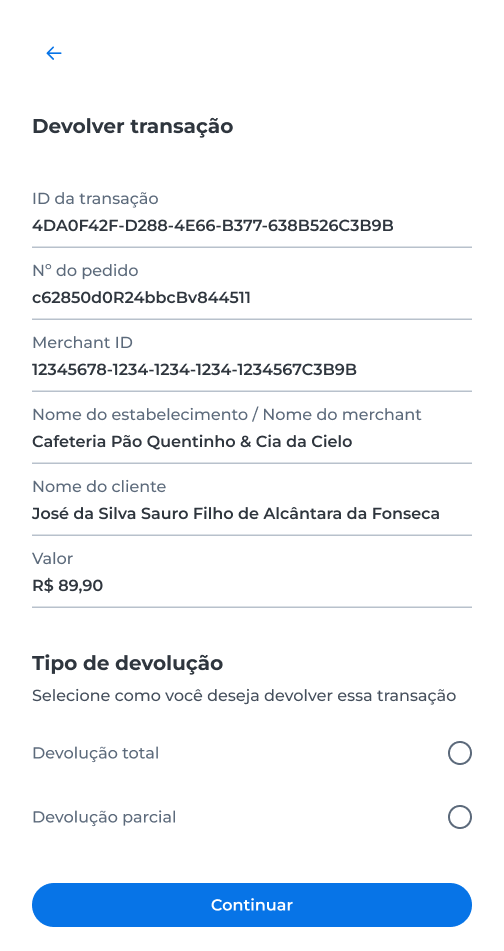
Full return
The full return refunds the entire transaction amount.
- Review the transaction details and the amount to be refunded.
- Click Devolver.
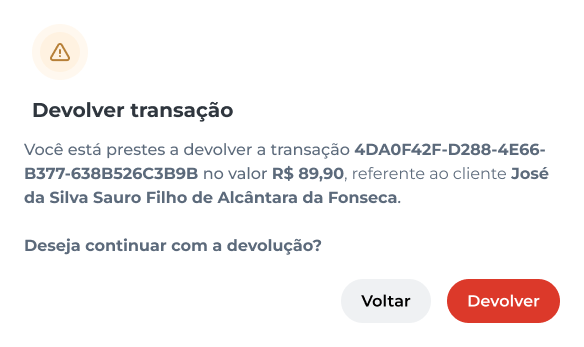
- Complete the operation authentication in the Cielo Gestão app.
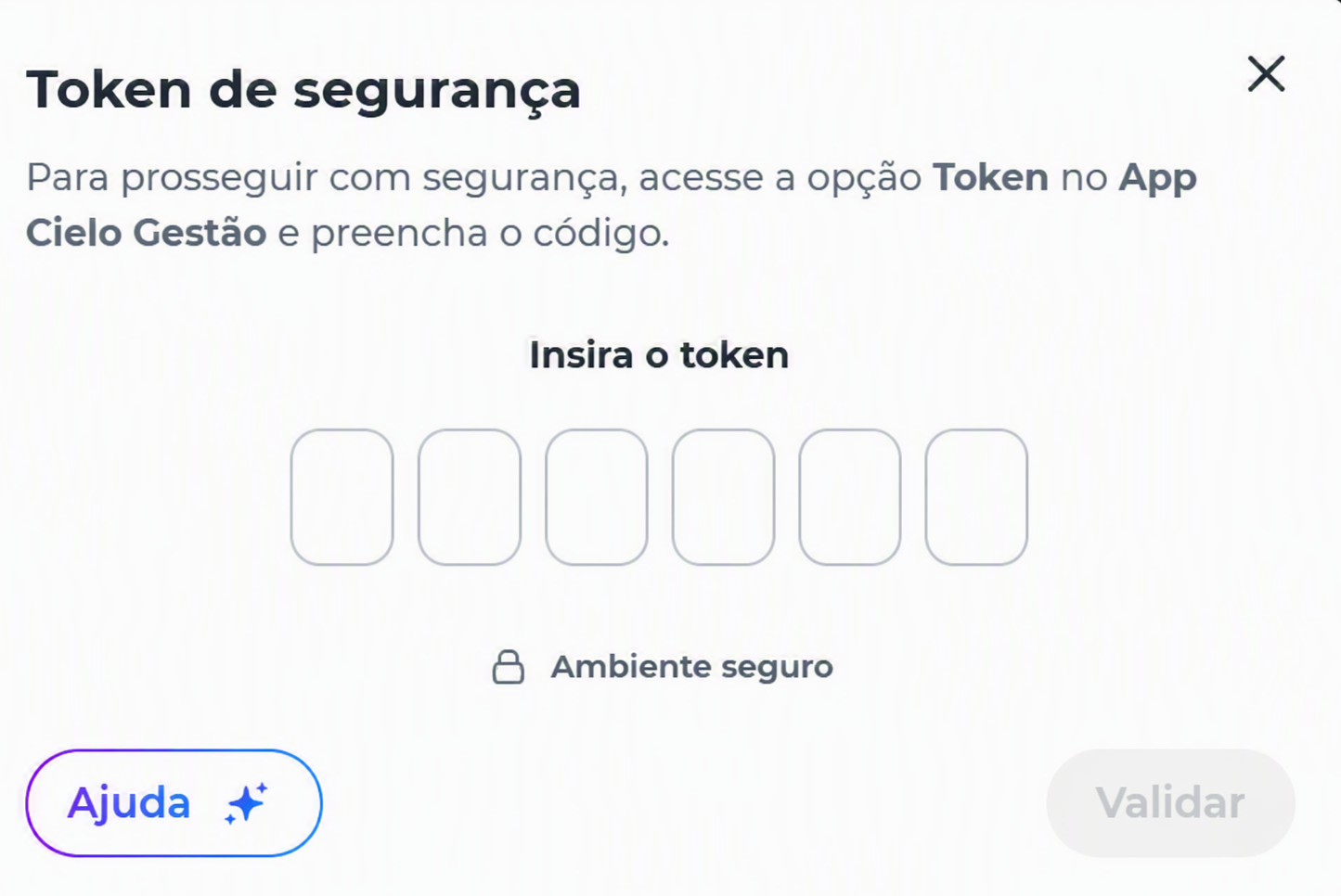
After authentication, the request is processed and the system displays the operation result.
To learn about the possible outcomes, see the Return results section.
Partial return
The partial return allows you to refund only part of the transaction amount.
- Enter the amount you want to refund;
- Click Continuar;
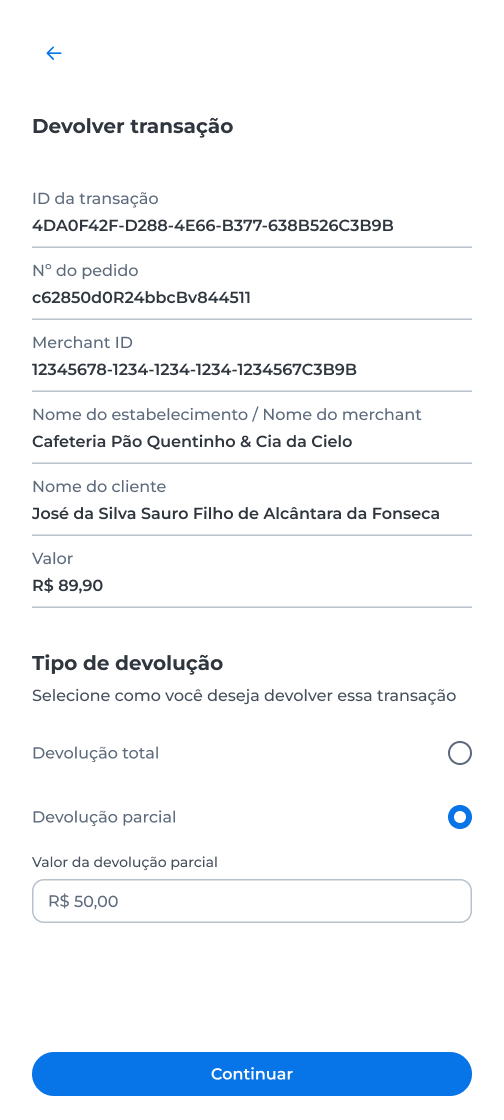
- Review the displayed information;
- Click Devolver;
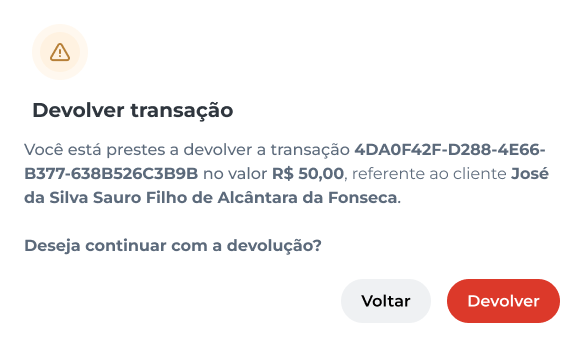
- Complete the operation authentication in the Cielo Gestão app.
After authentication, the request is processed and the system displays the operation result.
To learn about the possible outcomes, see the Return results section.
Return results
After processing the request, the system may display one of the following results:
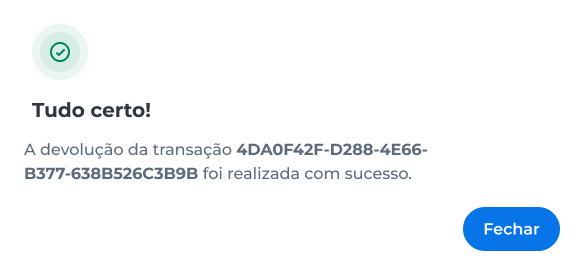
Success
The return was successfully completed.
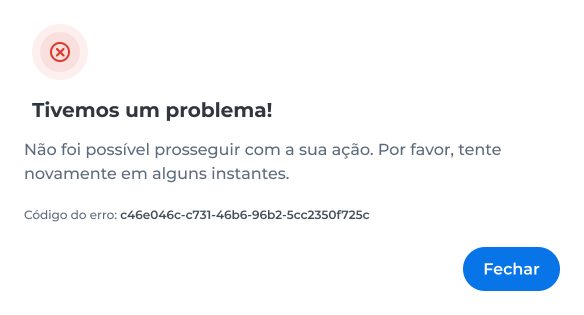
Error
The return could not be completed.
Check the transaction details and try again. If the problem persists, contact Cielo Support.
Transaction history
Access the transaction history to check the events recorded during payment processing.
- Locate the desired transaction;
- Open the transaction details;
- Go to the Transaction history tab.
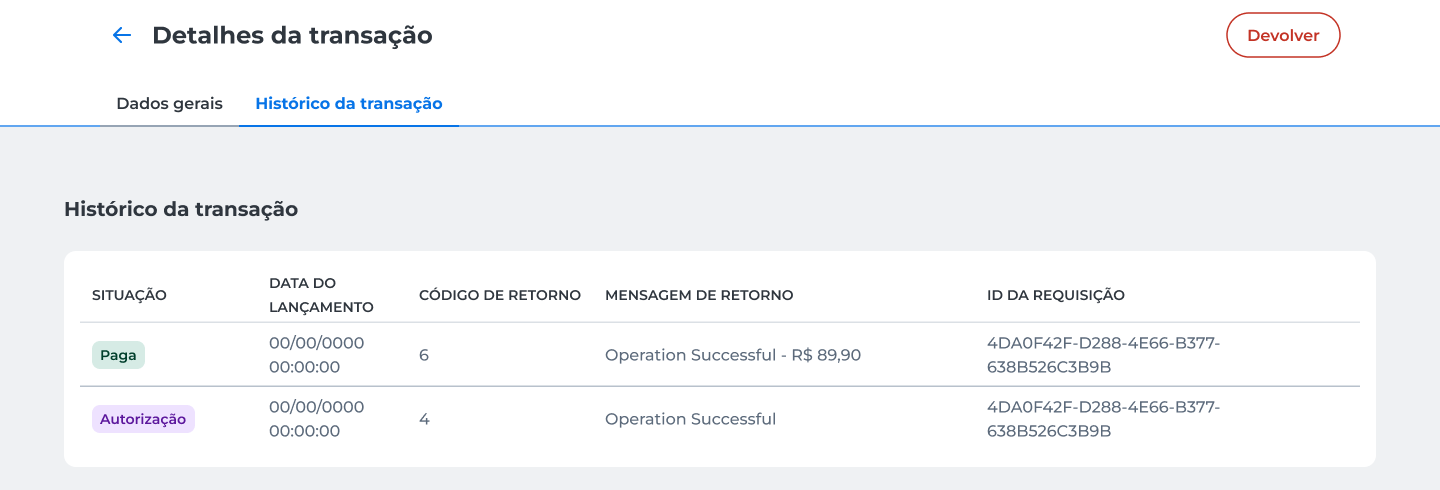
In the history, you can track the transaction progress and review information such as:
- Status recorded at each step;
- Date of each event;
- Response code and message;
- Identifier of the request associated with the operation.
Updated about 2 months ago