

Capture and cancel transactions
Capture authorized amounts or void transactions directly from the order details.
How to access
- Go to the Cielo Website;
- In the main menu, click E-commerce;
- Select Link de Pagamento;
- Click the Pedidos tab;
- Select the desired order.
The available actions may vary according to the transaction status.
Capture transactions
The capture confirms the charge of an authorized transaction with captura posterior.
The capture must be performed within 28 days after the transaction authorization.
After this period, the transaction will be voided automatically.
To start the capture:
- On the transaction details page, click Capturar.
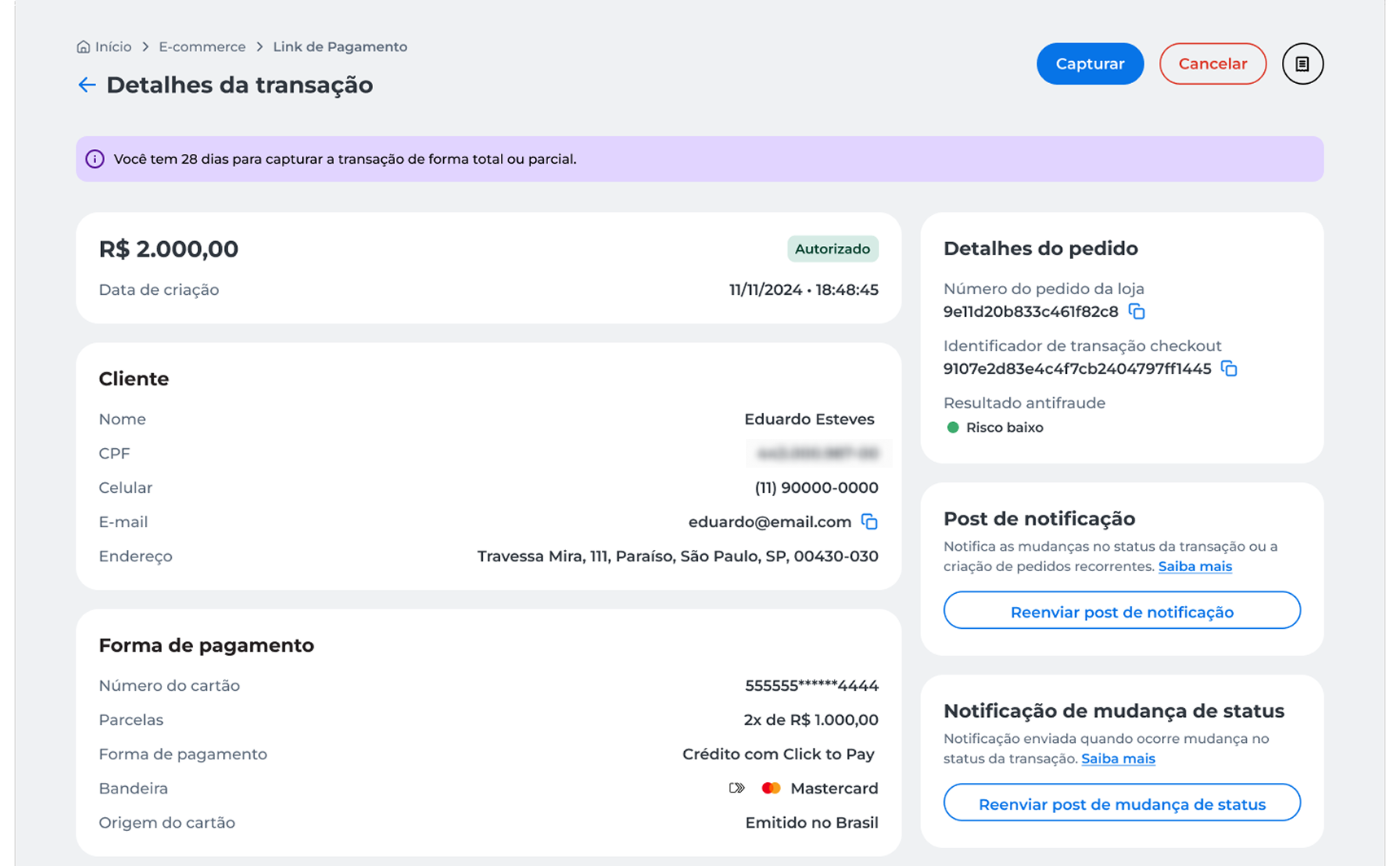
- Select the capture type:
- Capture total amount, to capture the full transaction amount;
- Capture partial amount, to capture only part of the authorized amount.
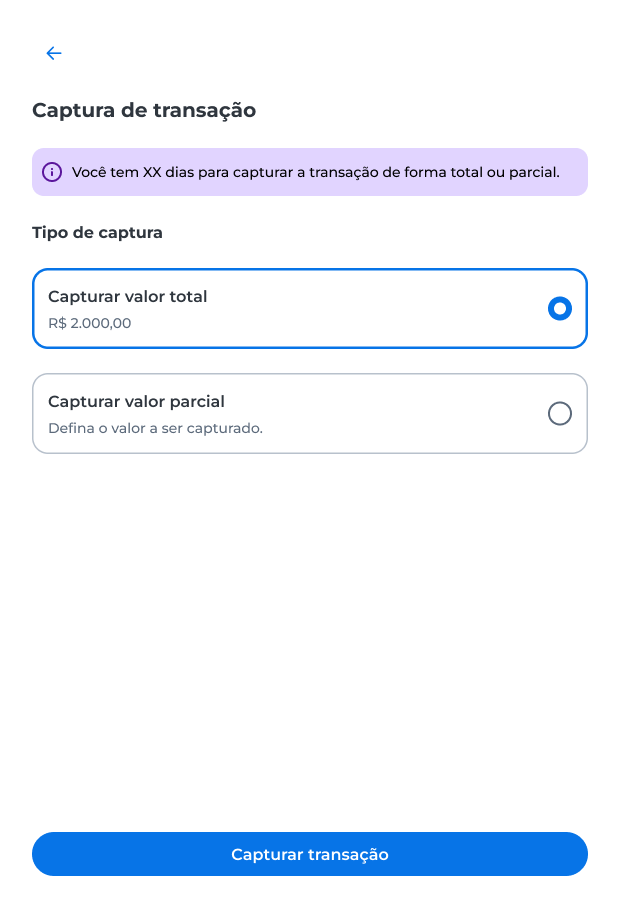
Capture total amount
- Select Capturar valor total;
- Click Capturar transaçã;
- Enter the security code sent to the registered e-mail;
- Click Validar.
After confirmation, the transaction status will be updated to Pago.
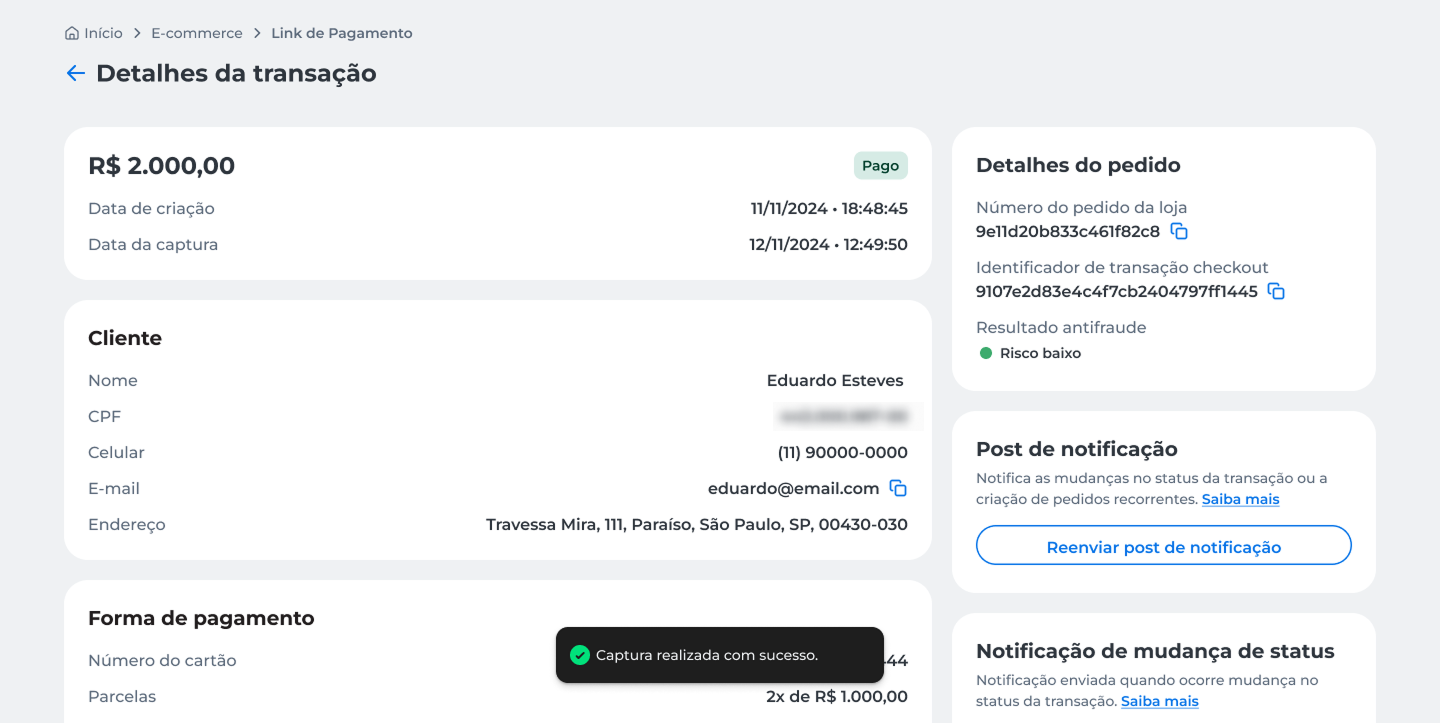
Capture partial amount
- Select Capturar valor parcial;
- Enter the amount you want to capture;
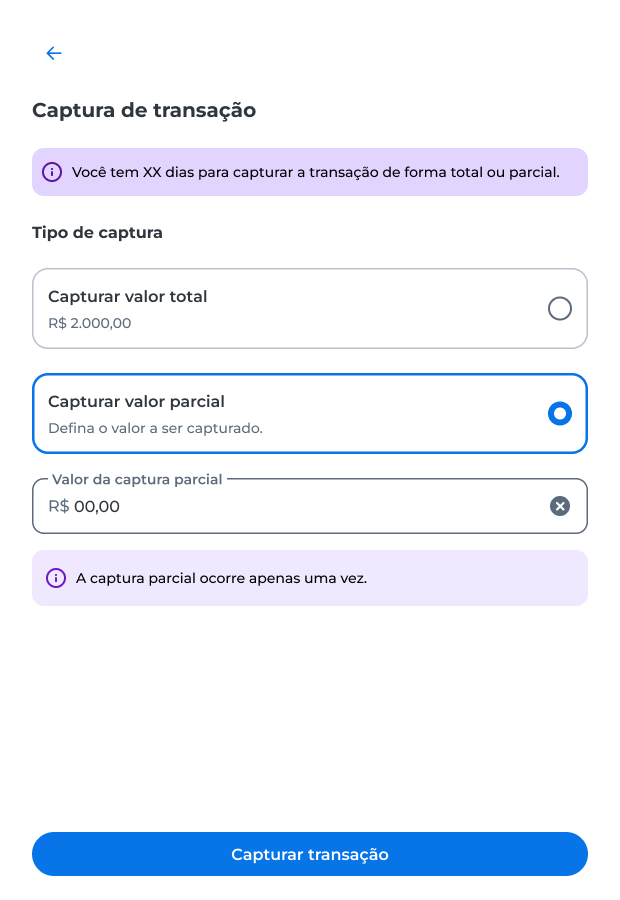
- Click Capturar transação;
- Enter the security code sent to the registered e-mail;
- Click Validar.
After confirmation, the entered amount will be captured.
The partial capture can be performed only once.
Void authorized transaction
You can void an authorized transaction that has not yet been captured.
The void option is available only for transactions with the Autorizado status.
After confirmation, the action is irreversible and immediately releases the reserved card limit for the client.
To void the transaction:
- On the transaction details page, click Cancelar.
- Read the displayed information and click Cancelar to confirm the operation.
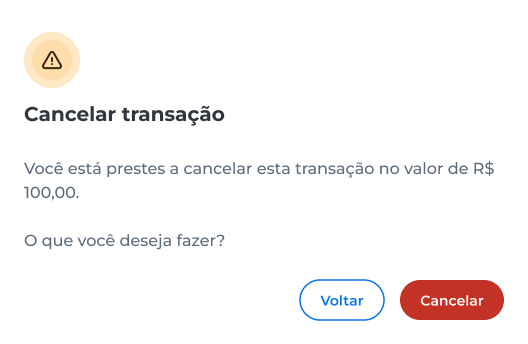
- Enter the security code sent to the registered e-mail;
- Click Validar.
After confirmation, the transaction status will be updated to Cancelado.
Void transaction
The void action allows requesting a full refund for a captured transaction.
The void option is available only for transactions with the Pago status.
After confirmation, the action is irreversible, and the refund will be processed according to the rules of the card brand and the acquirer.
Partial voids are not available.
To void the transaction:
- On the transaction details page, click Cancelar.
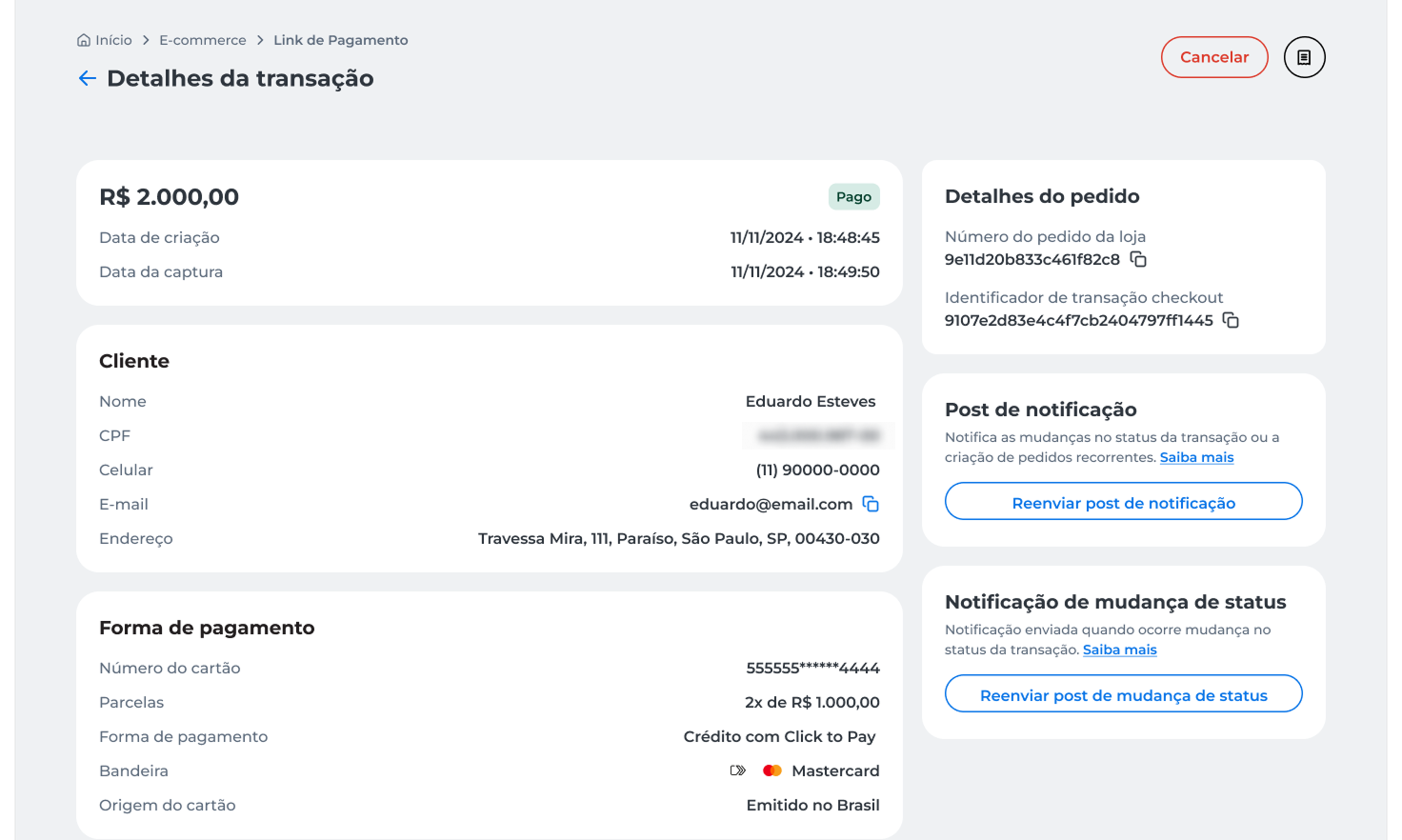
- Read the displayed information and click Cancelar to confirm the operation.
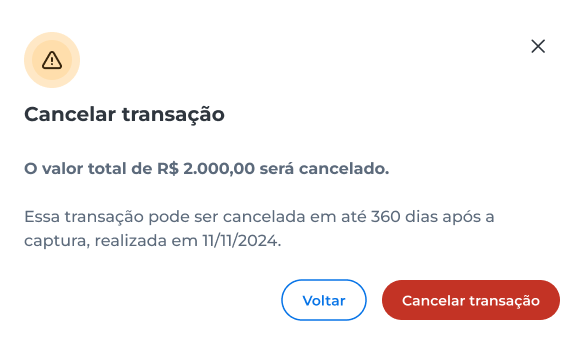
- Enter the security code sent to the registered e-mail;
- Click Validar.
After confirmation, the transaction status will be updated to Cancelado.
Updated about 1 month ago