

Capture and cancel transactions in the Cielo Gestão app
Capture authorized amounts or void transactions directly from the order details.
Capture a transaction
The capture confirms the charge of an authorized transaction with captura posterior (deferred capture). It is available for transactions with the Autorizado (Authorized) status.
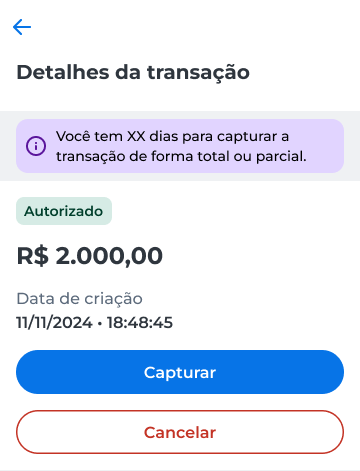
In the transaction details, a notice shows the deadline to capture the transaction, either the total or a partial amount.
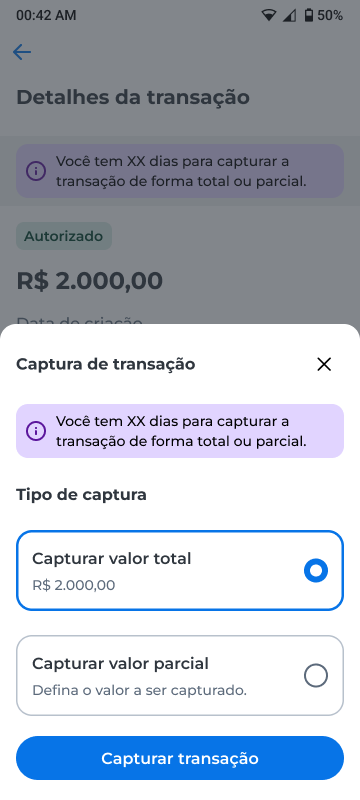
- In the Captura de transação (Transaction capture) window, choose an option:
- Capturar valor total (Capture total amount), to capture the full transaction amount;
- Capturar valor parcial (Capture partial amount), to define the amount to capture.
Capture the total amount
- Select Capturar valor total;
- Click Capturar transação (Capture transaction).
If the token is already enabled in the app, the capture is performed directly. Otherwise, the app displays a message to activate the token.
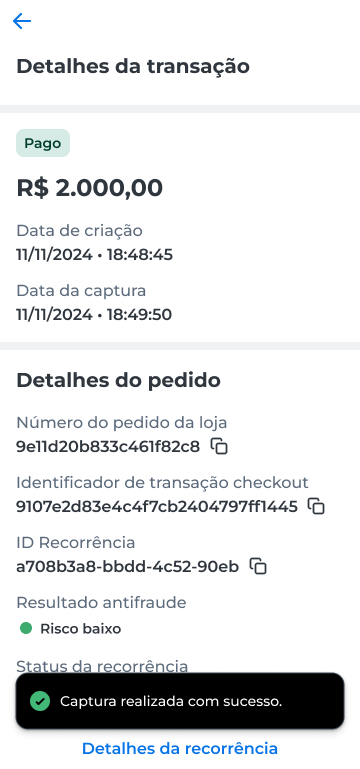
After confirmation, the transaction status is updated to Pago (Paid).
Capture a partial amount
- Select Capturar valor parcial;
- Enter the amount you want to capture;
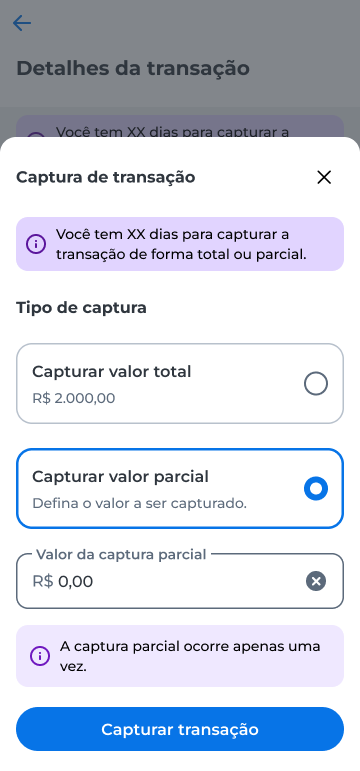
- Click Capturar transação.
If the token is already enabled in the app, the capture is performed directly. Otherwise, the app displays a message to activate the token.
After confirmation, the amount you entered is captured.
Void a transaction
You can void an authorized transaction that has not been captured yet.
- In the order details, select Cancelar (Cancel);
- In the Cancelar transação (Cancel transaction) window, check the amount that will be voided;
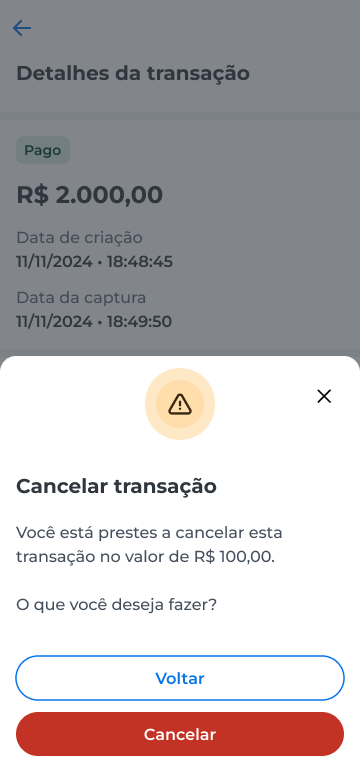
- Select Cancelar to confirm.
After confirmation, the transaction status is updated to Cancelado (Voided).
Updated 13 days ago