

Store settings in the Cielo Gestão app
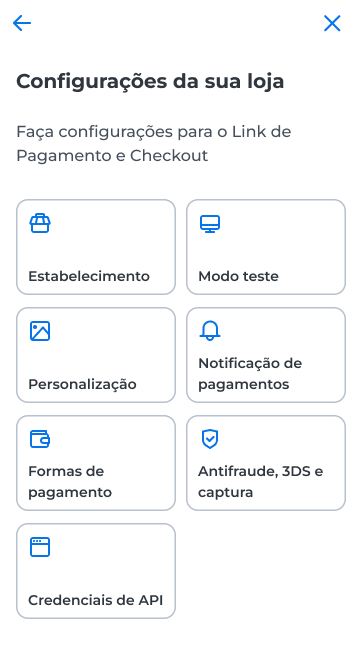
The Configurações area groups the Link de Pagamento and Checkout settings for your store, such as payment methods, security rules, and API credentials.
How to access
- Open the Cielo Gestão app;
- In the navigation bar, select Menu;
- In the Realizar vendas section, select Link de Pagamento;
- Select Configurações.
View the merchant data
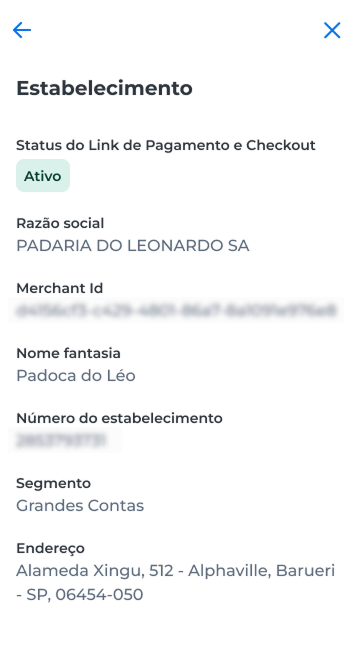
In Estabelecimento, check whether the Link de Pagamento e Checkout of your store is Ativo, Inativo, or Bloqueado.
The screen also shows the store data, such as Razão social, Número do estabelecimento, and Merchant Id.
Next sections
Use test mode
simulate transactions without real processing and delete test transactions
Customization
upload your store's logo to the checkout
Configure payment methods
choose payment methods, installments, minimum amounts, and discounts
Configure anti-fraud, 3DS, and capture
define the authentication and capture rules for transactions
Generate API credentials
create the Client ID and Client Secret to integrate your store
Updated 12 days ago
Did this page help you?