

Manage Payment Links
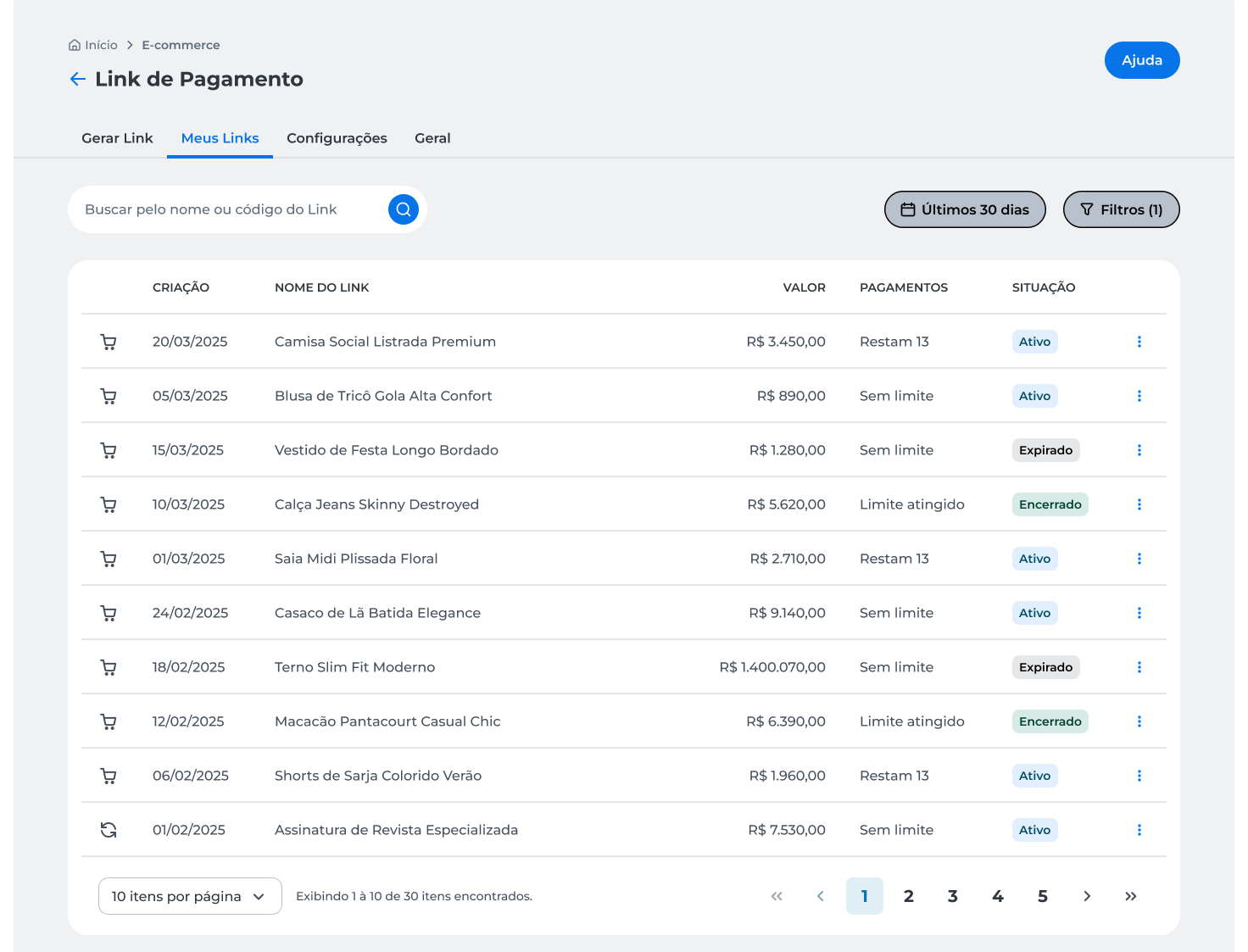
On the My Links page, you can query payment links created in the last 30 days, search for specific links using filters, and perform actions such as copy, view details, edit, duplicate, or delete a link.
Query Payment Links
-
Access the Cielo website;
-
In the main menu, click E-commerce;
-
Select Link de Pagamento;
-
Click My Links;
-
Query the links created in the last 30 days.
Filter Links
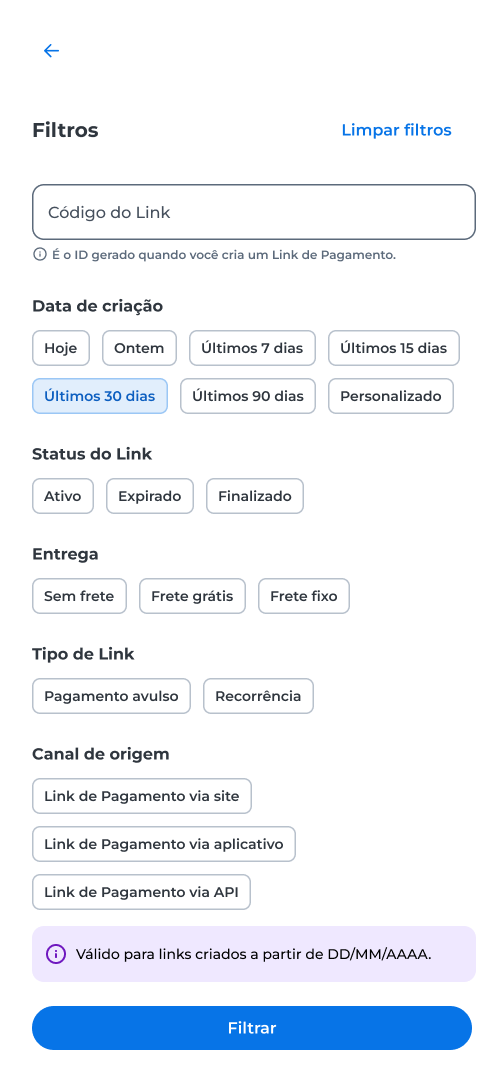
Use the available filters to locate specific payment links.
Access Link Options
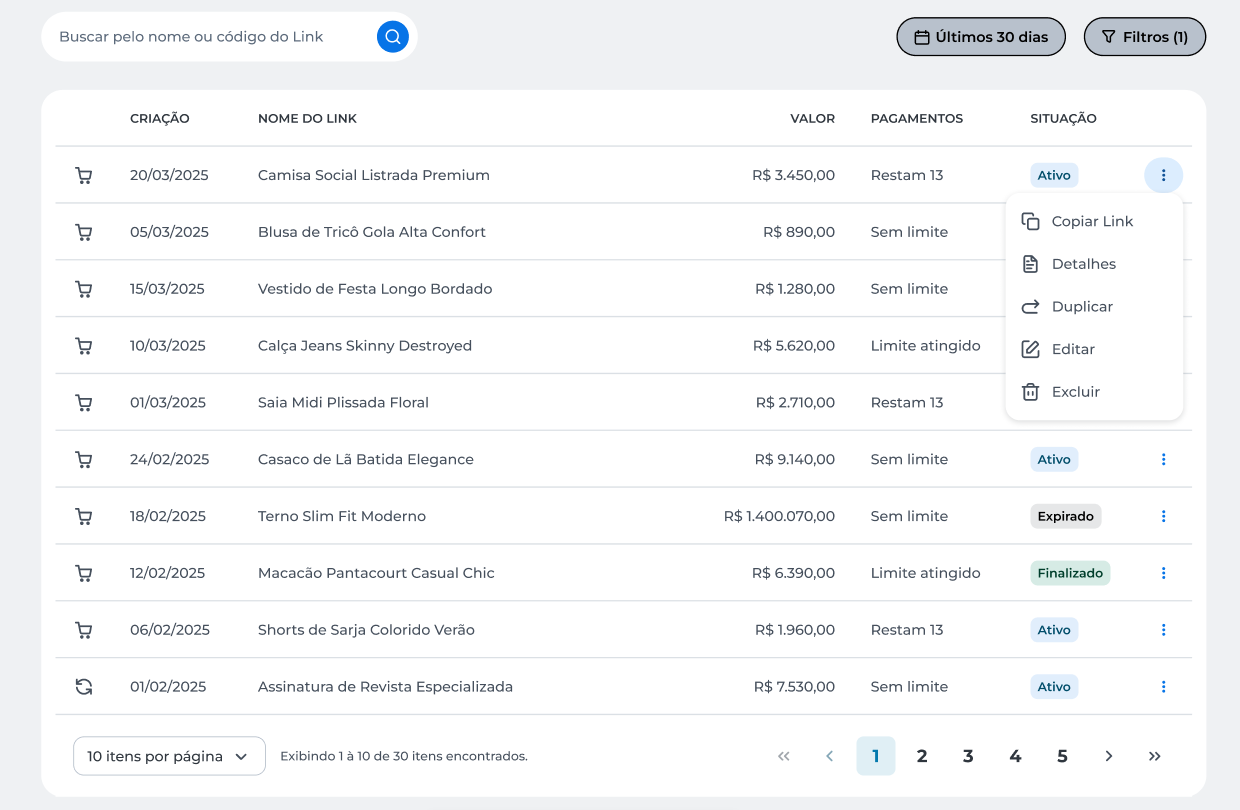
On the My Links page, click the three-dot icon to display the available actions for each payment link. The options include Copy Link, Details, Duplicate, Edit, and Delete.
Copy a Payment Link
Use the Copy Link option to copy the payment link URL. After copying, the system displays a confirmation message.
Details
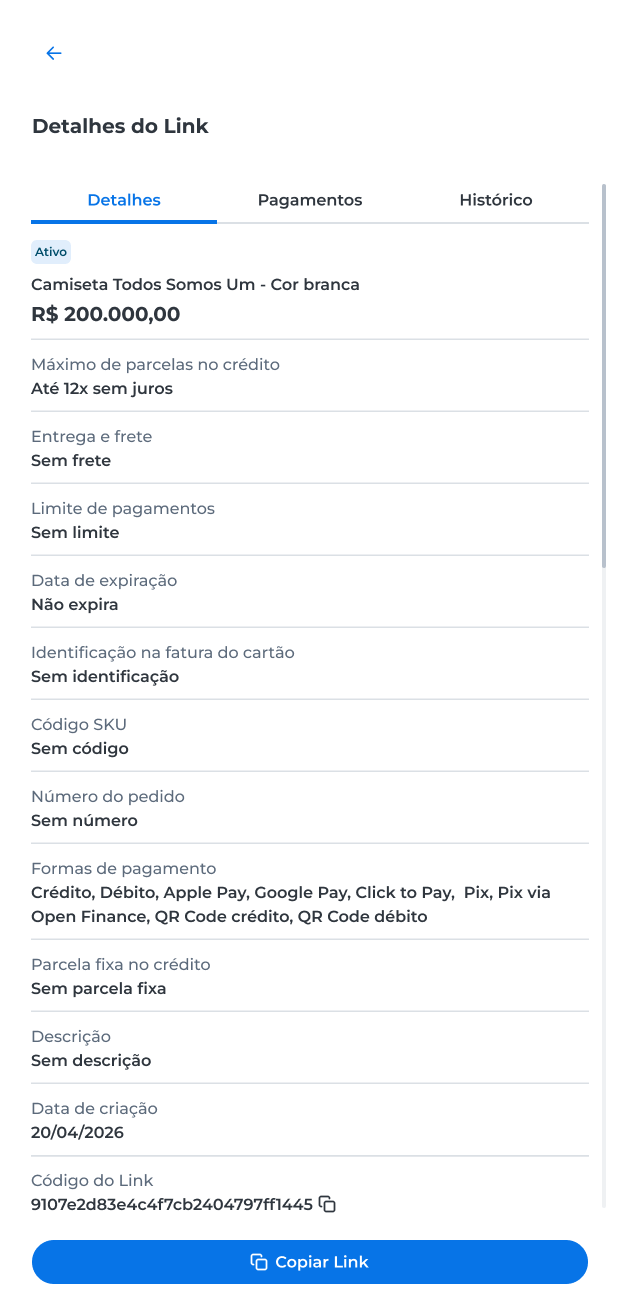
Use the Detalhes option to query payment link information.
The details screen includes the following tabs:
- Detalhes, with link information and settings;
- Pagamentos, with the payment history;
- Histórico, with a record of link changes.
ImportantIn the Detalhes tab, the Payment Limit field may show different information depending on the link's configuration and usage. The displayed values can be:
- Sem limite, when there is no restriction on the number of payments;
- Restam X pagamentos, when a limit is set and there are payments available;
- Limite atingido, when the maximum number of allowed payments for the link has been reached.
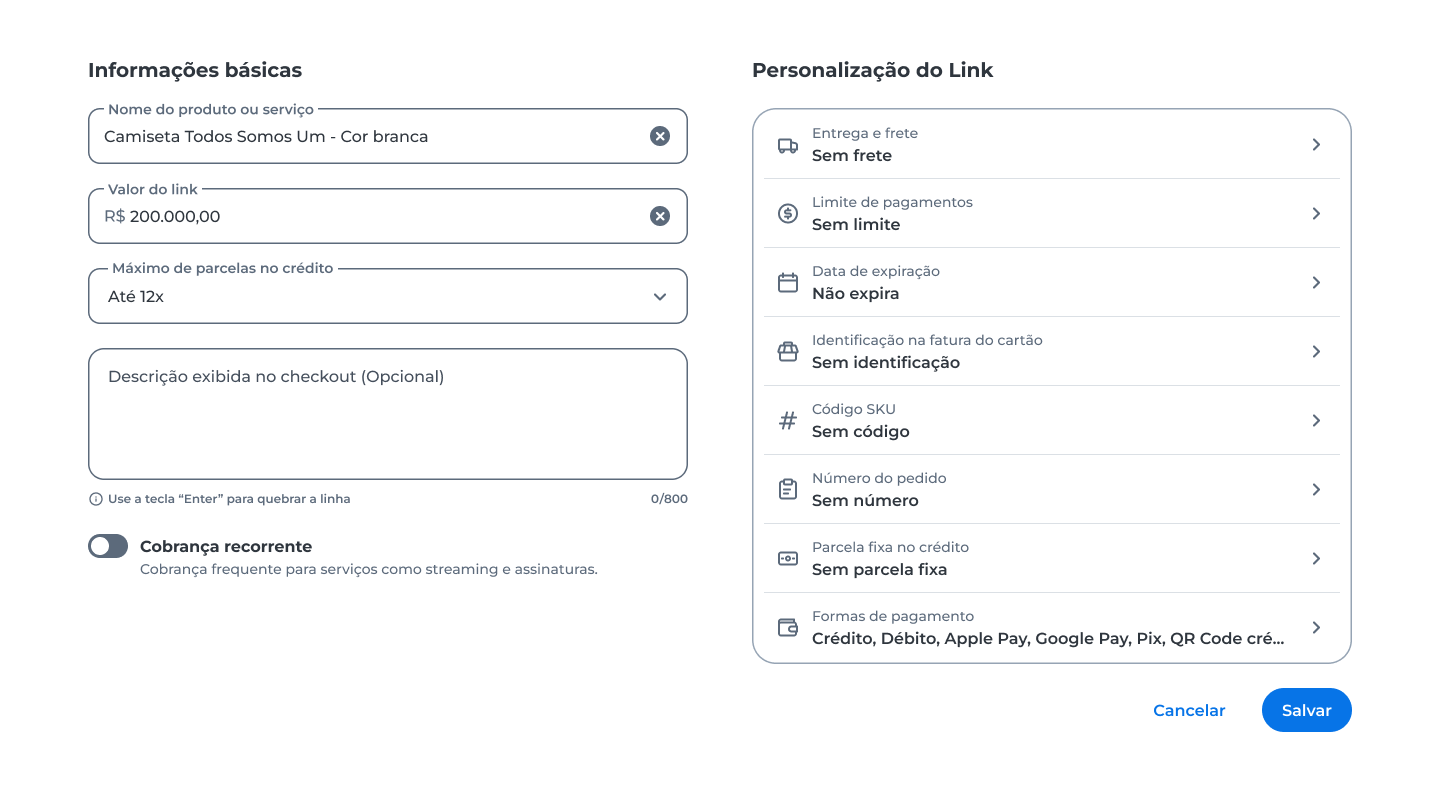
Edit a Payment Link
Use the Edit option to change the information of a payment link.
- Click Editar;
- Update the desired information;
- Click Salvar.
Duplicate a Payment Link
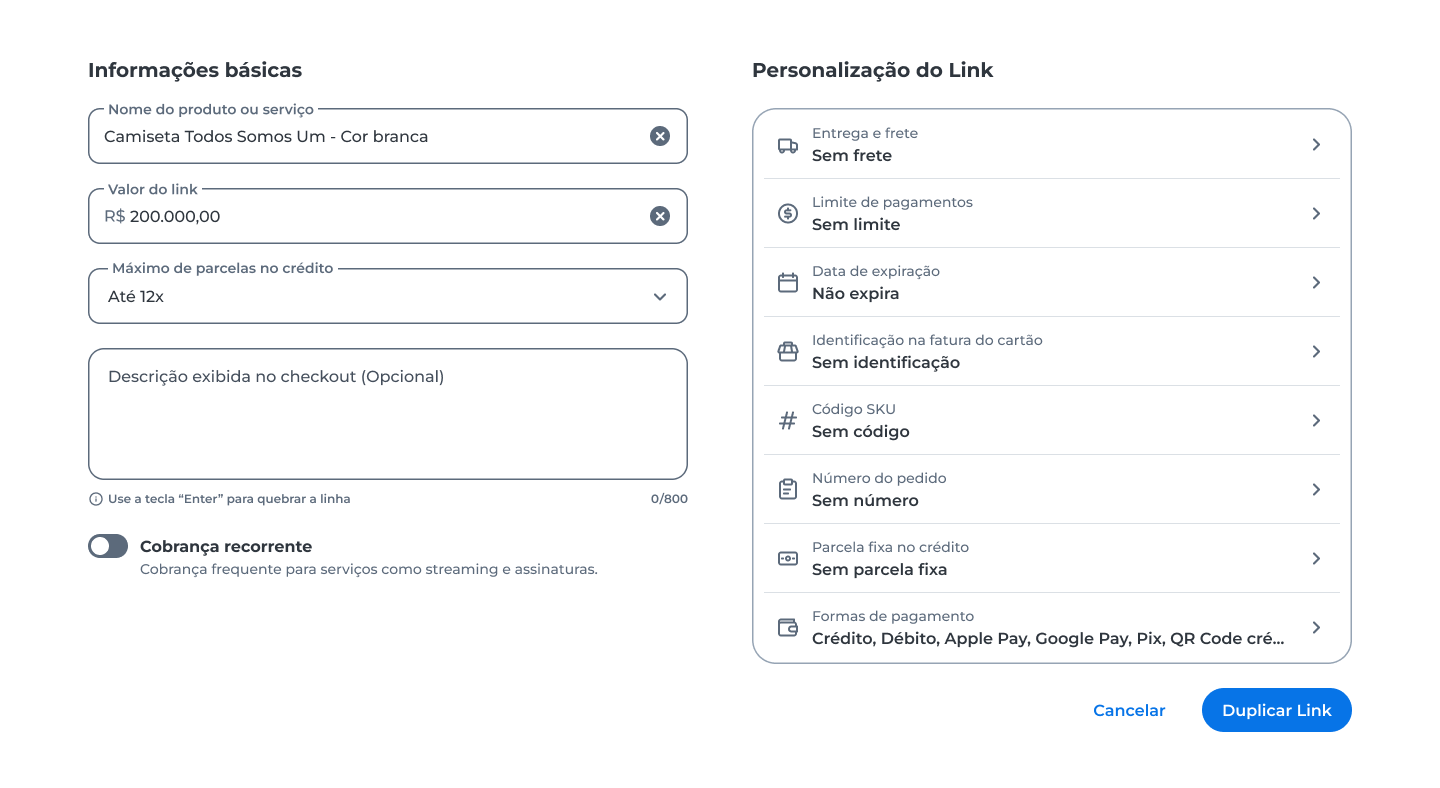
Use the Duplicar option to create a new payment link based on an existing one.
Delete a Payment Link
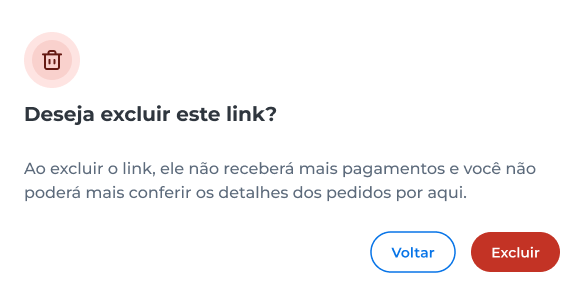
Use the Excluir option to remove a payment link that will no longer be used.
- Click Excluir;
- Confirm the deletion.
Updated 4 months ago