

Test mode
Simulate transactions in Checkout Cielo without real processing and delete test transactions, all in the Cielo Gestão app.
How to access
- In the Cielo Gestão app, go to Menu > Link de Pagamento > Configurações;
- Select Modo teste.
Turn on test mode
On the Modo teste screen, turn on the Modo teste option to simulate purchases in Checkout Cielo.
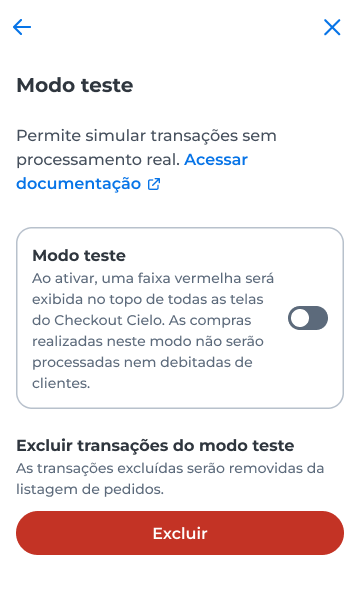
While test mode is on, the app shows the Modo teste alert, and the checkout displays a red banner at the top. No purchase is processed or charged. To turn it off, switch the option off.
Delete test transactions
Remove test transactions from the orders list.
- In Excluir transações do modo teste, select Excluir;
- In the confirmation window, select Excluir.
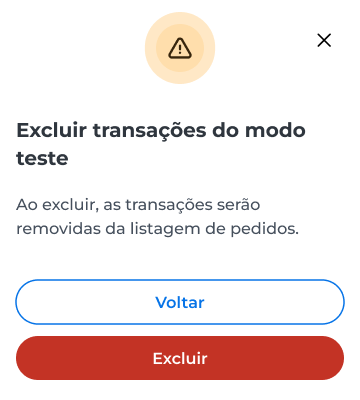
After you confirm, the test transactions are removed from the orders list.
Updated 12 days ago
Did this page help you?