

Generate API credentials
Generate, in the Cielo Gestão app, the Client ID and the Client Secret to integrate Link de Pagamento and Checkout with your application.
How to access
- In the Cielo Gestão app, go to Menu > Link de Pagamento > Configurações;
- Select Credenciais de API.
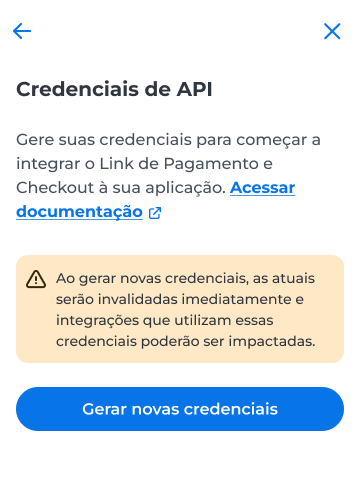
WarningWhen you generate new credentials, the current ones are invalidated immediately. Integrations that use the previous credentials may be affected.
Generate new credentials
To generate credentials, the token must be enabled in the app. If it is already enabled, generation proceeds right away. If it is not, the app displays an alert so you can enable it.
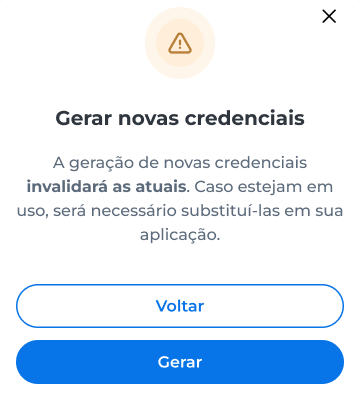
- Select Gerar novas credenciais;
- In the confirmation window, select Gerar.
Copy the credentials
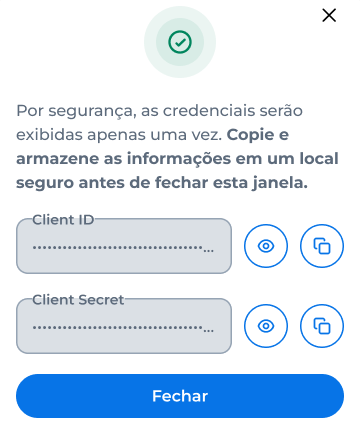
After generation, the app displays the Client ID and the Client Secret.
- Select the copy button of each field;
- Store the credentials in a safe place, because the app displays them only once;
- Select Fechar.
Updated 12 days ago
Did this page help you?