
Foreign Cardholder Payment Journey
See below for the payment journey with a foreign cardholder:
-
The shopper can choose to identify themselves to save their data and speed up future purchases. See more details in Faster purchases with saved data.
-
After identification (or proceeding without identifying), the cardholder selects the desired payment method.
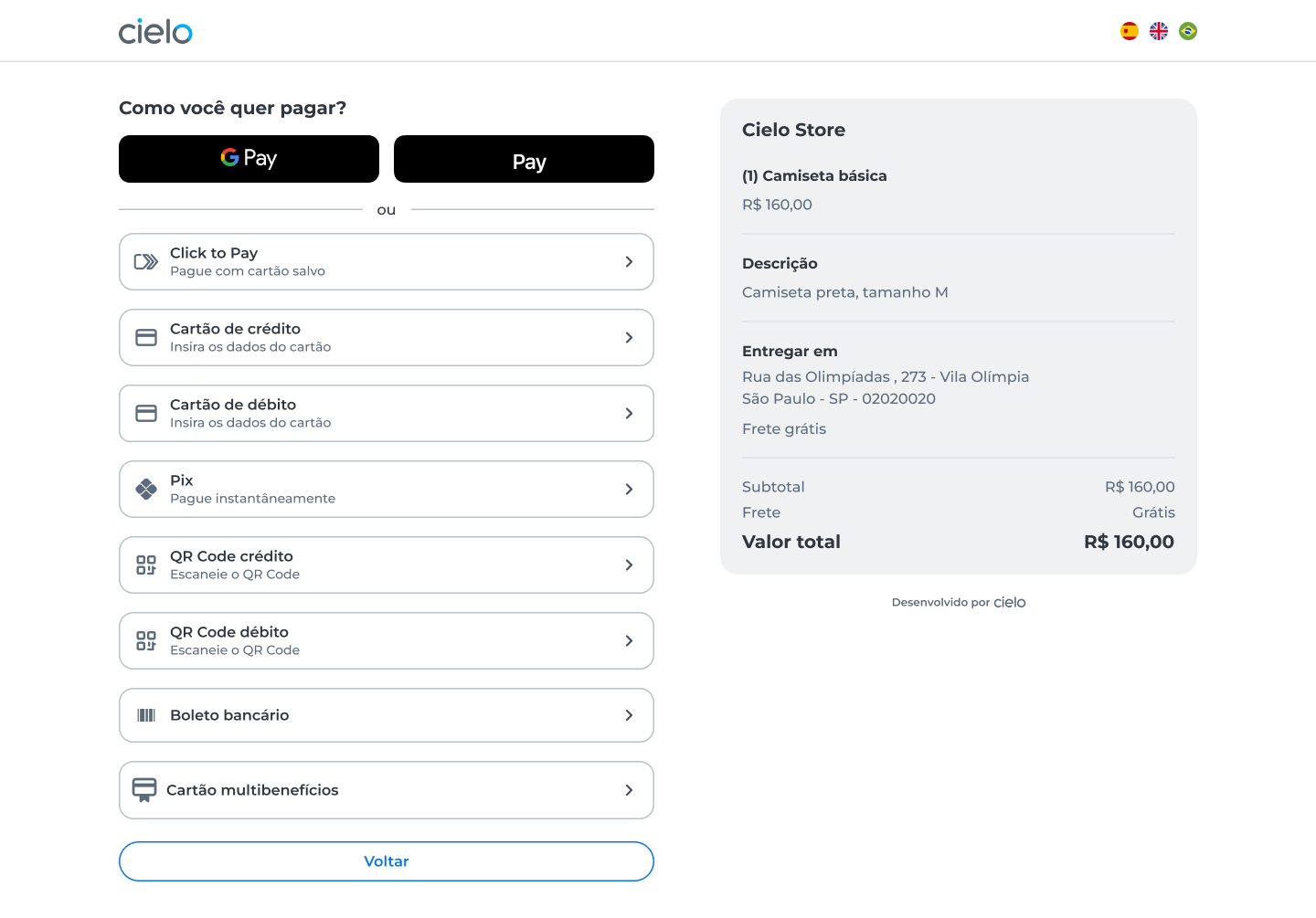
ImportantCheckout continues to display the installment field even if the cardholder is foreign. The availability of installments depends on the card issuer. If the cardholder selects an option that the card does not support, the transaction will be declined by the issuer.
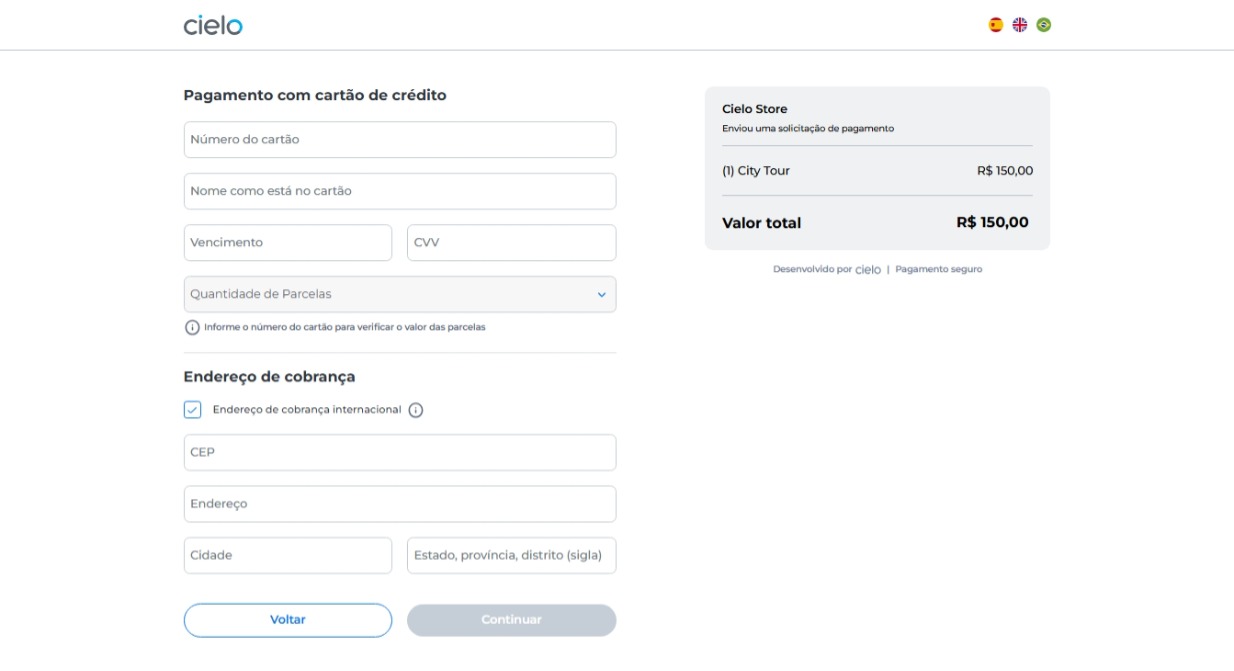
- For credit card payments, after entering the card details, the cardholder must fill in the billing address.
To enter an international address, select the “International billing address” option. When this option is selected, the interface enables the fields to be formatted for international addresses.
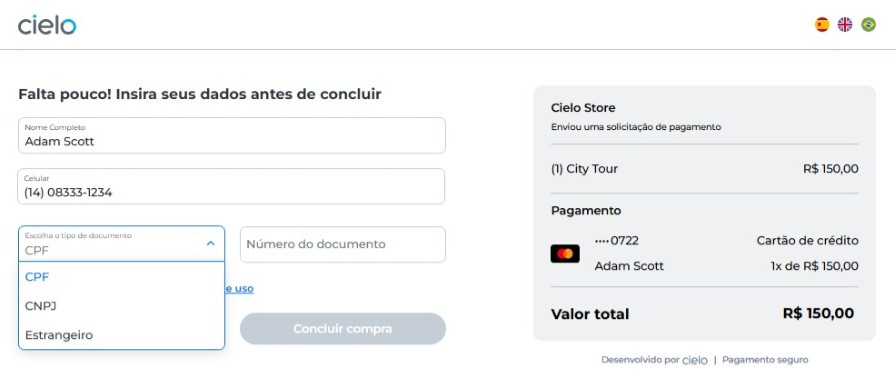
- In the final step, when entering the document number, select the “foreign” option in the “Choose the document type” field. This way, the interface enables the fields to be formatted for international documents.
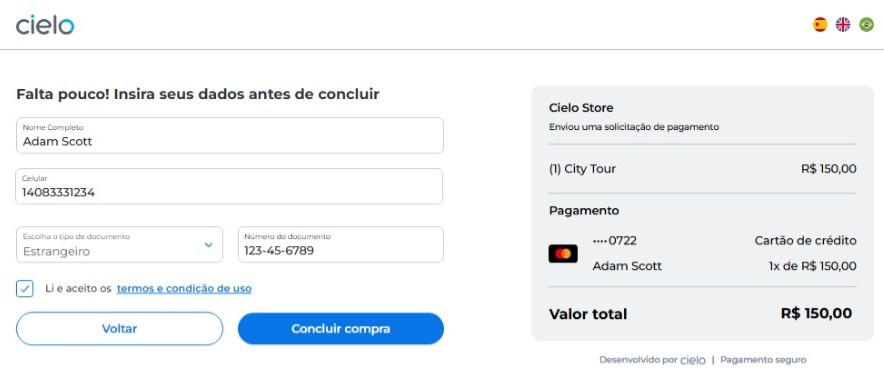
- After entering the document, the cardholder completes the purchase. The purchase is then finalized and the order summary screen is displayed.
Updated 3 months ago