
Journey ITP - Pix via Open Finance
Choosing the payment method on the Cielo payment page and completing the order
1. The shopper selects Pix as the payment method:
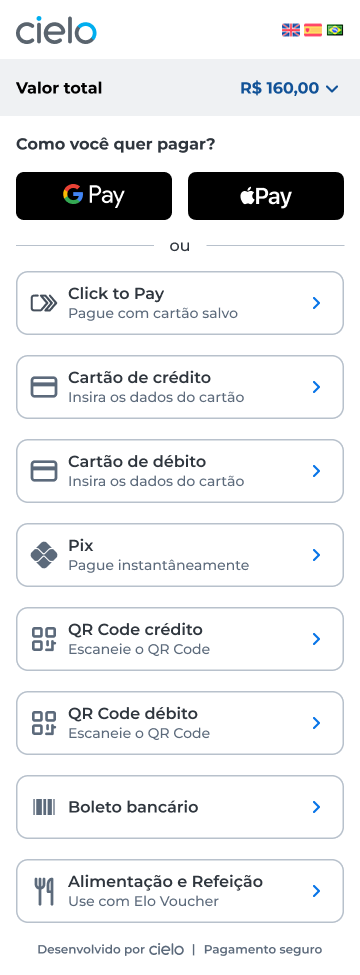
2. Chooses the Pix via Open Finance option:
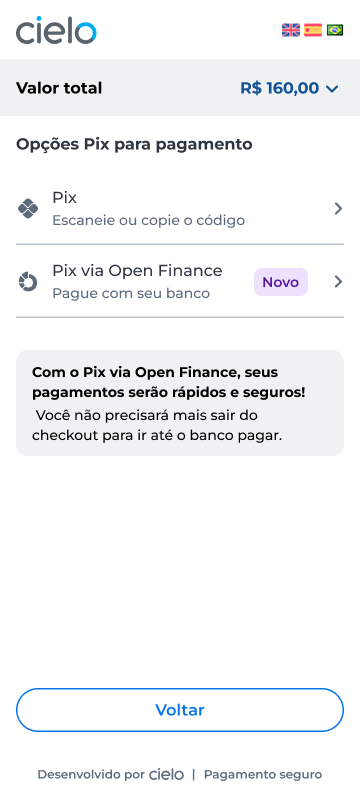
3. Selects the bank to pay with:
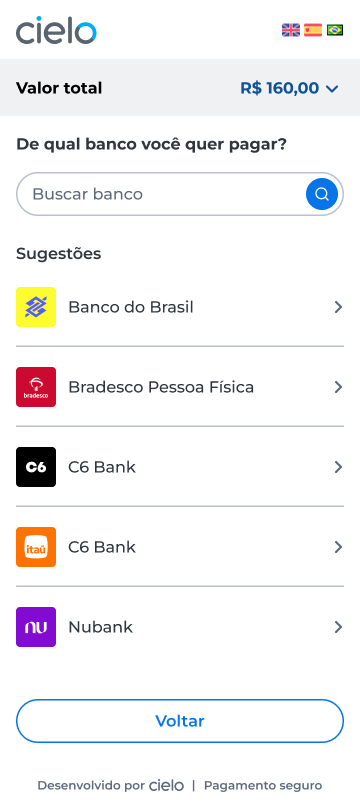
4. Fills in personal data and clicks Continuar:
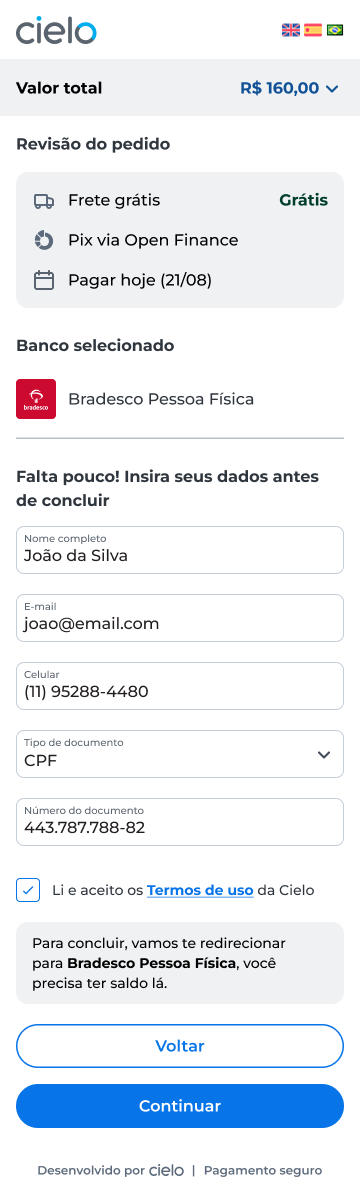
5. Clicks Ir agora para o banco:

6. Is redirected to the bank environment and completes the payment at the bank (login, authorization, password) – see example of payment journey in the bank app.
7. Is redirected back to the Cielo environment:
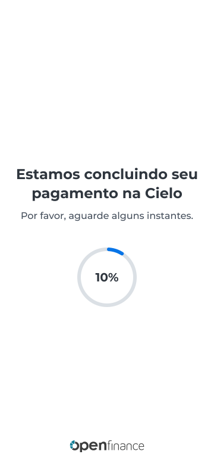
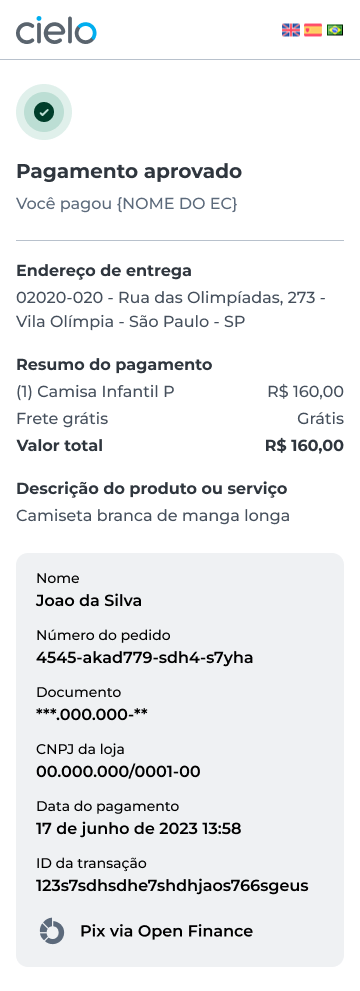
8. The order completed successfully screen is displayed:
Example of payment journey in the bank app
Below is an example* of how payment works inside the bank app, corresponding to step 6 of the payment journey via Checkout/ou Link de Pagamento Cielo:
When redirected to the bank environment, the shopper will log in to the bank app or website:
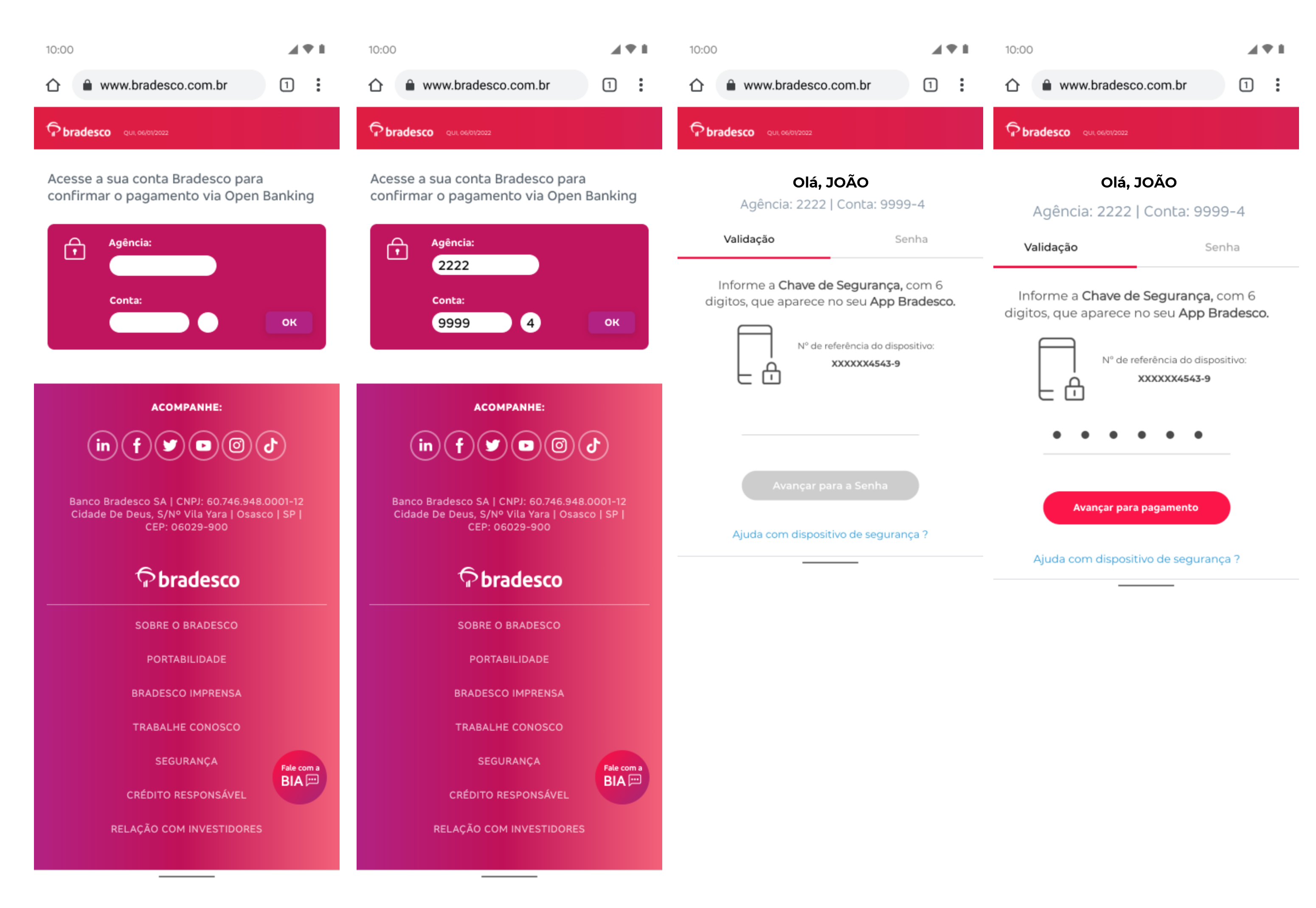
Next, a screen with payment details for confirmation will be displayed:
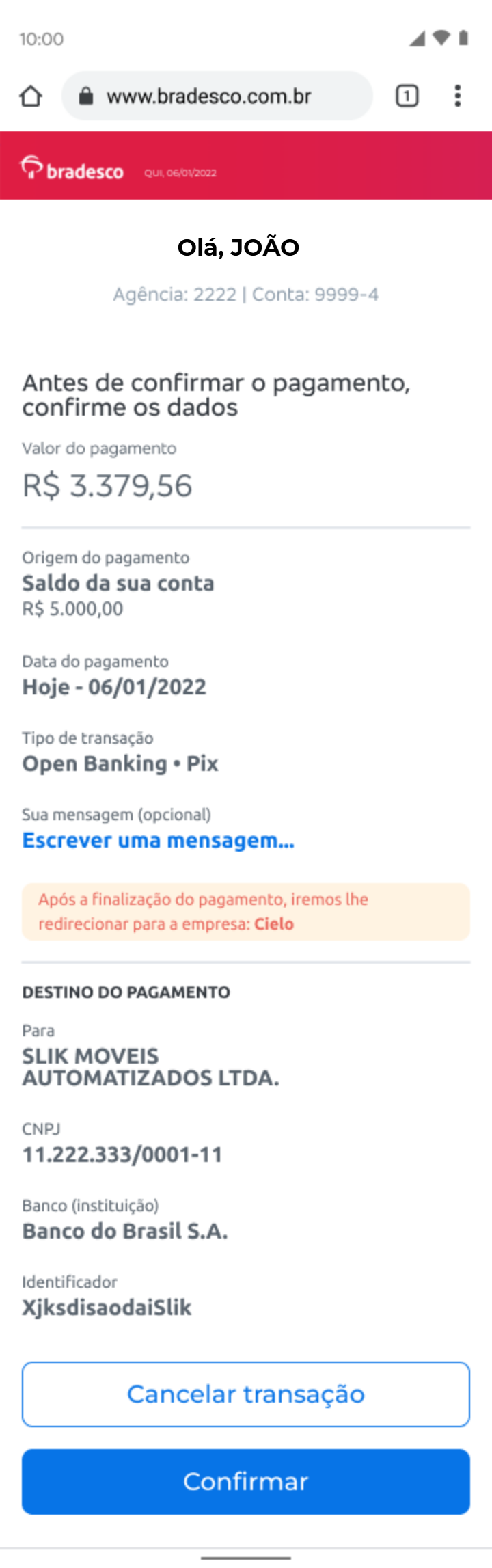
Upon confirmation, the shopper will enter their password:
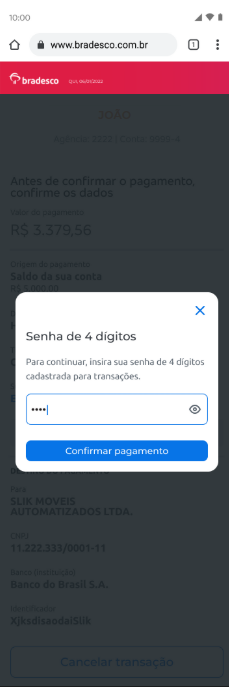
The transaction will be created:
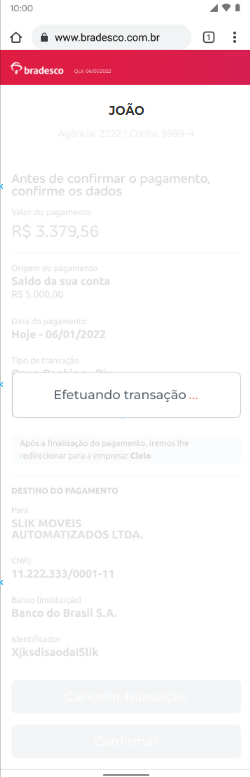
Then, the shopper will be redirected by the bank back to the Cielo environment, where the payment confirmation screen will be displayed, as shown in step 8.
*The bank app screen images are illustrative.
Updated 21 days ago