
ITP - Pix via Open Finance
Open Finance is an ecosystem created from a regulation by Banco Central do Brasil, which allows people to share their information and choose the best service in the financial system. With Open Finance, the client chooses how, when, and with whom to share their data through consent to the institution holding the data.
What is Pix via Open Finance?
Pix via Open Finance is a new payment method option. When choosing to pay for an online purchase with Pix via Open Finance, the shopper completes the payment without leaving the purchase flow, with a smoother and safer experience.
| Journey | Description |
|---|---|
| Traditional Pix | It is necessary to copy the Pix code, open the bank app, and paste the code to pay. |
| Pix Open Finance | The shopper chooses the bank within the payment screen, logs in, and authorizes the payment without leaving the purchase journey. |
Benefits for shoppers
- Continuous and frictionless purchase journey;
- More security and agility.
Benefits for merchants
- Reduction in cart abandonment;
- Faster payment confirmation, speeding up logistics between purchase and delivery of the product/service;
- More payment options for clients.
Payment journey
Check the payment steps for Pix via Open Finance:
- Shopper selects Pix as the payment method;
- Chooses the Pix via Open Finance option;
- Selects the bank to pay with;
- Fills in personal data and clicks Continuar;
- Clicks Ir para o banco;
- Is redirected to the bank environment;
- Completes the payment at the bank (login, authorization, password);
- Is redirected back to the Cielo payment page with the order completed.
Check the screens of the Pix via Open Finance payment journey.
How to enable
Cielo is automatically enabling Pix via Open Finance in phases for merchants that already accept conventional Pix. To find out if your store has Pix via Open Finance available, access the Cielo website and go to E-commerce > Link de Pagamento or Checkout > Configurações > Meus meios de de pagamento ativos and check if the Pix via Open Finance option is checked.
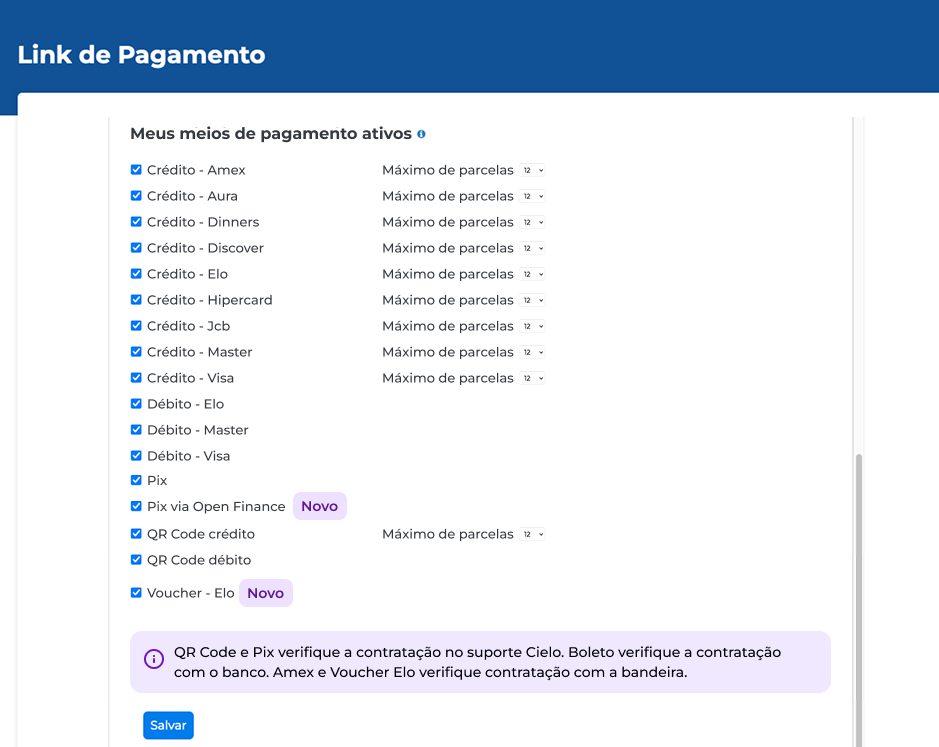
How to disable Pix via Open Finance?In Configurações > Meus meios de pagamentos ativos, uncheck the Pix via Open Finance option.
How to view orders paid with Pix via Open Finance?
On the Cielo website, go to E-commerce > Meus links > Pedidos to view the list of orders. It is possible to filter by the payment method Pix via Open Finance.
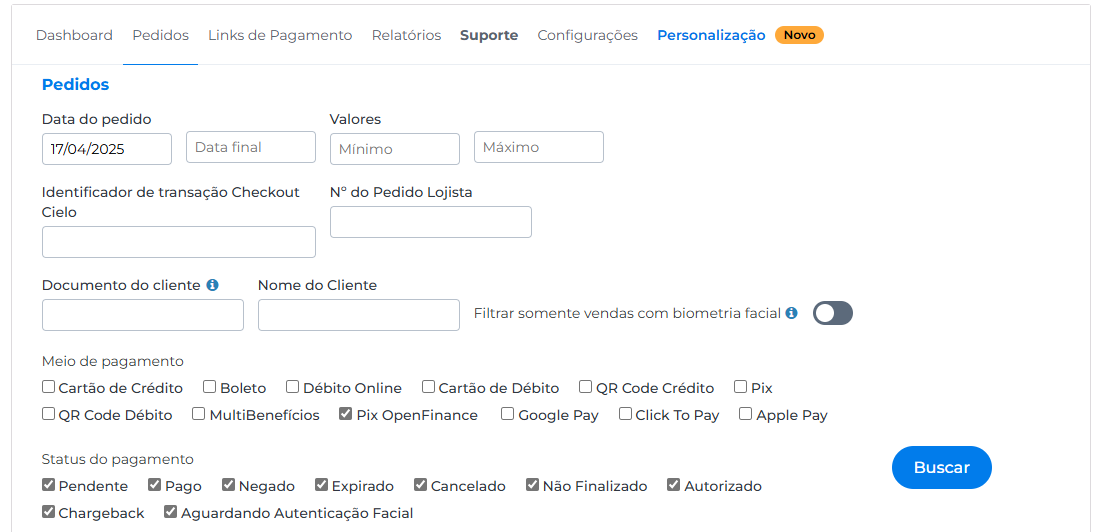
The search will return the list of orders placed with Pix via Open Finance.

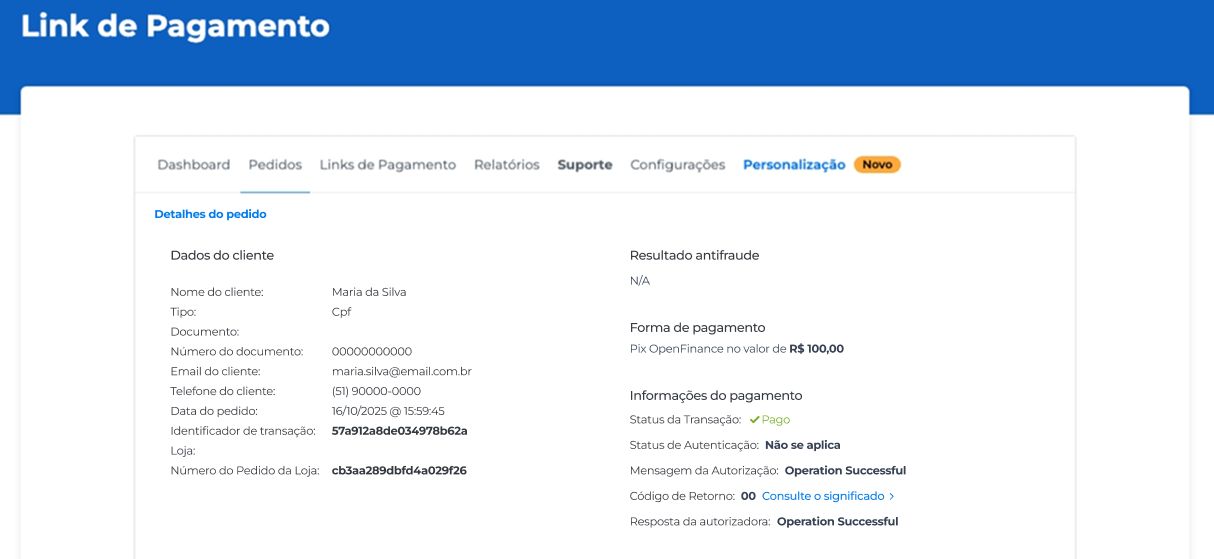
It is possible to open the order details by clicking on +.
Updated 23 days ago