
Central de Relatórios (Report center)
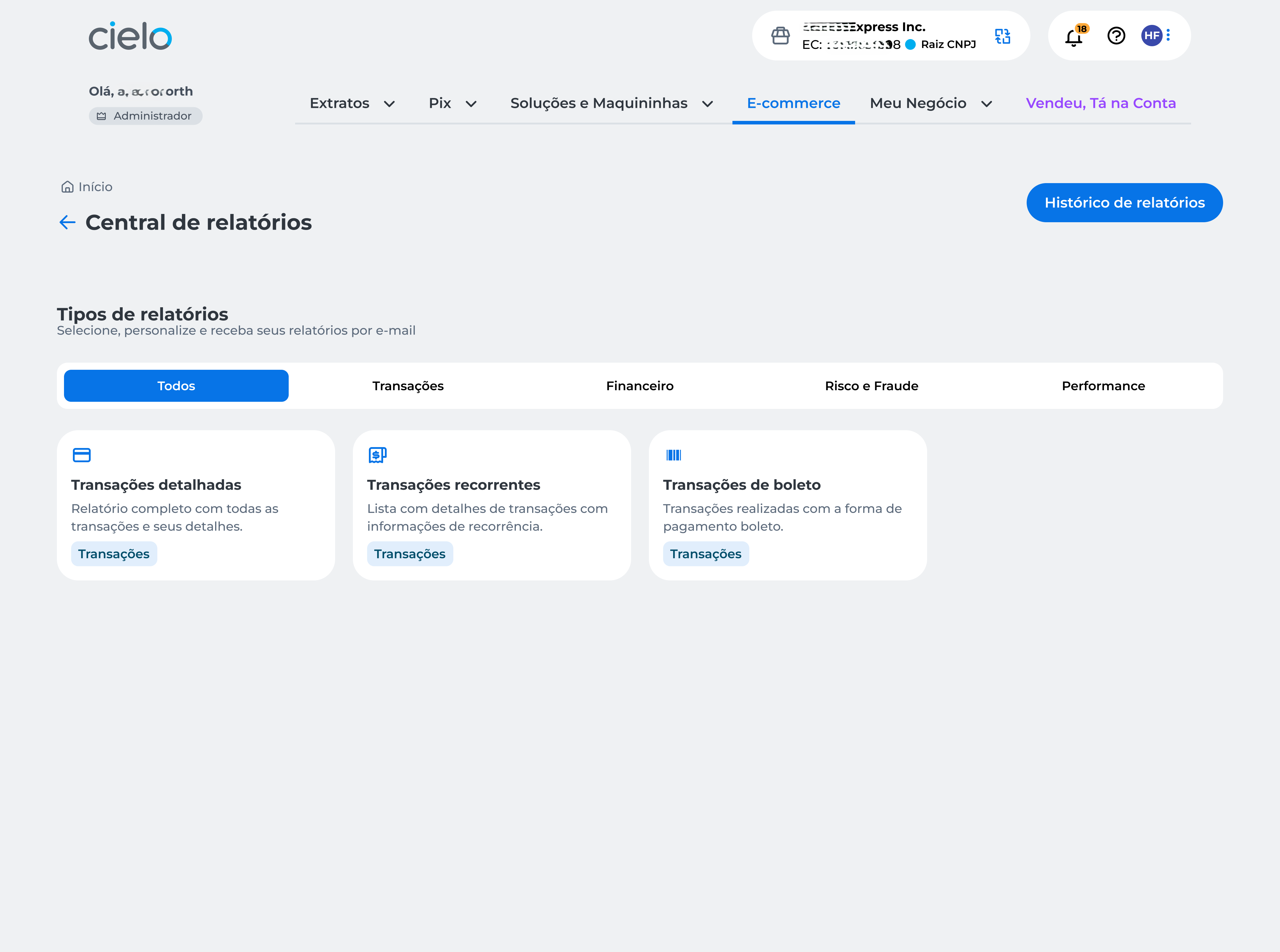
Central de Relatórios (Report center) is available for you to consult the main reports related to your transactions and settings.
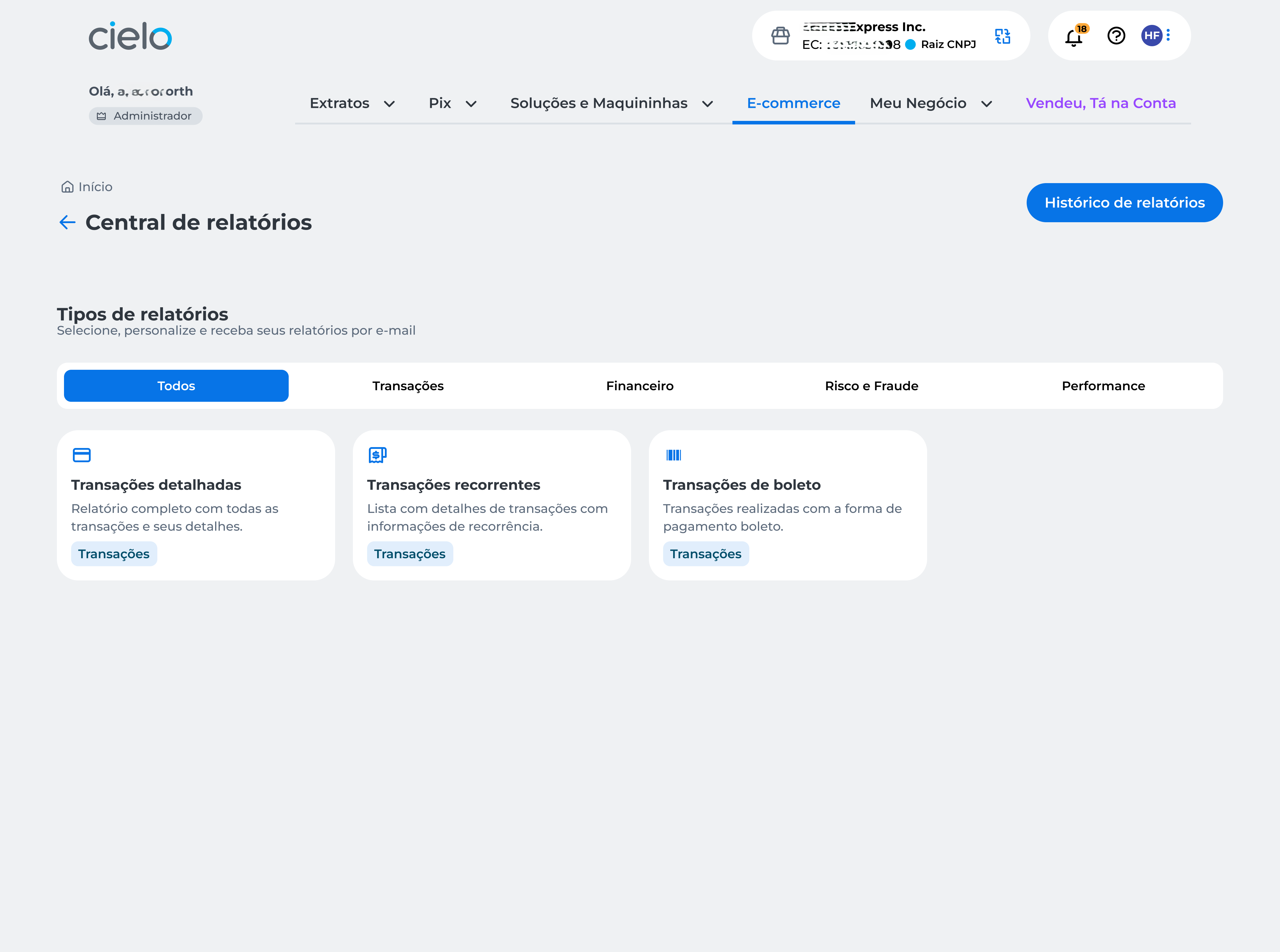
| Reports | Description |
|---|---|
| Transações detalhadas (Detailed transactions) | Complete report with all transactions and their details. |
| Transações de boleto (Boleto transactions) | Transactions made with the boleto payment method. |
| Transações recorrentes (Recurring transactions) | List with details of transactions including recurrence information. |
Attention
- Reports available in the Central de Relatórios (Report center) are exclusive to Cielo E-commerce API clients;
- Reports include transactions from the last three months and allow you to configure recurrence options.
Central de Relatórios
To access Central de Relatórios (Report center), follow the steps below:
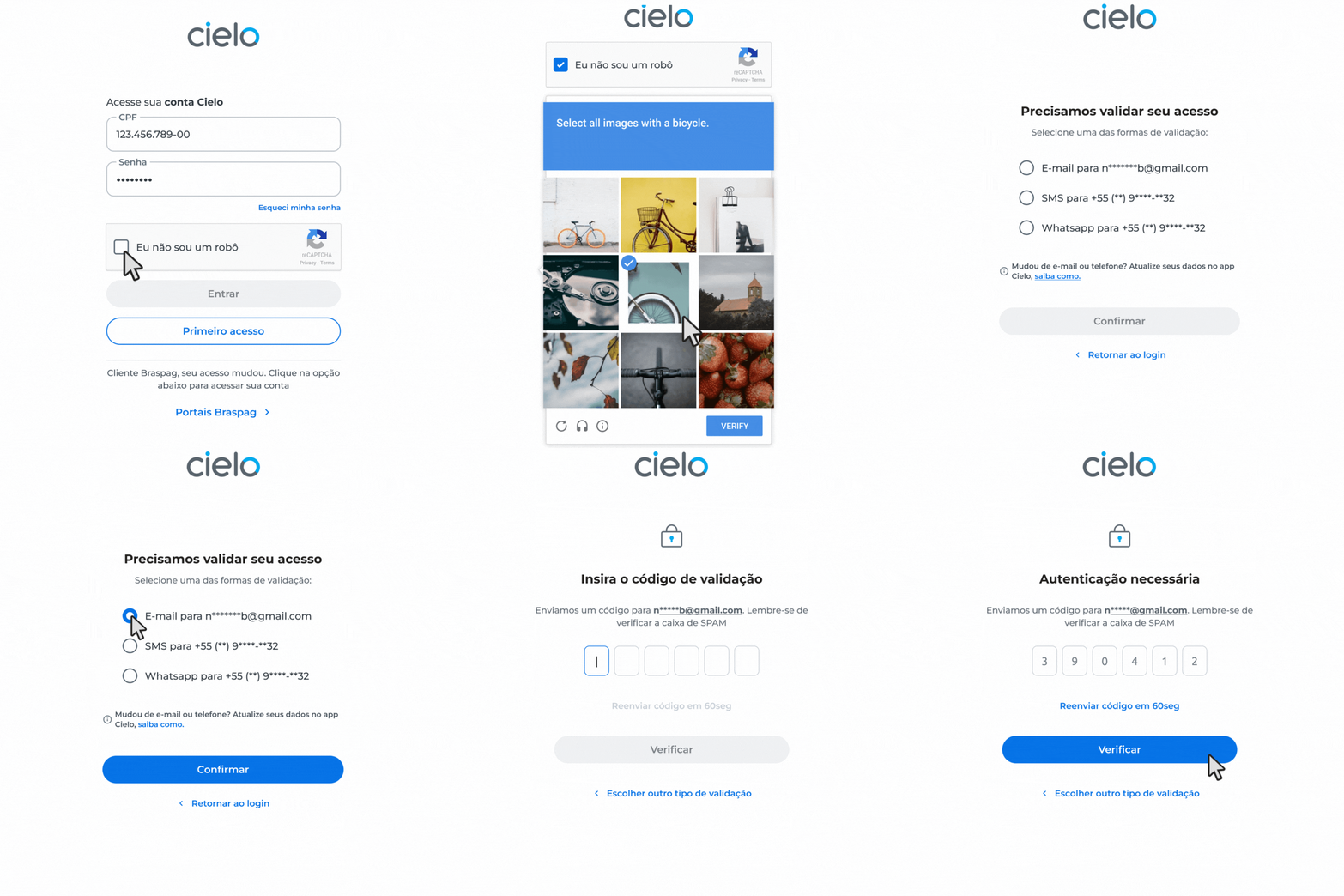
- Access on portal Cielo ;
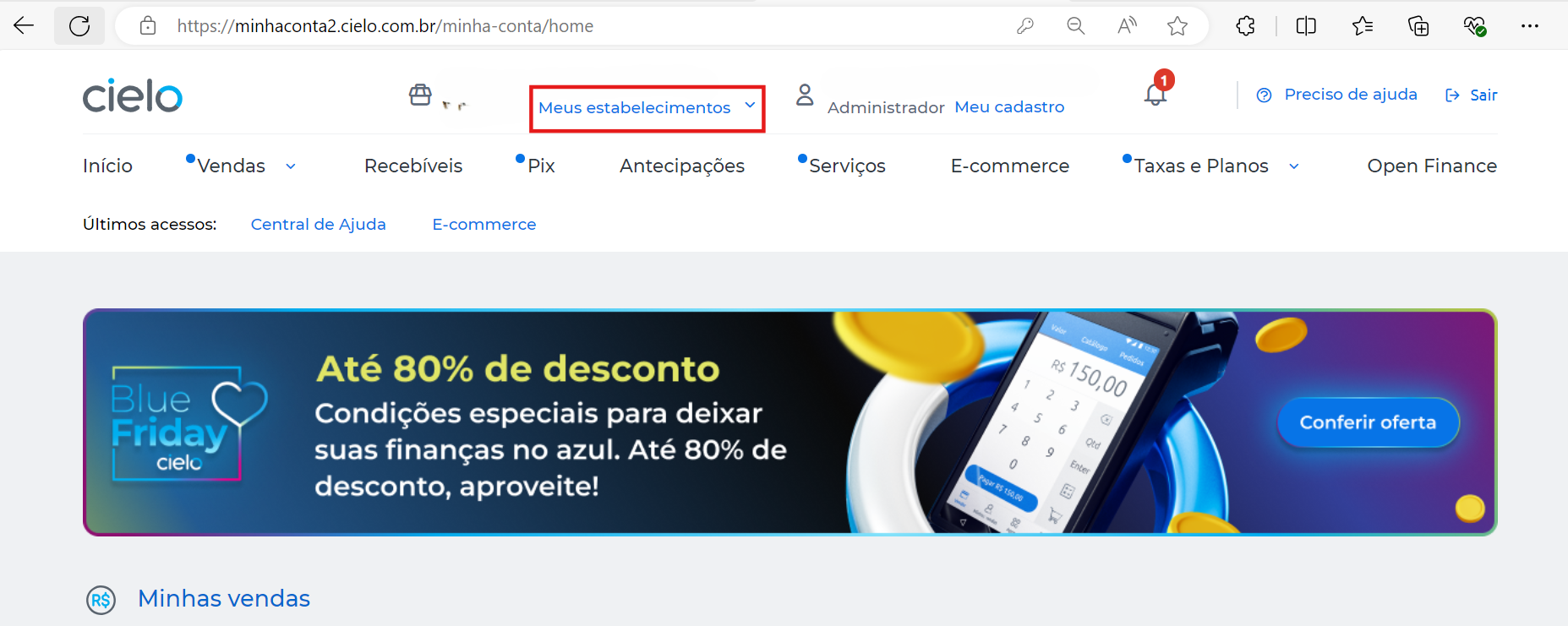
- If you have more than one establishment and need to switch, click on Meus estabelecimentos;
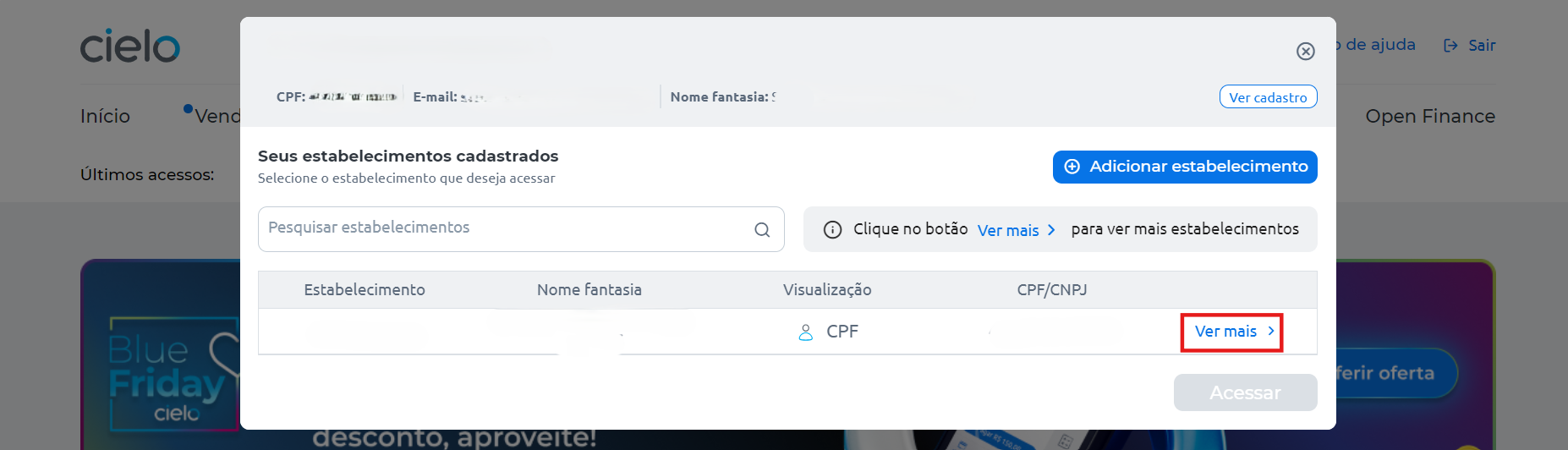
- Click on Ver mais;
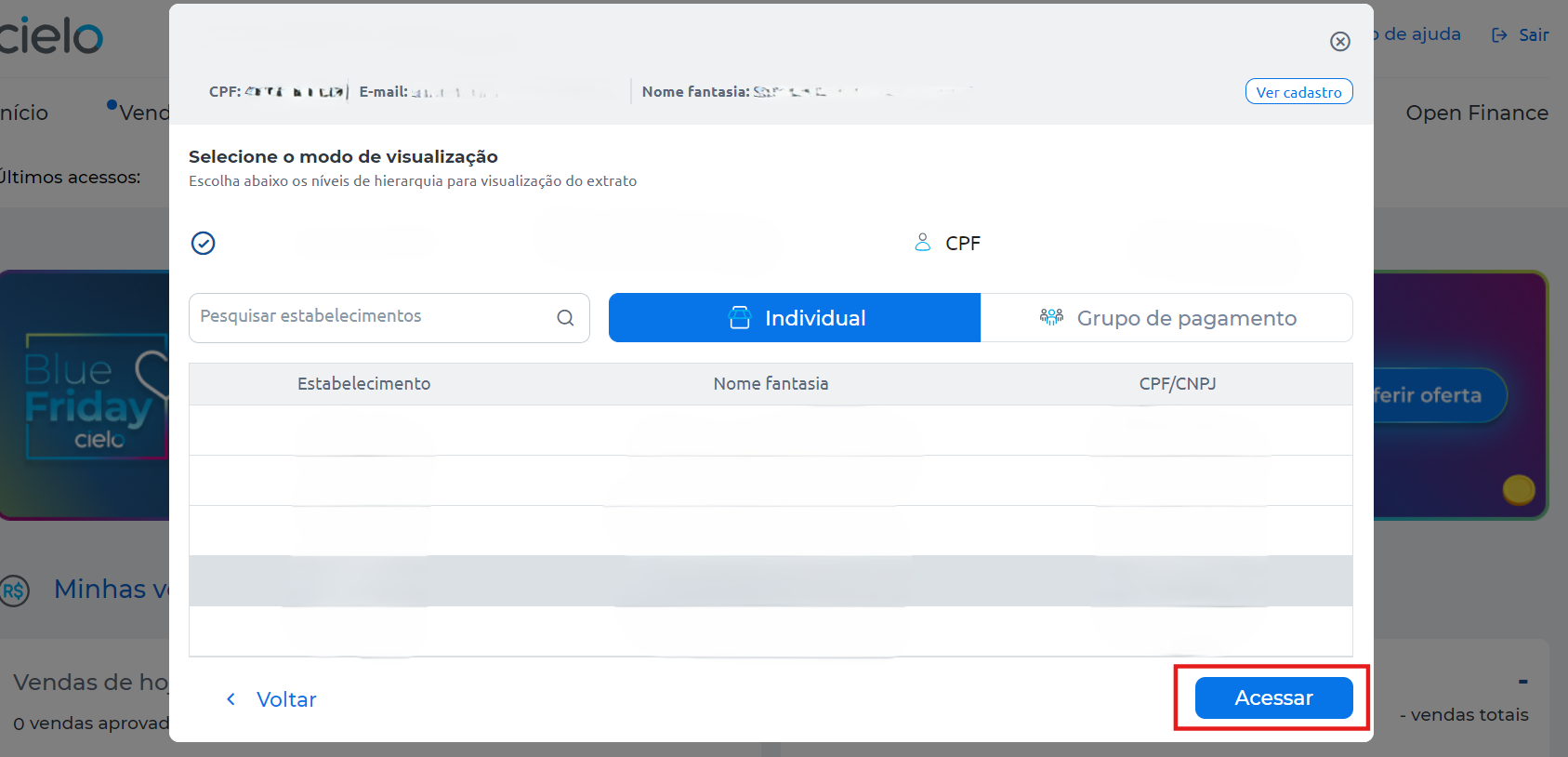
- Select the desired establishment (the EC number for the Cielo E-commerce API can be found in the welcome email sent by Cielo) and click on Acessar;
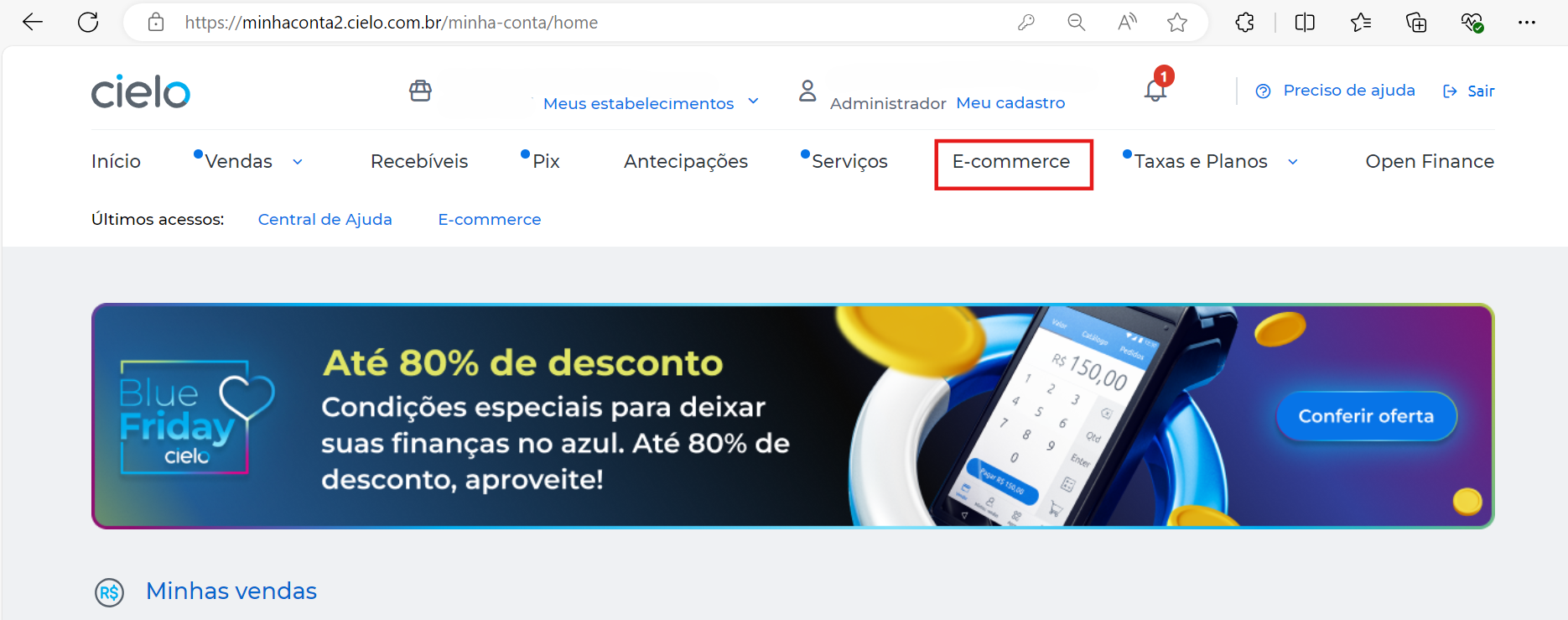
- Click on E-commerce;
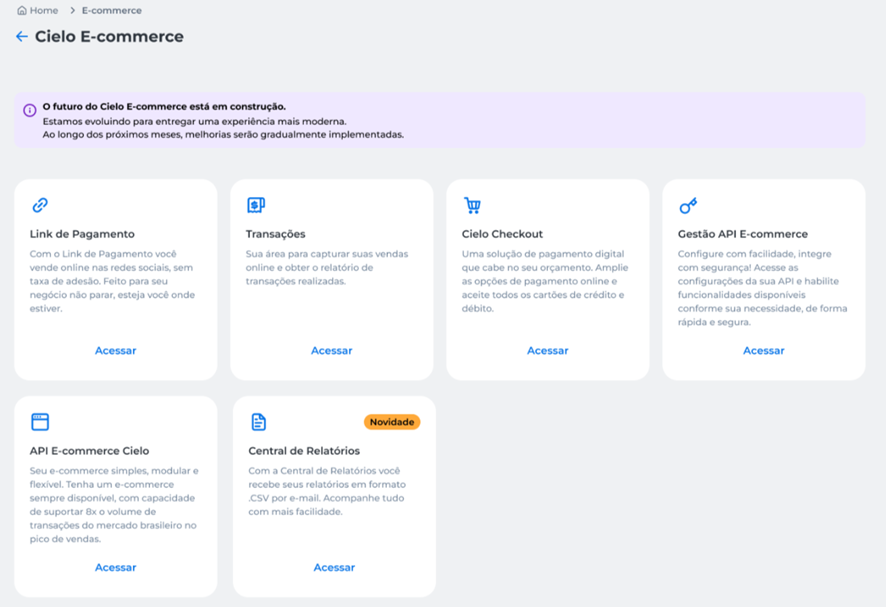
- Click on Central de Relatórios;
- Click on the report you want to view;
- Choose the desired establishment (Estabelecimento) and period (Mês e ano), then click on Solicitar.
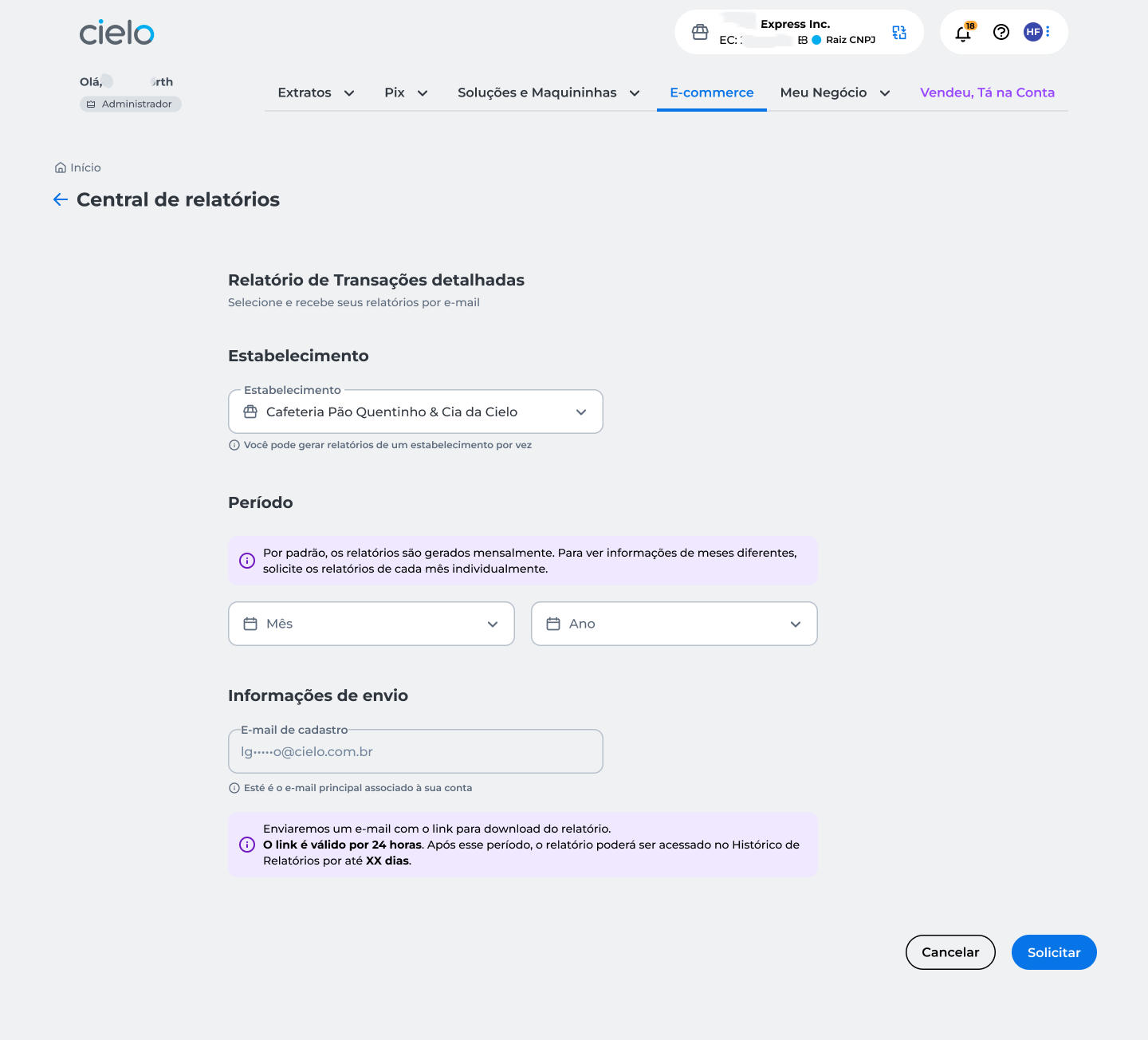
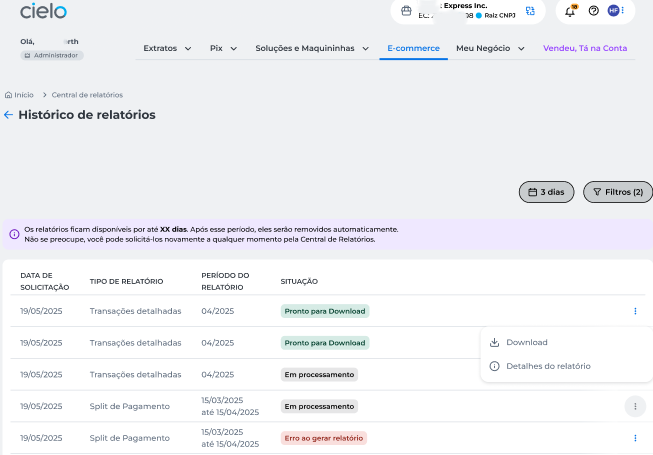
An email with the link to download the report will be sent. The link is valid for 24 hours. After this period, the report can be accessed in the Histórico de relatórios (Report history) for up to 90 days.
Histórico de relatórios (Report history)
- To access the history, click on Histórico de relatórios;
- Now you can see all generated reports and their details;
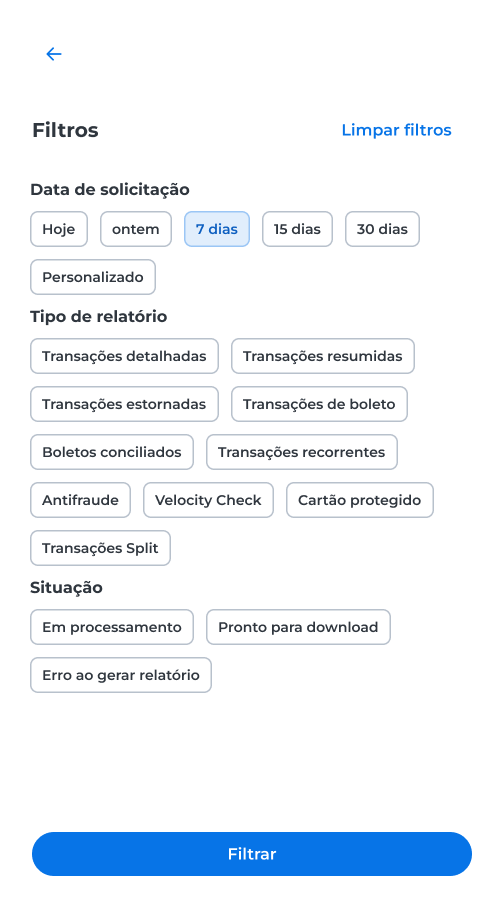
- To filter the information, click on Filtros.
Updated 5 months ago