
How to configure notification URL
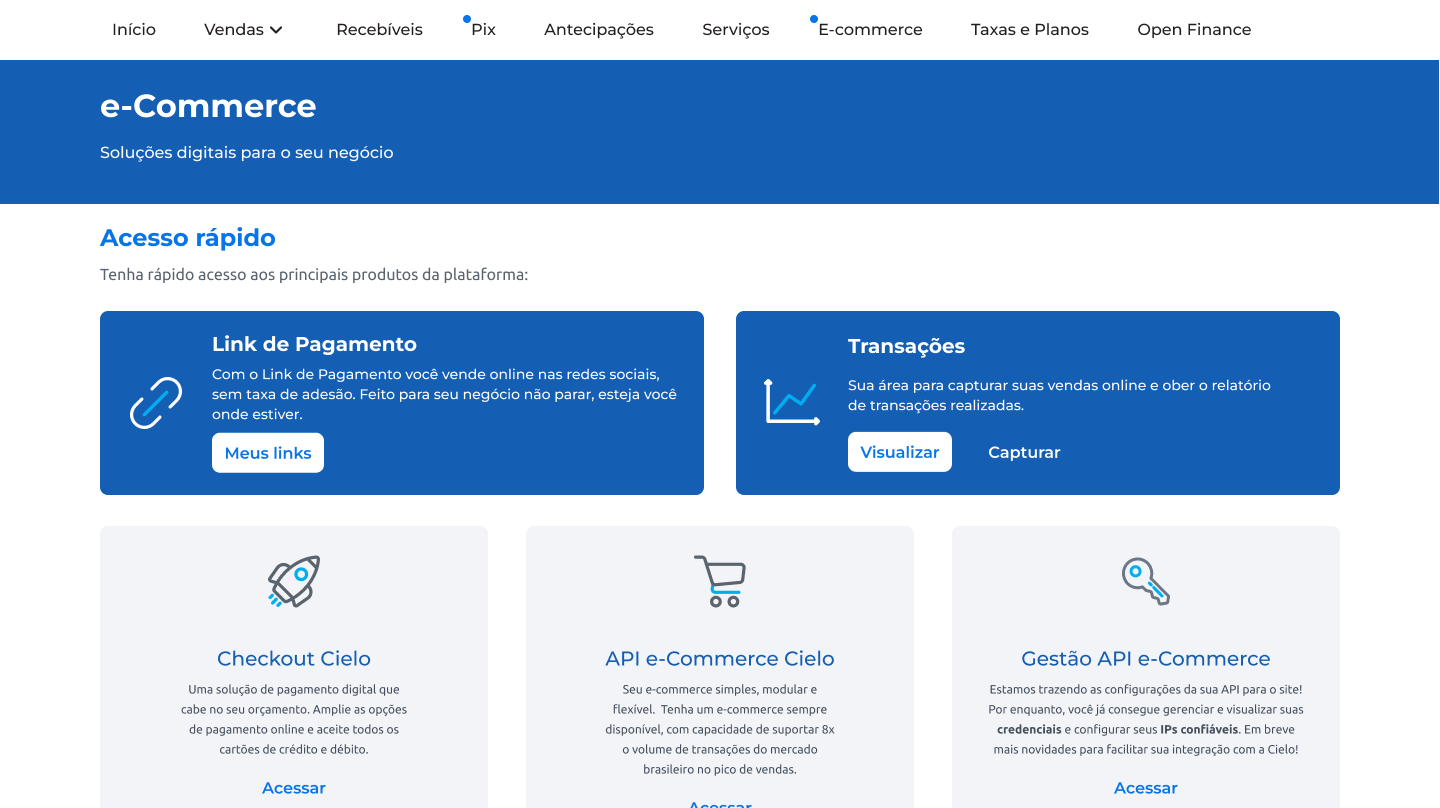
- Log in to the Cielo Portal and access the E-commerce tab. In Gestão API e-Commerce, click on Acessar:
- Go to the URL de notificações tab and click Configure URL.
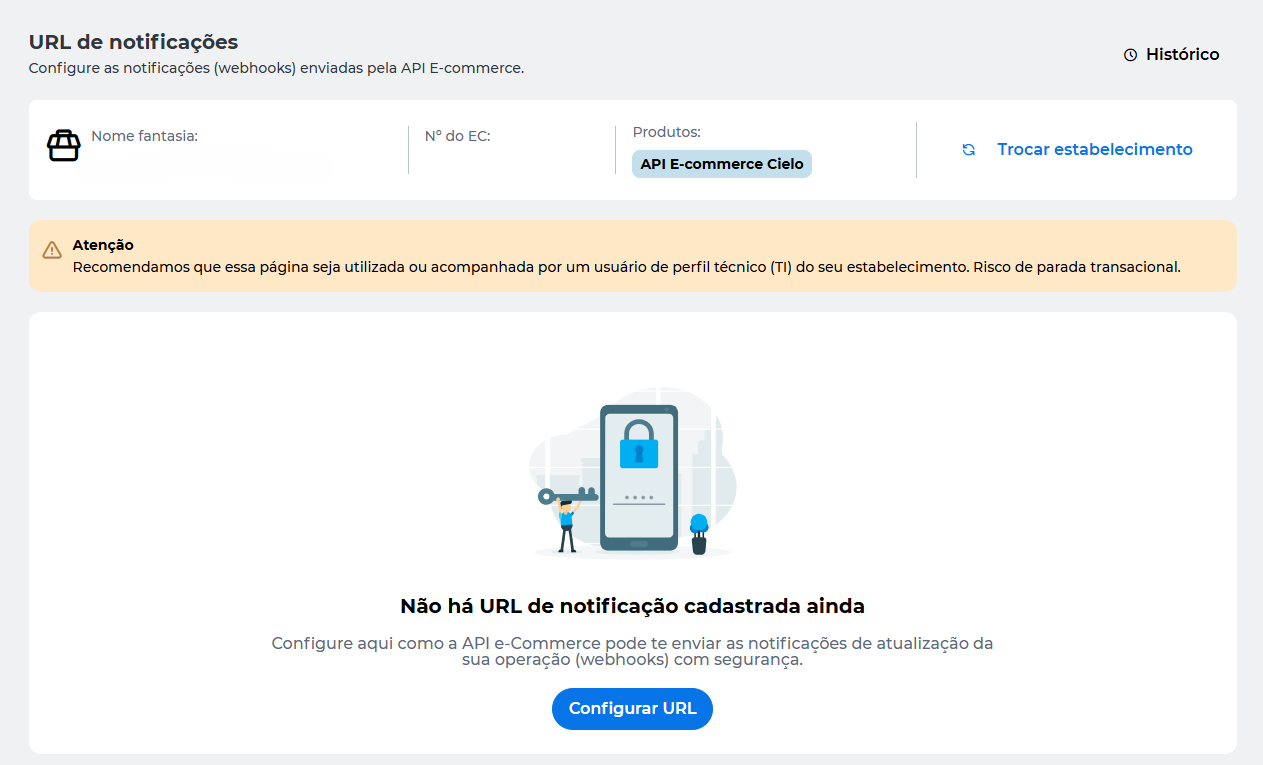
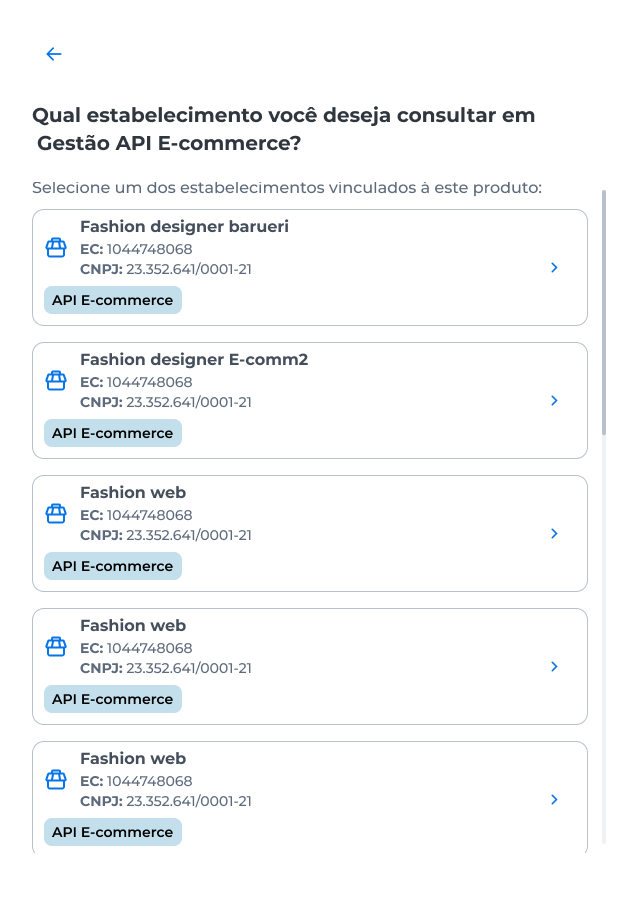
If you want to configure the notification URL for another merchant, click Trocar estabelecimento and choose the merchant.
- In URL cadastrada, enter the address where notifications will be sent:
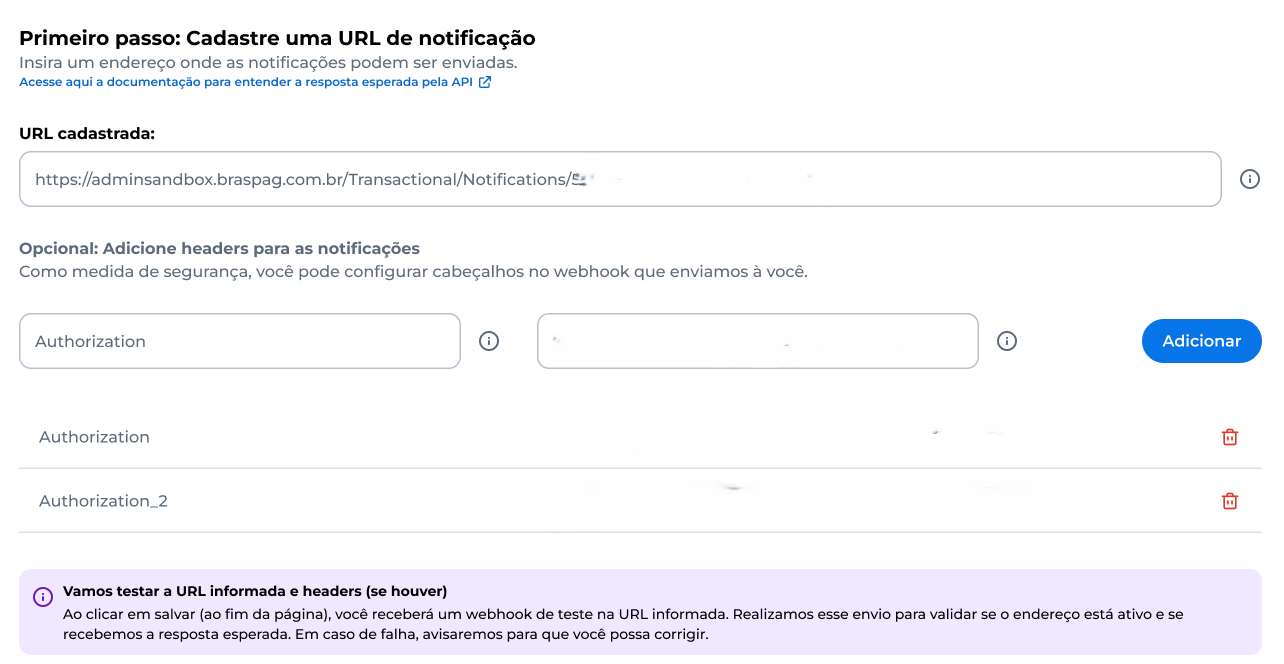
We recommend configuring a header in the webhook as a security measure. If you wish to set it up, enter a field for the header and its value. Click Adicionar.
- Em seguida, escolha as notificações que deseja receber:
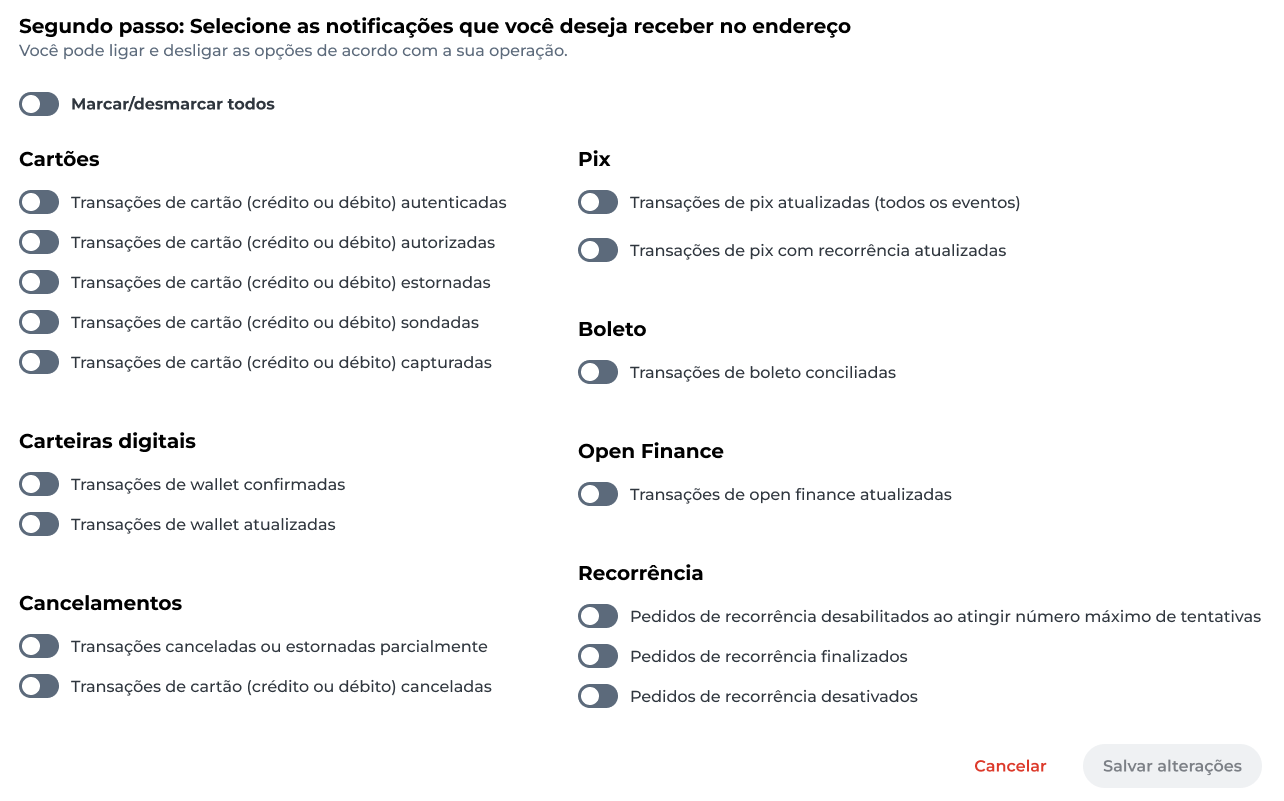
- Click on Salvar alterações.
After configuration, a test notification will be sent to the registered URL.
In case of an error, a warning will appear so you can correct the URL information. If successful, user authentication will be required for the changes to be saved.