
Add User
Use this option to invite a new user and grant access to the merchant.
How to Add a User Individually
- In the Sua equipe section, click Adicionar usuário;
- Select the user profile.
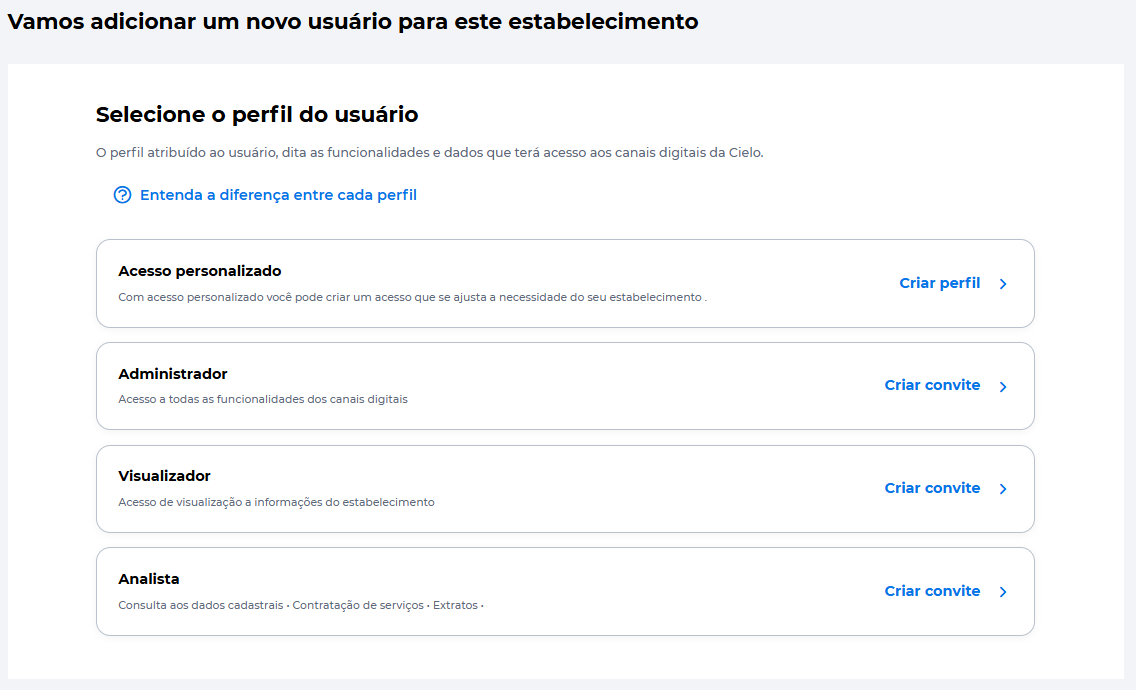
Profile Types
Choose the profile based on the access needs:
- Perfil personalizado (Custom Profile): access configured according to defined permissions;
- Administrador (Administrator): full access to all functionalities;
- Visualizador (Viewer): information view only;
- Analista (Analyst): access to most functionalities, with some management restrictions.
Custom Profiles must be created in advance. See how to create a custom profile
Fill in User Information
For Administrator, Analyst, and Viewer profiles:
- Enter the user's CPF and email;
- Click Próximo;
- Enter the security token generated in the Cielo Gestão App;
- Send the invitation.
After sending, the user will receive an email to complete the registration and activate access.
To do this, the user must:
- Install the Cielo Gestão App;
- Complete the registration;
- Accept the invitation.
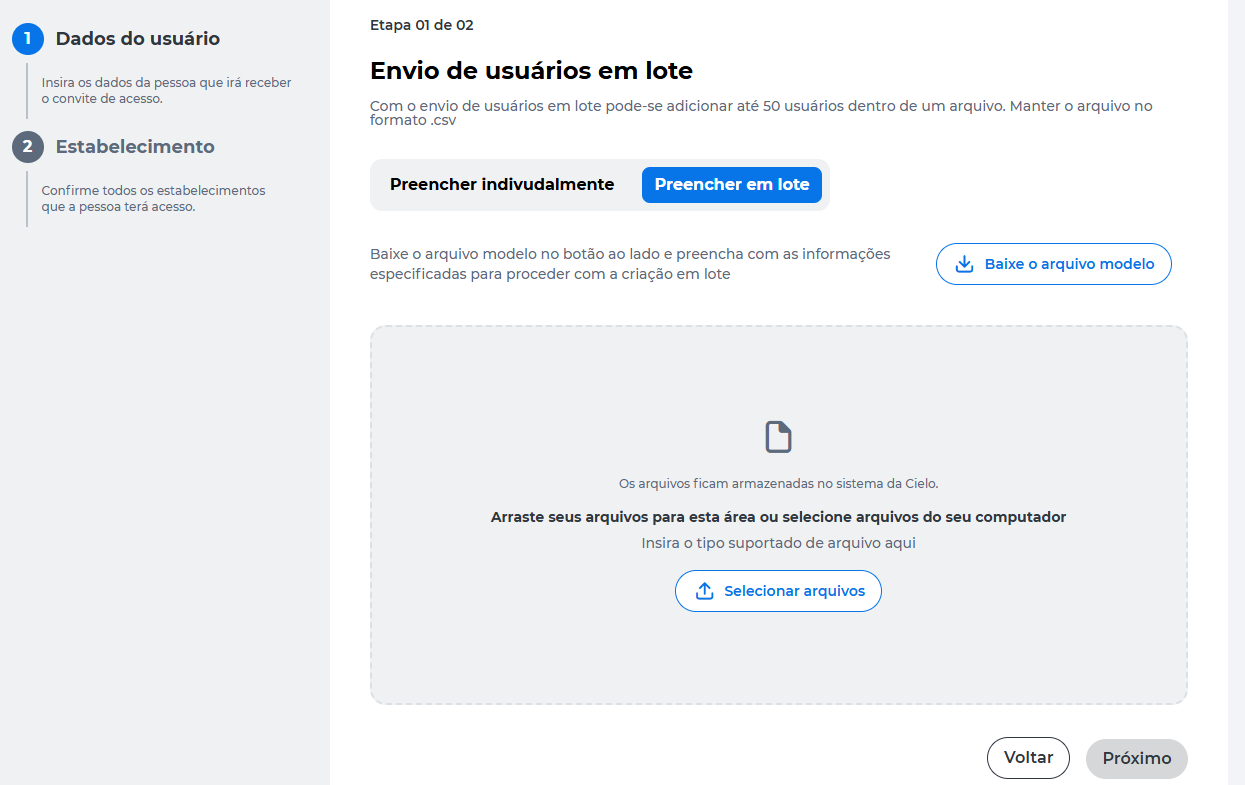
Add Users in Bulk
To add multiple users at once:
- Select Preencher em lote*;
- Download the arquivo modelo;
- Fill in the file with the user information;
- Upload the file.
Updated about 10 hours ago