
Access Management
Gestão de acessos allows you to control which users can access the My Account services and what permissions each user has.
Who Can Use It
This feature is available to users with the Administrator profile, who have permission to manage access for other users.
With access management, you can:
- Add and manage users;
- Assign and change access profiles;
- Control permissions by profile;
- Create custom profiles.
How to Access
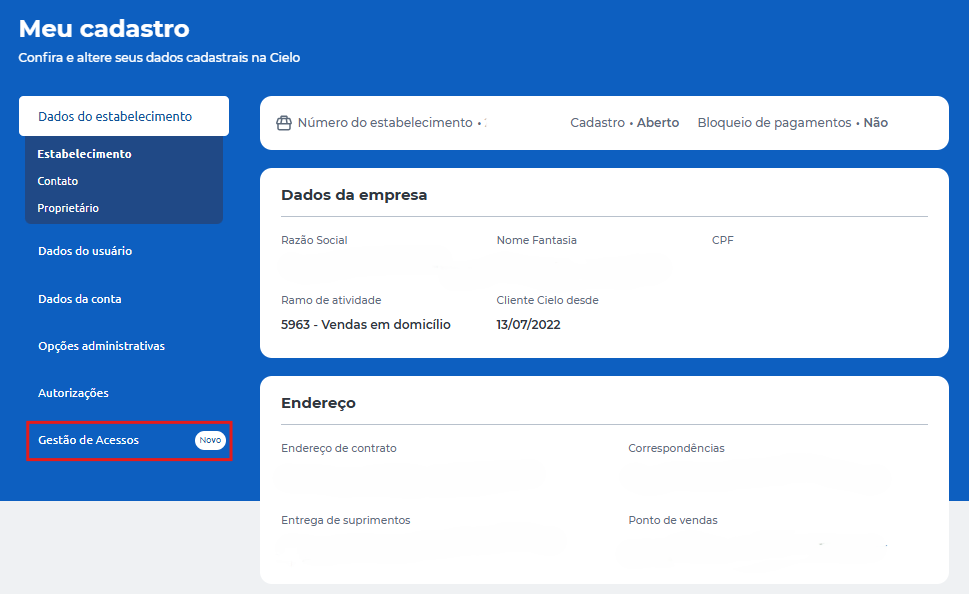
- Go to Minha conta;
- Click Meu cadastro;
- Select Gestão de acessos.
Screen Overview
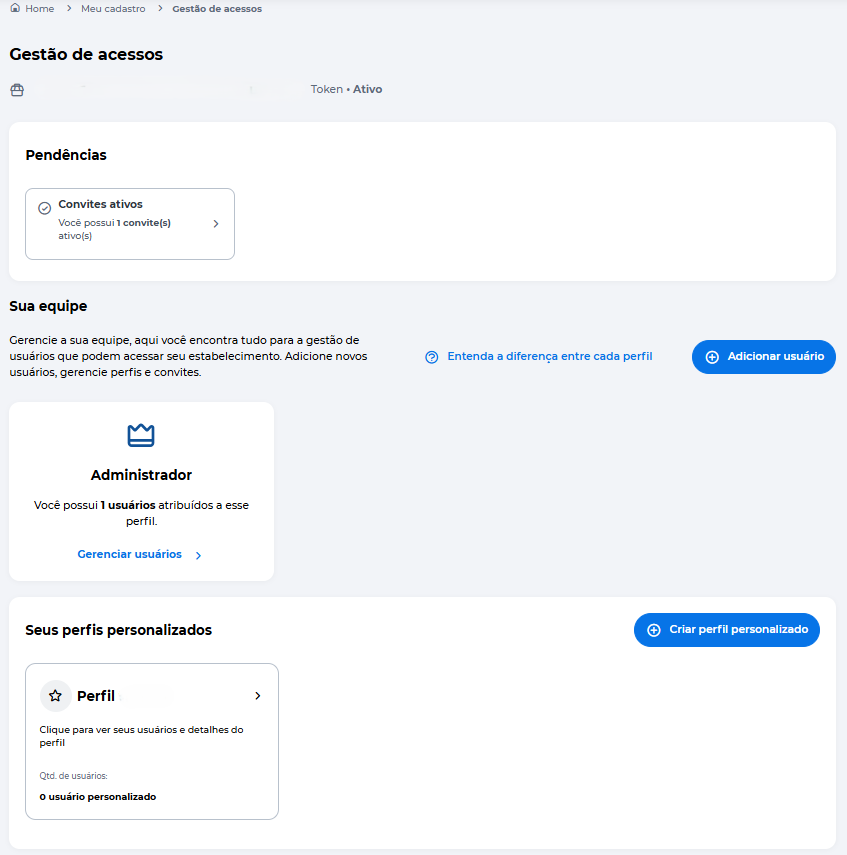
The Access Management screen is organized into the following areas:
Pendências (Pending Items)
Displays actions that require attention, such as pending invitations, users without a profile, or expired invitations.
Sua equipe (Your Team)
Allows you to view and manage users linked to the merchant, including adding new users and accessing the management screen.
Perfis personalizados (Custom Profiles)
Allows you to create and edit profiles with specific permissions for different roles.
Next Sections
To manage access, refer to the specific pages:
Updated about 10 hours ago